
Read your script while you look at the lens.
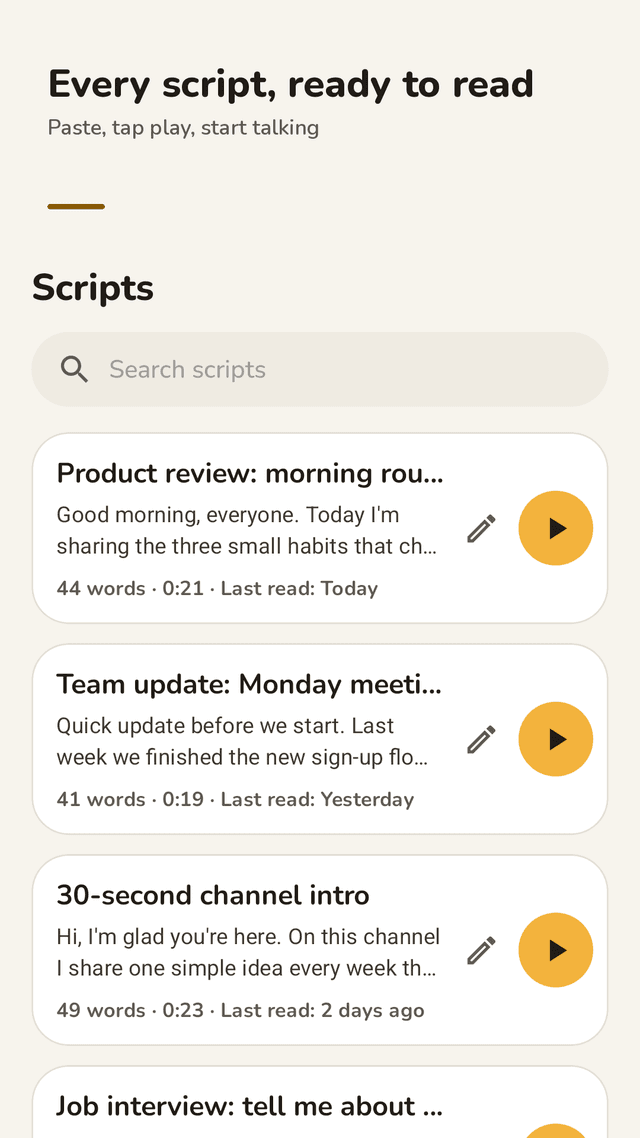
Cuewell is a teleprompter for anyone who has to talk to a camera. Paste your script, tap play and read it word for word. It scrolls at your speaking pace, saves everything as you type and floats in a small window over your camera app.
Cuewell shows your script; it does not record video or audio and does not scroll by voice. Use it alongside your own camera app.
Get it on Google Play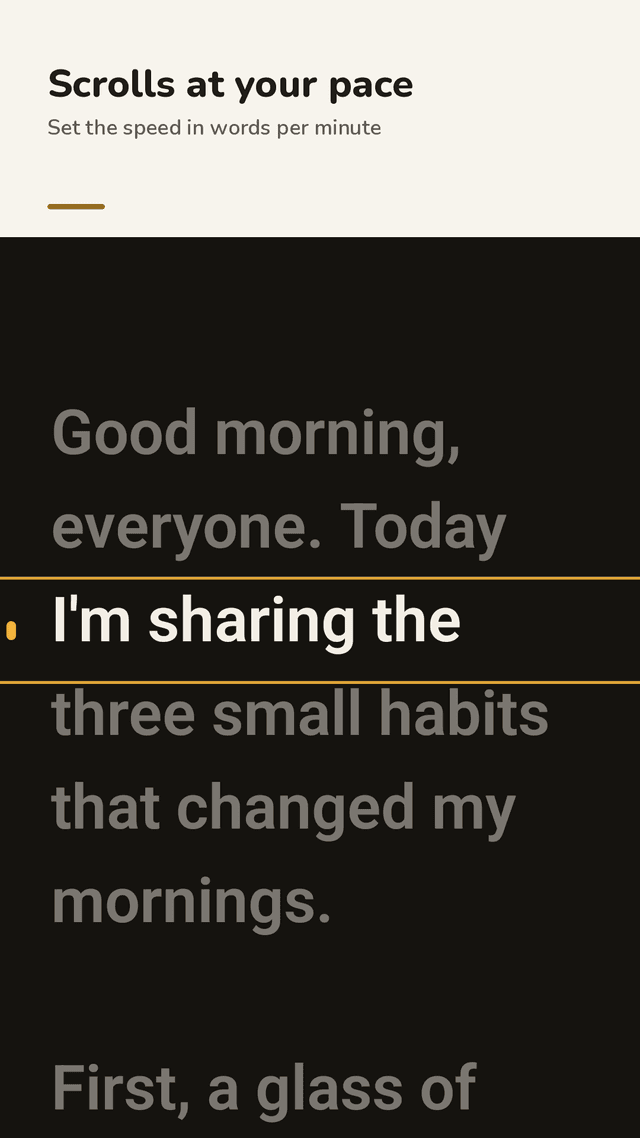
Speed in words per minute
Set the scroll speed from a slow 40 to a fast 220 words per minute, and see how long your script takes at that pace before you hit record.
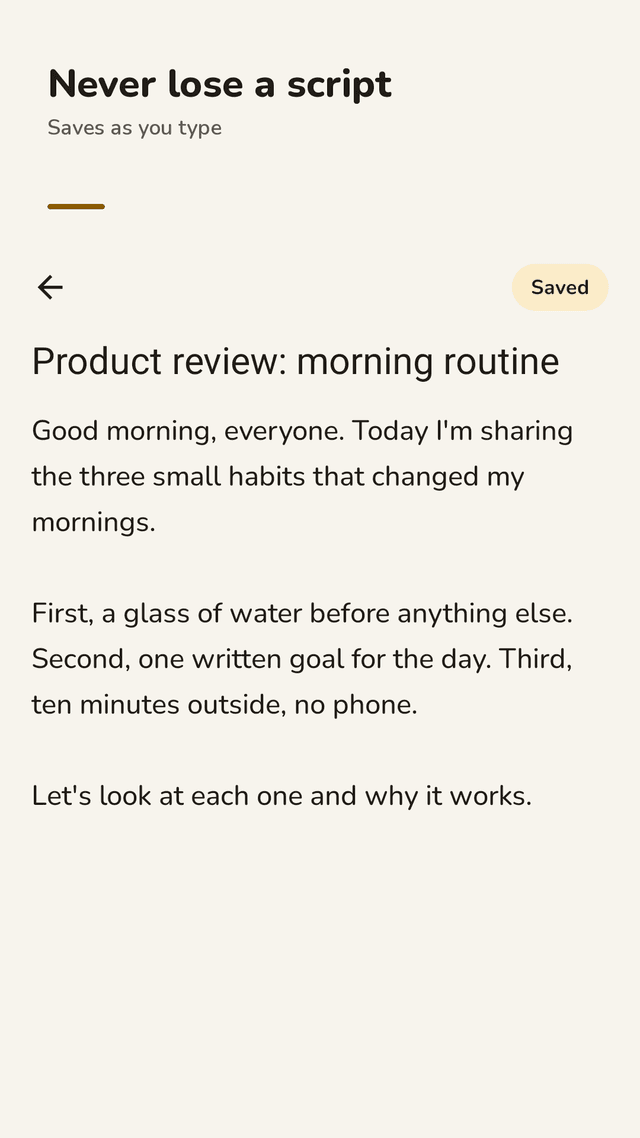
Never lose a script
There is no save button to forget. Everything you type is saved on its own, and a deleted script comes back with Undo. Paste, write or import a .txt file.
Float over your camera app
Tap the window button, open your phone's camera app and keep reading in a small picture-in-picture window you can drag near the lens.
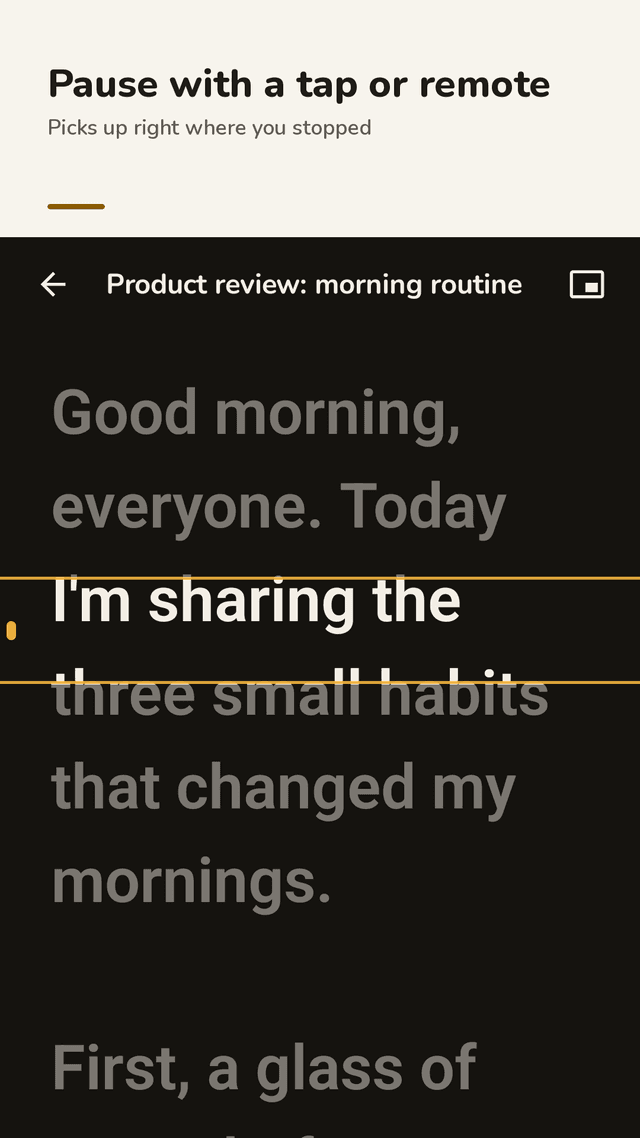
Pause with a tap or a remote
Tap the screen, or use a Bluetooth remote, page turner, keyboard or the volume buttons. Pausing keeps your place and never jumps back to the top.
Countdown and reading line
A 3-2-1 countdown before the first line, then the line you are reading is highlighted so your eyes never get lost.
Mirror mode
Flip the text left-right or upside down for teleprompter glass and rigs.
Easy to read
Change the text size, line spacing and side margins, and pick one of four color combos: cream on dark, dark on cream, yellow on black or white on black.
Practice history, widget, backup
Every read is logged with its time and pace. A home screen widget opens your latest script, and you can back up all scripts to a file and restore them on a new phone.
FAQ
- How do I use a teleprompter with my phone's camera app?
- Open your script in Cuewell, tap the window button and then open your camera app. The script keeps scrolling in a small picture-in-picture window on top of the camera. Drag it close to the lens so your eyes stay near the camera while you read.
- The text scrolls too fast. How do I slow it down?
- Cuewell sets speed in words per minute, not a percentage. Go as slow as 40 WPM or as fast as 220. It starts at 130, a relaxed talking pace, and shows how long your script will take at the speed you pick.
- Can I pause and resume with a Bluetooth remote?
- Yes. A Bluetooth remote, camera shutter remote, page turner or keyboard can play and pause, and the volume buttons work too. When you resume, Cuewell picks up exactly where you stopped instead of going back to the first line.
- Does Cuewell record video or audio?
- No. Cuewell only shows your script. Record with your own camera app or video call app while Cuewell floats on top. It does not use the microphone and does not follow your voice; it scrolls at the speed you set, and you pause it with a tap or a remote.
- Will I lose my script if I press back?
- No. There is no save button: everything is saved as you type. If you delete a script by mistake, tap Undo to bring it back.
- Can I mirror the text for a teleprompter rig?
- Yes. Mirror mode flips the text left-right or upside down, for the glass of a teleprompter rig or a beam-splitter setup.
- What can I use it for?
- YouTube videos, Shorts, Reels and TikToks, video job interviews and self-introductions, online classes, Zoom meetings and presentations, speeches, sermons, livestreams and song lyrics on stage.
- Is it free? Do I need an account?
- Cuewell is free and supported by ads. No ad ever appears on the reading screen, during the countdown or in the floating window, so ads never interrupt a recording. There is no account or cloud: your scripts stay on your phone.