
A focus timer with a capybara. It keeps running.
Pick a rhythm, type one line about what you're doing, and start. The timer stays alive in the background with the remaining time and a pause button in your notification, the capybara keeps you company, and a daily goal ring fills up as you go. No account, works offline, no subscription.
Get it on Google Play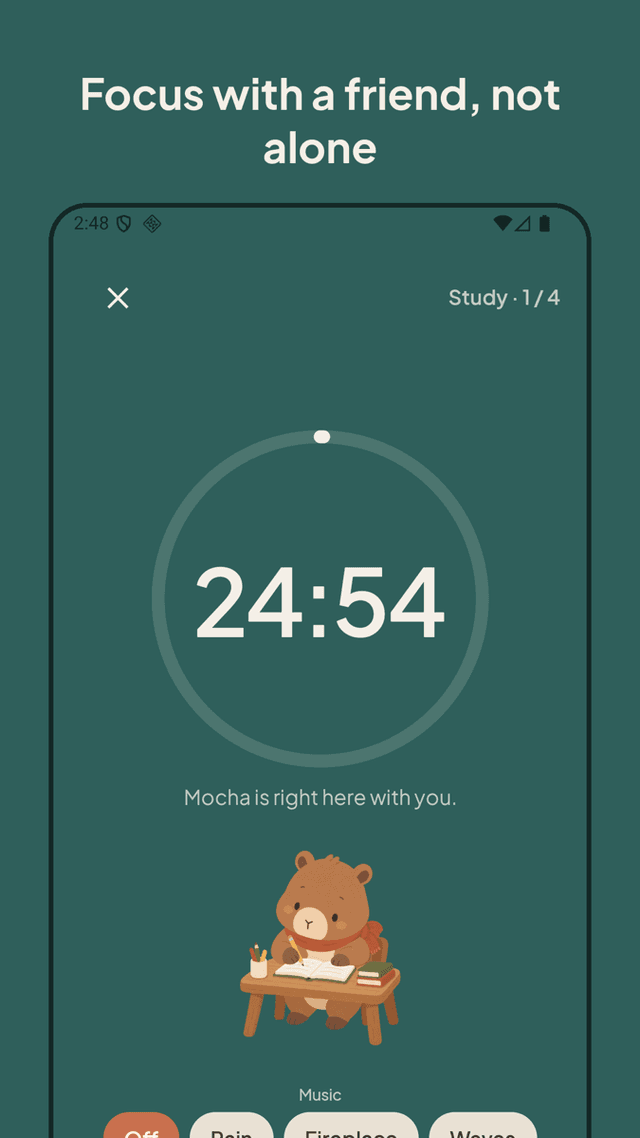
Real pomodoro cycles, not a countdown
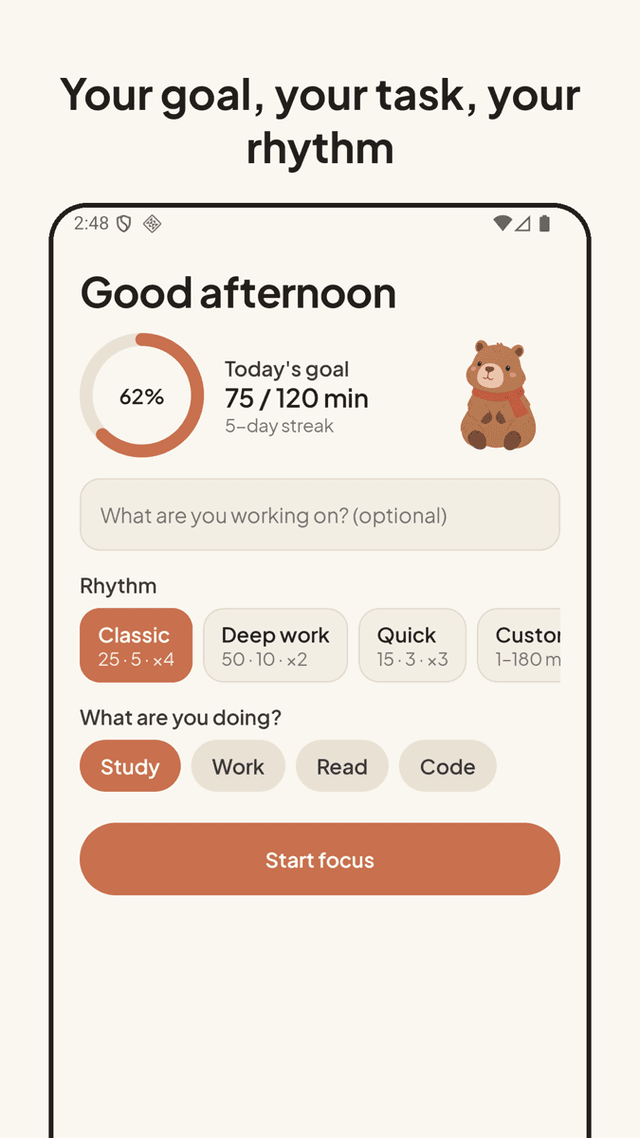
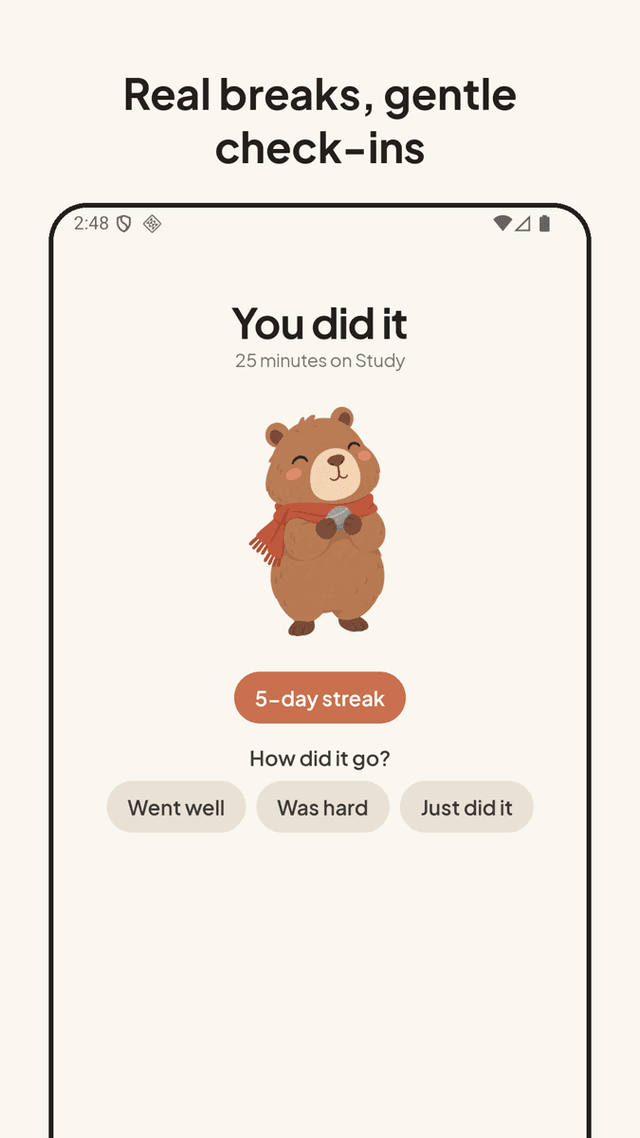
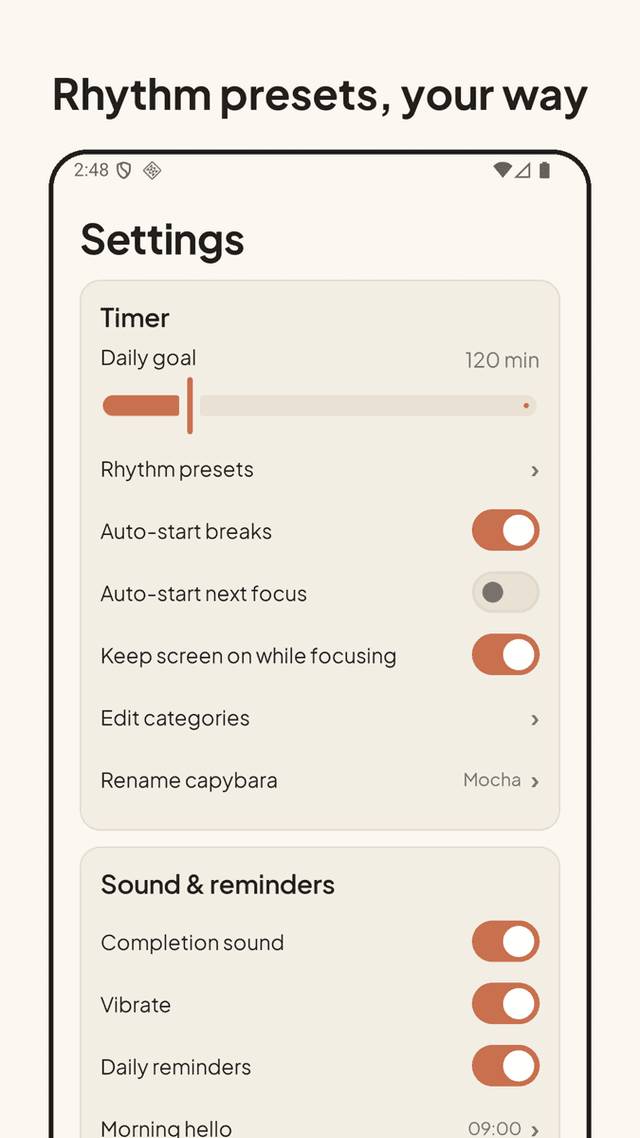
Classic 25/5 × 4, Deep work 50/10 × 2, Quick 15/3 × 3, or your own 1–180 minute focus and break lengths. Rounds count down and a long break arrives after the set — the way the technique is meant to work.
Keeps running in the background
Lock the phone, switch apps, put it face down. The remaining time and a pause button live in the notification, so the timer never silently dies. When it ends you get a completion sound and vibration — even with the screen off.
Daily goal ring + one-line task
Set a daily minute goal and watch the ring fill. Optionally name each session ("Chapter 4", "reply to emails") and it shows up later in your task history.
Widget, moods, stats
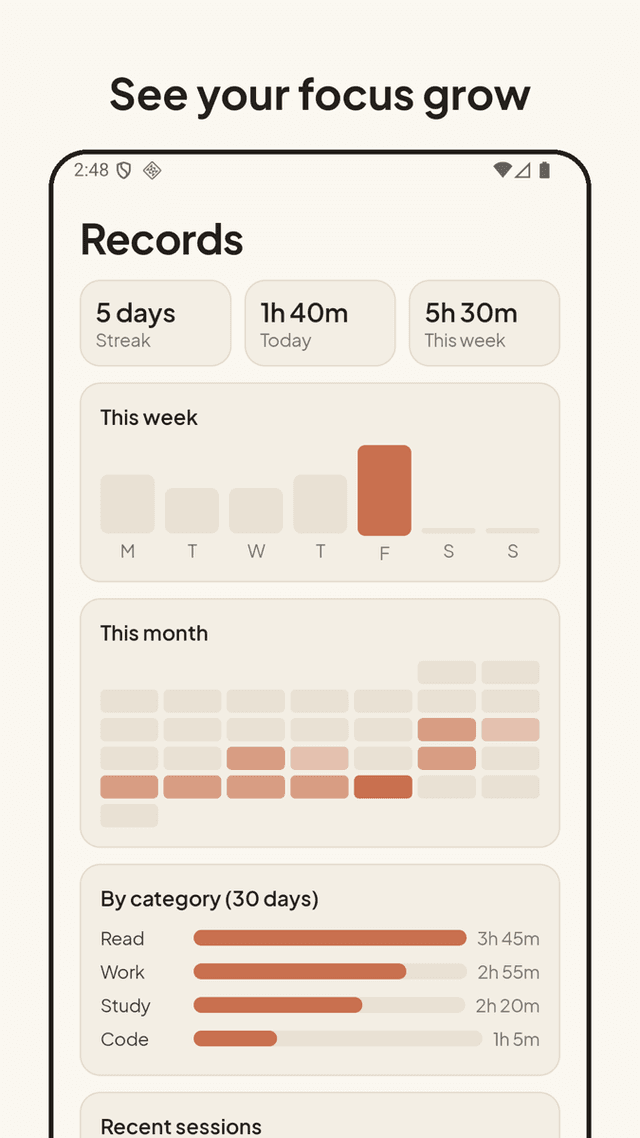
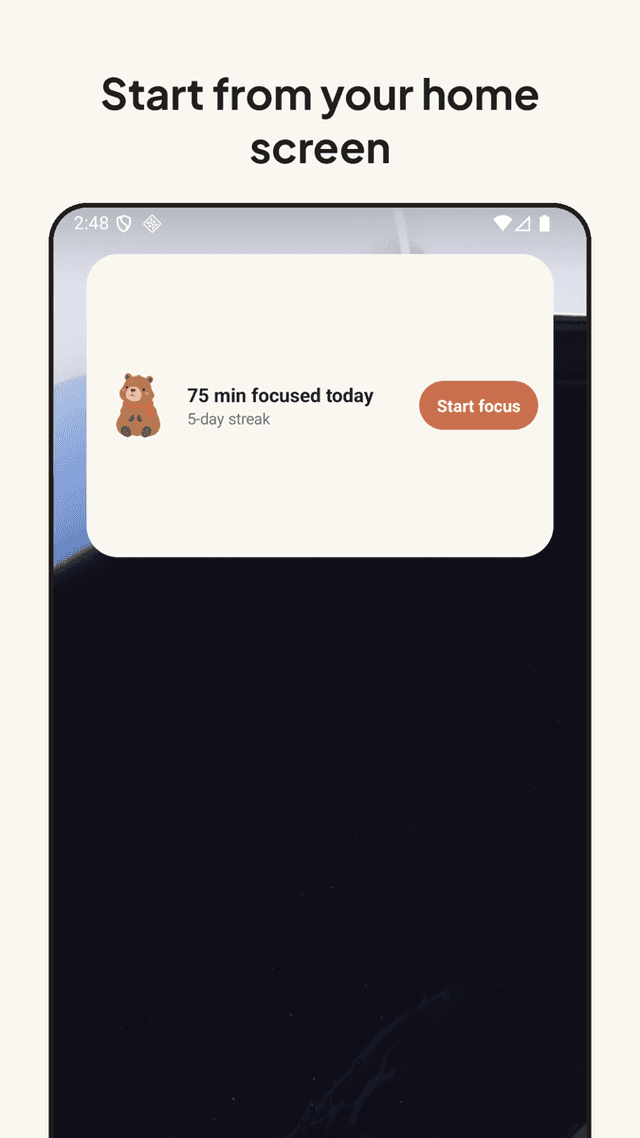
A home screen widget to start or pause without opening the app. Calm lo-fi background moods: rain, fireside, ocean. Stats for today, this week, a monthly heatmap, minutes by category, and a task log. Light and dark theme, keep-screen-on, two gentle daily reminders with quiet hours.
FAQ
- Does the timer keep running when I leave the app or lock the screen?
- Yes. Pebble Focus runs as a background-safe timer and posts a persistent notification with the remaining time and a pause button. If your phone has aggressive battery optimization, allow the app to run unrestricted once and it stays reliable.
- Is there a sound when the timer ends?
- Yes — a completion sound plus vibration at the end of every focus and break block. You can turn either off in settings.
- Can I set a custom pomodoro length like 45/15 or 90 minutes?
- Yes. Besides the Classic, Deep work and Quick presets you can set any focus length from 1 to 180 minutes, any break length, and how many rounds before a long break.
- Is there a widget?
- Yes. The home screen widget shows the current state and lets you start or pause a session without opening the app.
- Do I need an account? Does it work offline?
- No account, no login, no server. Everything is stored on your phone and the app works fully offline. Use file backup and restore to move to a new phone.
- Is it free? Are there ads?
- Free with ads and no subscription. Ads never appear on the running-timer screen, so nothing interrupts a focus session.
- What is the capybara for?
- It's a calm companion illustration that sits with you while the timer runs. It's there for the mood — a "focus timer with a pet" feel — and never gets in the way of the time.