
Log an expense in 3 seconds
A calendar expense tracker without the clutter. Category → amount → done. Your whole month at a glance, and your data never leaves your phone — no account, no bank connection, offline.
Get it on Google Play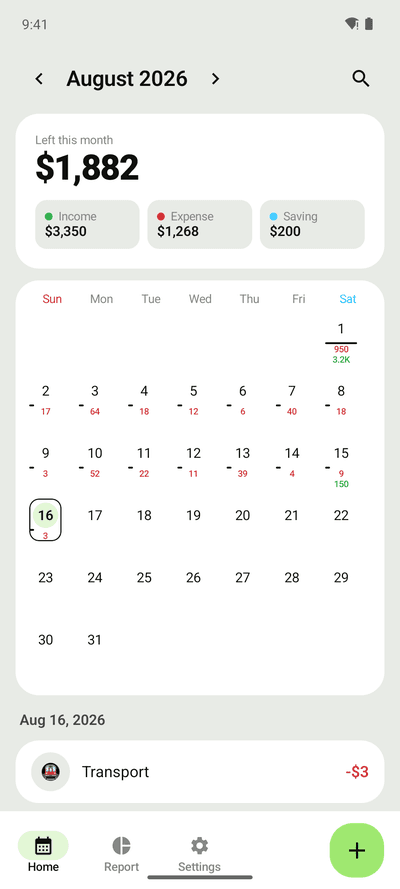
3-second entry
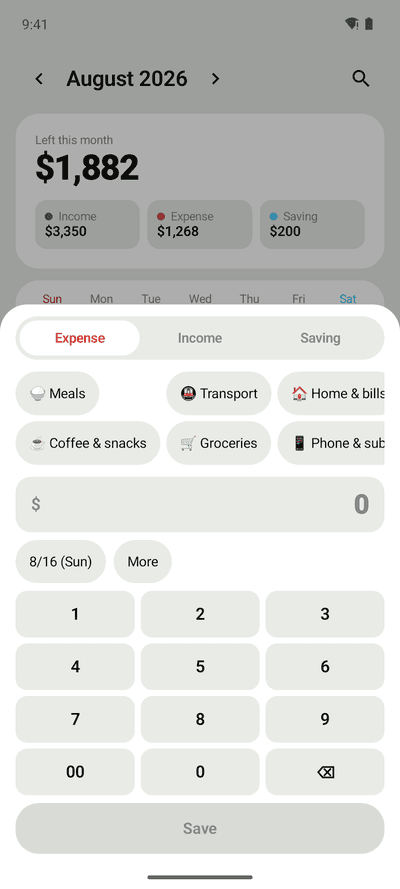
Category chips and a built-in number pad — no keyboard popping up. Expenses, income and savings in one sheet. Edit anything later.
Your month on a calendar
Daily spending under each date, a big "Left this month" number, and your own month start day (payday on the 25th? Start there).
Recurring entries & reports
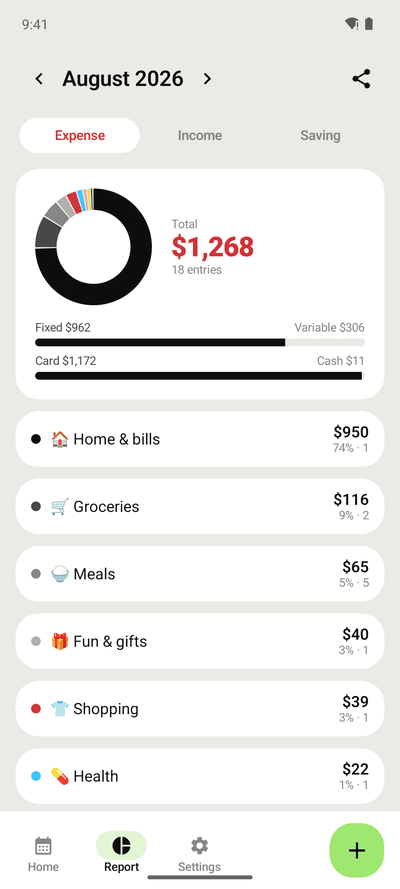
Rent, salary and subscriptions logged automatically. Category donut, fixed vs variable, card vs cash — tap a category to drill in.
Widget, reminders, backup
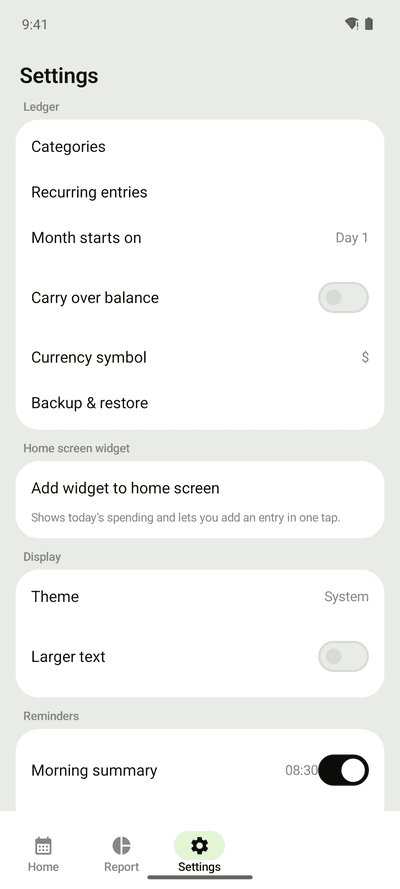
Add an expense straight from the home screen widget. One gentle nudge in the evening. CSV export and JSON backup to move phones.
FAQ
- Does Pennote need an account or bank login?
- No. There is no sign-up, no login and no bank connection. Everything you enter is stored only on your phone and the app works offline.
- Can I set the month to start on my payday?
- Yes. Set the month start day (1–28) in Settings and the calendar, reports and "left this month" all follow it.
- What about rent and subscriptions?
- Add them once as recurring entries (monthly, weekly or daily). Pennote logs them automatically and marks them as fixed expenses in reports.
- Is my data safe if I change phones?
- Export a JSON backup file from Settings and restore it on the new phone. You can also export CSV for spreadsheets.
- Is it free?
- Yes. Pennote is free and supported by unobtrusive ads.