
Your actual shelf, your own tasting notes.
Type any bottle, even one no database knows. Rate it in three taps, add nose, palate and finish when you want, and find every note in seconds. No sign-up, no label scanning, no paywall.
Get it on Google Play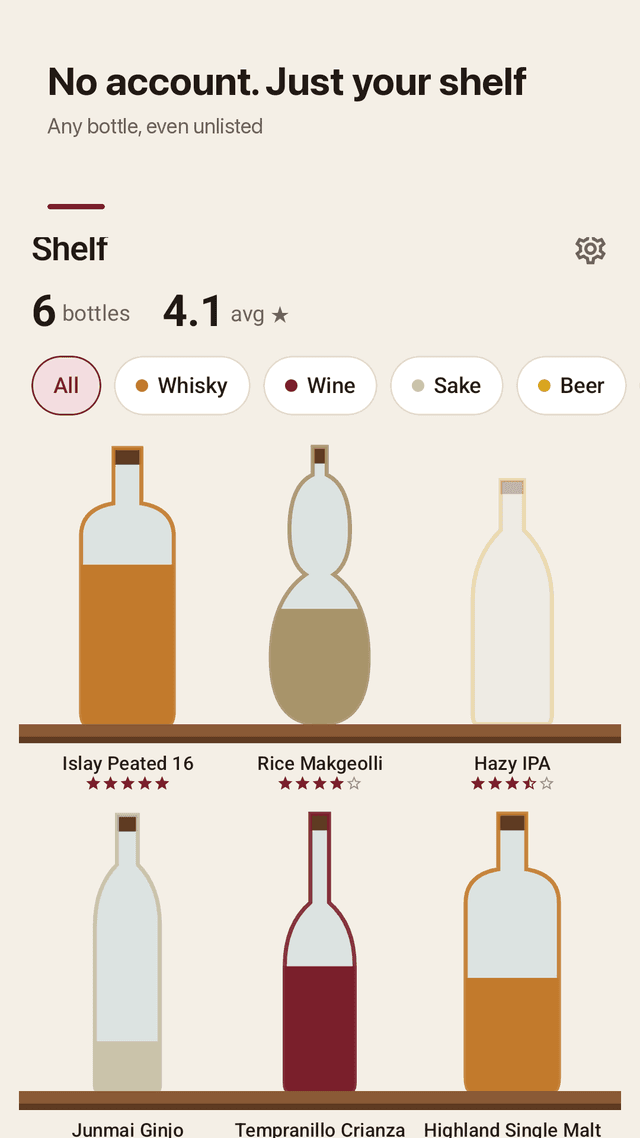
Any bottle, no database rules
A local craft gin, a bottle from a trip, your infinity bottle. Type the name and it is on your shelf.
Whisky, wine, sake and more
Whisky, wine, sake, beer, makgeolli and other drinks, each with its own bottle silhouette.
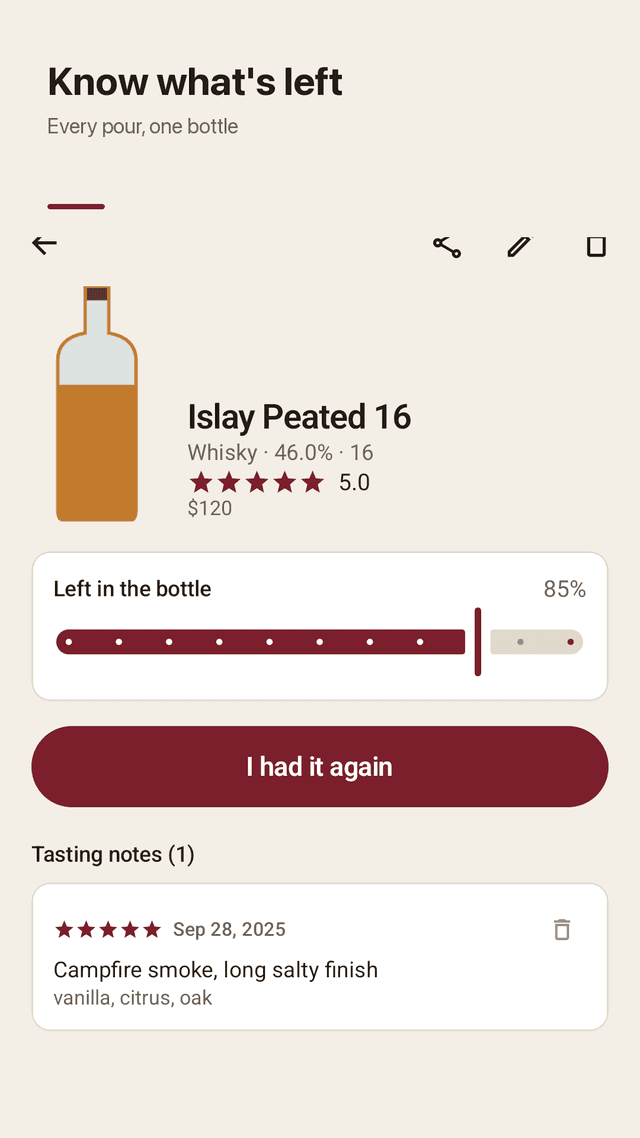
How much is left
Each bottle shows its fill level. Slide it down as you pour and mark it empty when it is done.
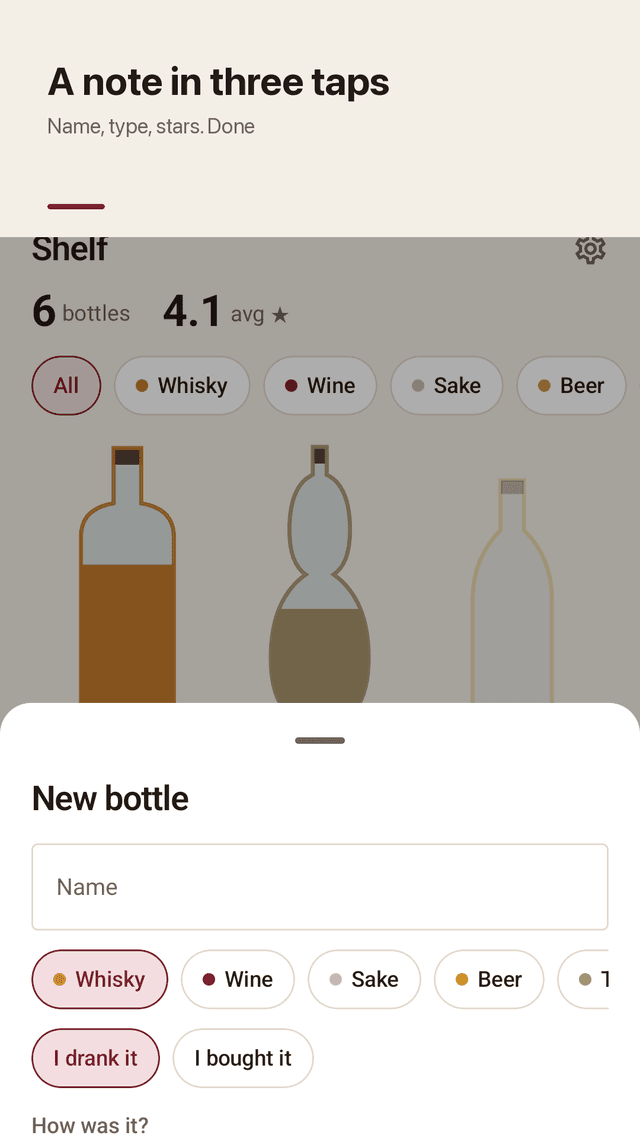
A note in three taps
Name, type, stars. Add ABV, age or vintage, region, price, place, nose / palate / finish tags, food pairing and a photo only if you want.
Re-taste the same bottle
Add another tasting to the same bottle and see how your opinion changed over time.
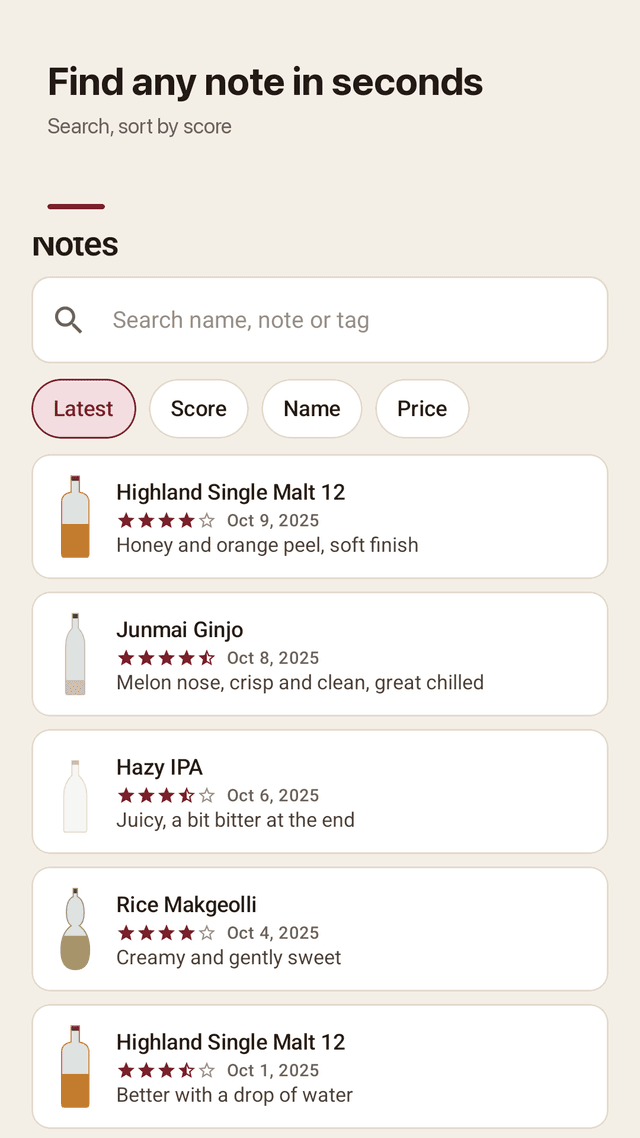
Search and sort your library
Search by name, note or tag. Sort by latest, score, name or price without digging through menus.
Collection stats
Bottles by type, average score, number of tastings, total spent and your top five pours.
Offline, backup, widget
No account; data stays on your phone. JSON export and import, share cards, a home screen widget, light and dark themes.
FAQ
- Can I use a tasting notes app without making an account?
- Yes. Pourshelf has no sign-up and no server. Open it and start logging.
- The bottle I own is not in the app's database. Can I still add it?
- Yes. There is no database to match. Type any name and it goes on your shelf.
- Do I need to scan the label?
- No. Pourshelf does not rely on label scanning, so it never fails on an unusual bottle. You add it by typing.
- Can I search my own reviews or sort them alphabetically?
- Yes. Search by name, note or tag, and sort by latest, score, name or price.
- How do I delete a bottle from my shelf?
- Open the bottle and use delete. You can also mark it empty to keep the notes.
- Is it a subscription app?
- No. It is ad supported, so every feature is open to everyone.
- Will I lose my notes if I change phones?
- Export a JSON backup in Settings and import it on the new phone.
- Can I turn off notifications?
- Yes. Reminders are optional and at most one evening nudge.