Tap a cup. Every drink counts, reminders stay quiet.
Siplet is a simple water and drink tracker. Log water, coffee or tea with one tap, see your daily intake fill up, and get gentle reminders only when and how often you choose.
Get it on Google PlayScreenshots
One tap to log
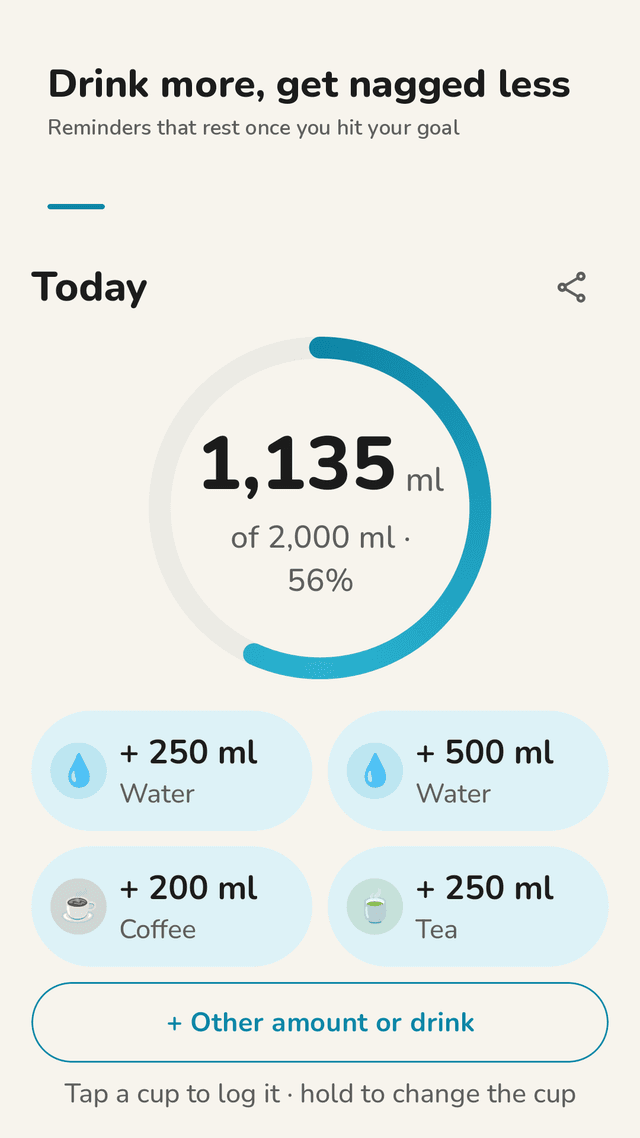
Four quick cups sit on the home screen (by default water 250 and 500 ml, coffee 200 ml, tea 250 ml). Hold a cup to change its drink and size, or enter any other amount.
Undo, edit, delete
Tapped by mistake? Undo right away. Change the amount, drink or time of any entry later, swipe to delete, and add drinks you forgot from past days.
Every drink counts
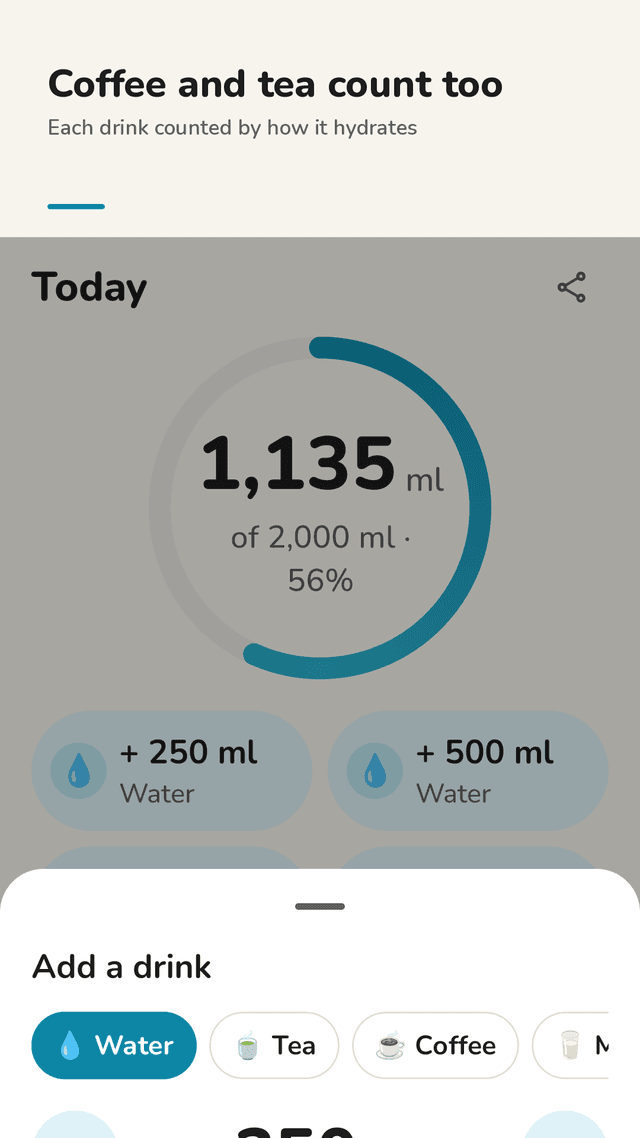
Water, coffee, tea, milk, juice, soda and more. Each drink is counted by an approximate hydration percentage (water 100%, tea 90%, coffee 80%, milk 90%, juice 85%, soda 85%), and you can change them.
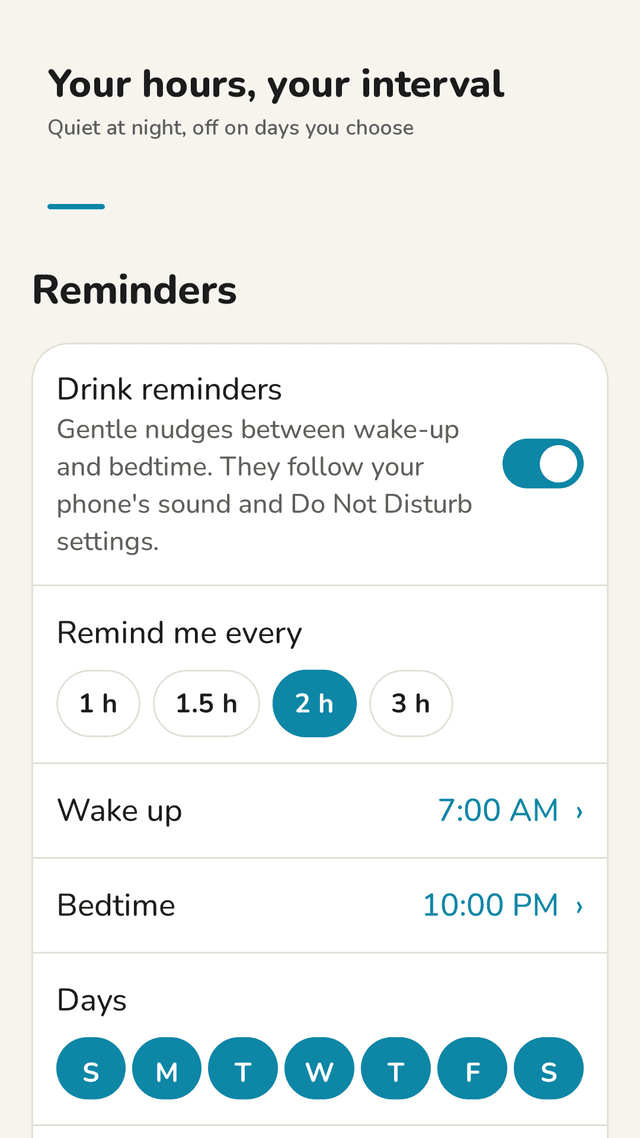
Quiet reminders you control
Normal notifications that follow your phone's sound and Do Not Disturb settings. Choose every 1, 1.5, 2 or 3 hours, only between wake-up and bedtime, on the weekdays you pick.
Rest after the goal
Once you reach today's goal, the remaining reminders stop for the day. Each reminder shows where you are, like "750 / 2,000 ml today".
A goal that fits you
Siplet suggests a daily goal from your weight (about 33 ml per kg) and you can change it anytime. Milliliters or ounces, and a day-start hour so a late-night glass counts for the right day.
Charts, streak and drink mix
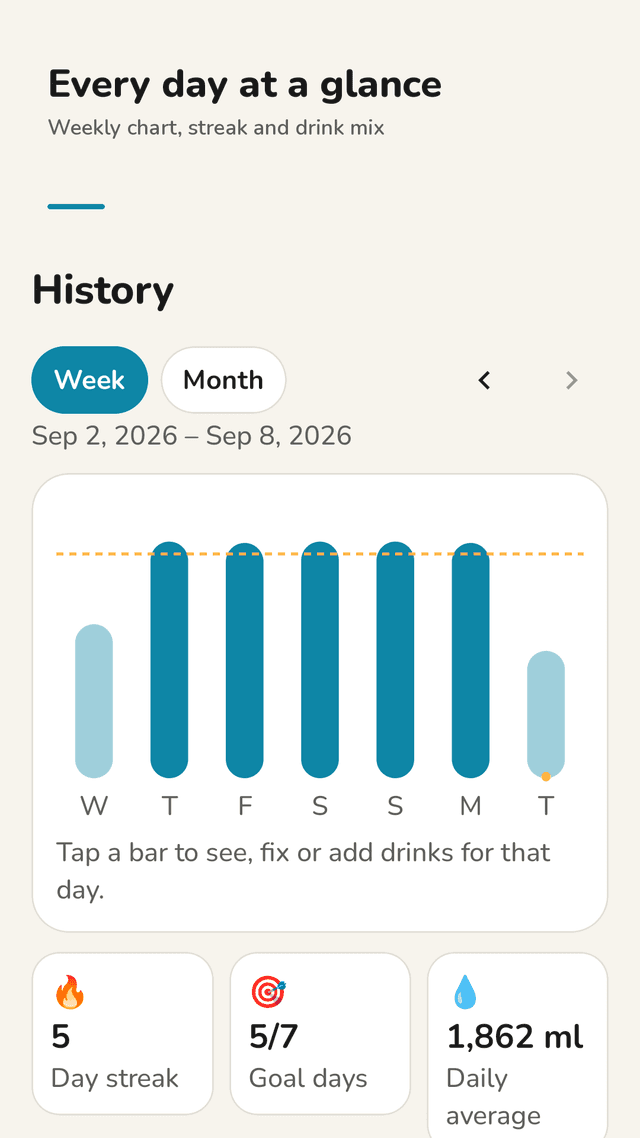
Weekly and monthly charts with your goal line, a streak of days you hit your goal, and your drink mix for the week. Share a progress card image.
Home-screen widget
Log a drink from the widget without opening the app and see today's progress at a glance. No account: your history stays on your phone.
FAQ
- Can I turn off the reminders at night?
- Yes. Reminders only arrive between the wake-up and bedtime you set, on the weekdays you choose. They are normal notifications, so they also follow your phone's sound and Do Not Disturb settings and never wake the screen with a full-screen alarm.
- Does coffee count as water intake?
- In Siplet, yes, partly. Coffee counts at about 80% by default, tea and milk at about 90%, juice and soda at about 85%. These are approximations you can adjust.
- I tapped the wrong amount — can I undo it?
- Yes. Tap Undo right after logging, or open the entry later to change the amount, drink and time, or delete it.
- Is there a widget?
- Yes. The home-screen widget shows today's progress and logs a drink with one tap without opening the app.
- Can I choose how much water I drink each time?
- Yes. Edit the four quick cups to the sizes you actually use, or enter any amount for a single drink.
- Can I add water I forgot to log yesterday?
- Yes. Open History, pick the day and add a past drink. You can also set when your day starts, so a glass after midnight counts for the right day.
- Will it keep reminding me after I hit my goal?
- No, not by default. With "Stop after goal" on, the remaining reminders rest for the day once you reach your goal.
- Do I need an account? Does it have ads?
- No account or sign-up; your drink history is stored on your phone, and uninstalling the app removes it. Siplet is supported by ads.