Block a few apps. Just for a while.
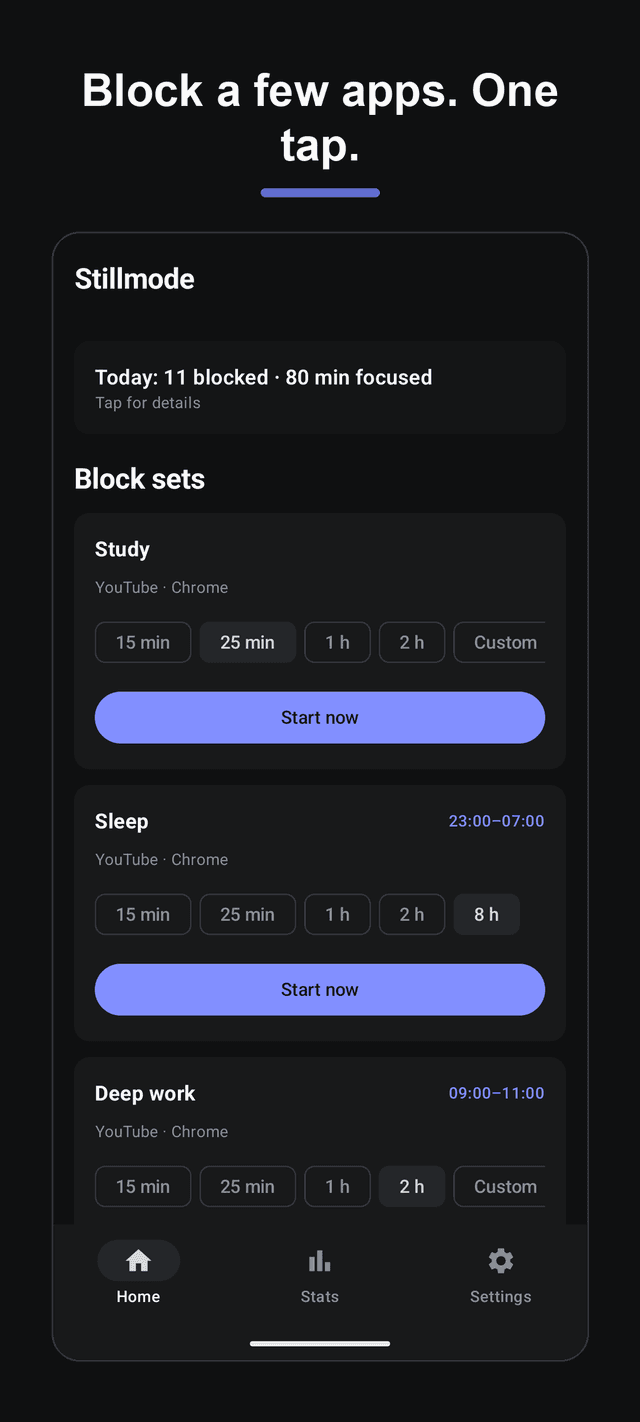
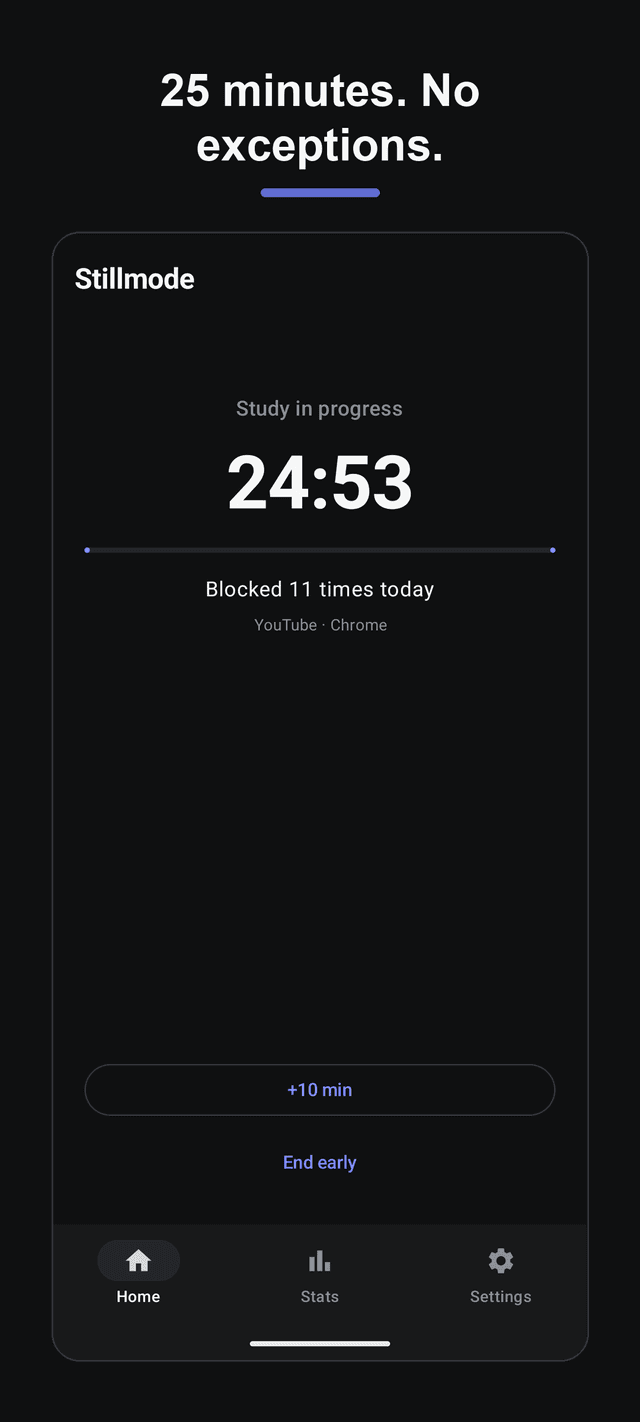
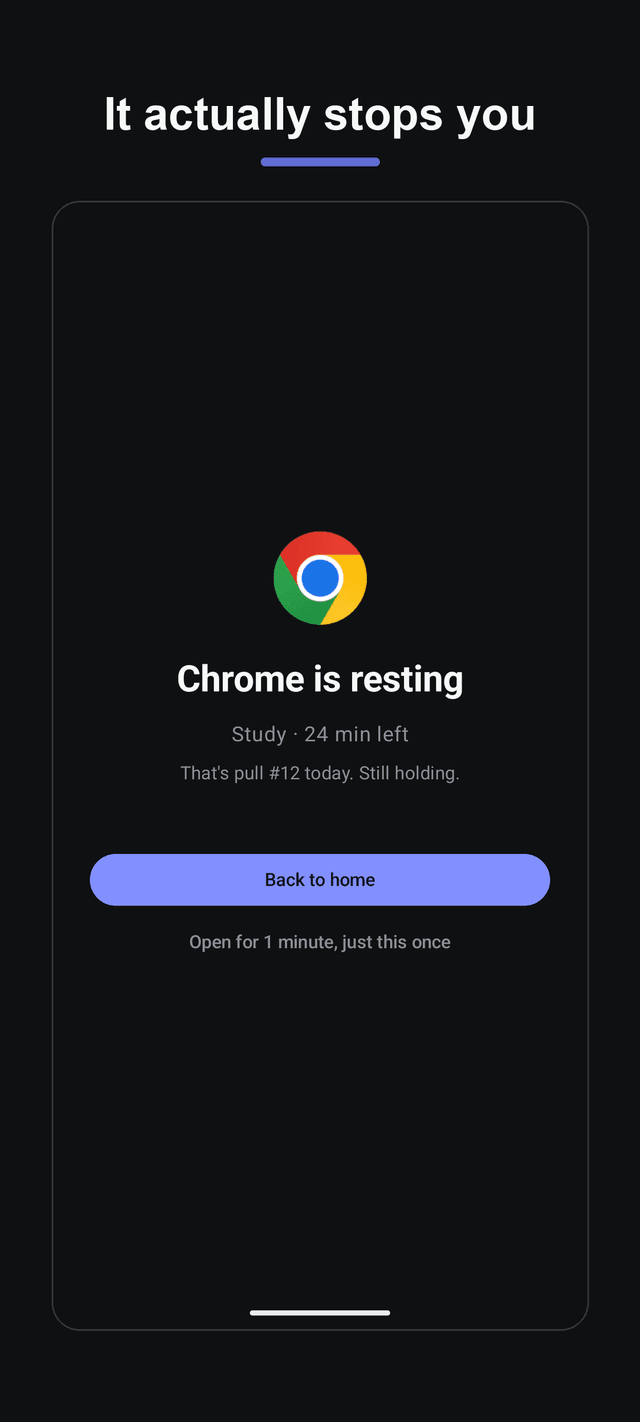
No account, no subscription, no manual. Pick the apps that pull you in, pick 25 minutes, tap start. Open a blocked app and you get a calm block screen instead. Install to first block in under a minute.
Get it on Google PlayScreens
No account, ever
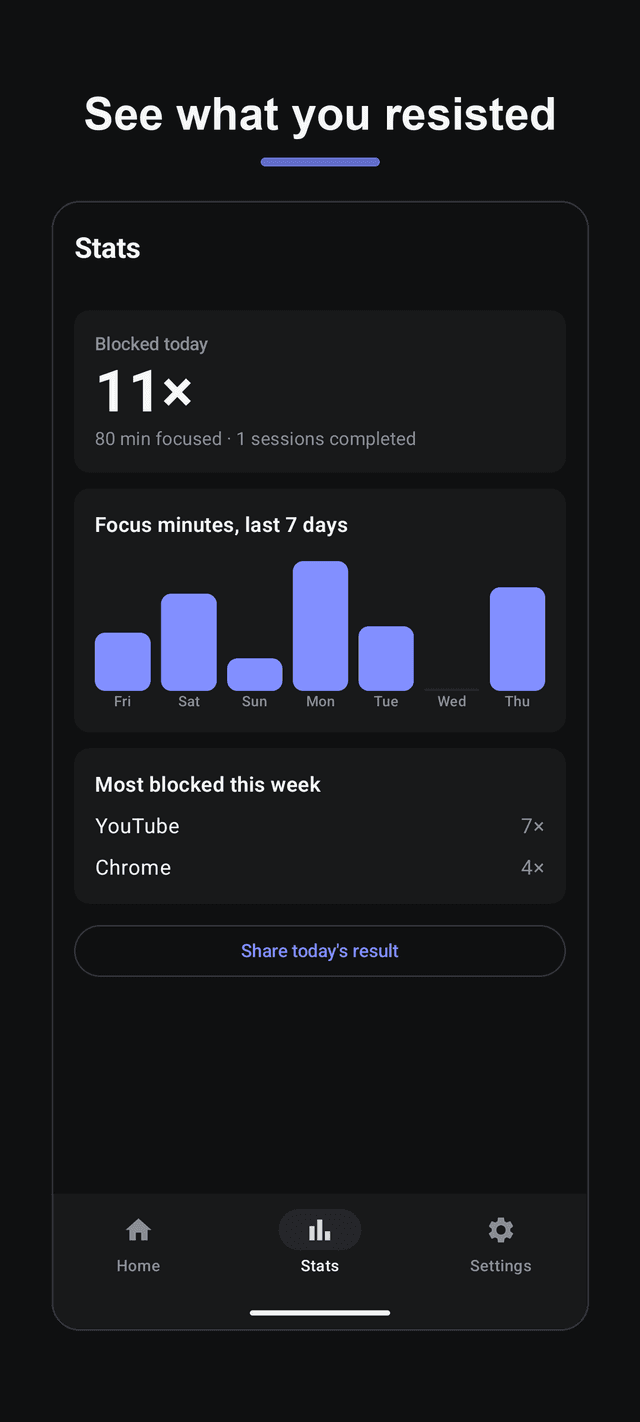
There is no sign-up and no login. Your block sets, schedules and stats stay on your phone, and the whole app works in airplane mode.
One concept, not two
Other blockers make you learn 'sessions' and 'blocklists' separately. Stillmode has one thing: a block set, which is some apps plus a length. Tap start.
Sorted by today's usage
The app picker puts the apps you actually used today at the top, so the culprits are the first thing you see. Only launchable apps, never system clutter.
Repeat scheduling is free
Run a set on chosen days and hours without paying: weekday mornings for deep work, 11 pm every night so the phone stops scrolling for you.
Home screen widget
Start a set with one tap and extend a running session with another, straight from the home screen. You never have to open the app.
Strict mode that isn't cruel
Turn off early ending and the one-minute peek when you need real commitment. Your Settings app stays usable — we never lock you out of Wi-Fi or Bluetooth.
A way out when life happens
Outside strict mode you can open a blocked app for exactly one minute, once, then it locks again. Real emergencies shouldn't require uninstalling.
No accessibility service
Stillmode uses Android's usage access and a block screen rather than an accessibility service, which keeps battery drain low.
FAQ
- Does Stillmode need an account?
- No. There is no sign-up, no login and no server. Everything you configure stays on your device and the app works fully offline.
- Is it free?
- Yes. Stillmode is free and supported by ads. There is no subscription and no feature behind a paywall — repeat scheduling and strict mode are included.
- Do ads appear while I'm focusing?
- Never on the block screen and never during a running session. Ads appear on the home, stats and settings screens and when a session finishes.
- What permissions does it need and why?
- Two: usage access, so the app can notice when a blocked app comes to the foreground, and display over other apps, so it can show the block screen. Both are used only on your device. Uninstall protection (device admin) is optional and off by default.
- Can I still use Settings during a session?
- Yes, always. Some blockers lock the Settings app in strict mode and leave people unable to reach Wi-Fi or Bluetooth. Stillmode never does that.
- Can I stop a session early?
- Yes, unless you turned on strict mode for that set. Strict mode also hides the one-minute peek.
- Does it block websites?
- Not individually in this version. You can block a browser app itself, which stops browsing during a session. Per-site blocking is on the list.
- Is there a widget?
- Yes. It shows your sets with a start button, and while a session runs it shows the end time with a +10 minute button.