
Add hours and minutes like normal numbers
Type 8, tap h, 30, tap m, then + 7 h 45 m. Tickulo answers 16h 15m, 16.25 hours and 975 minutes at once, works out night shifts that cross midnight, and keeps this week's total with your pay.
Results and pay are calculated from the numbers you enter. Check official records for anything that affects your wages.
Get it on Google Play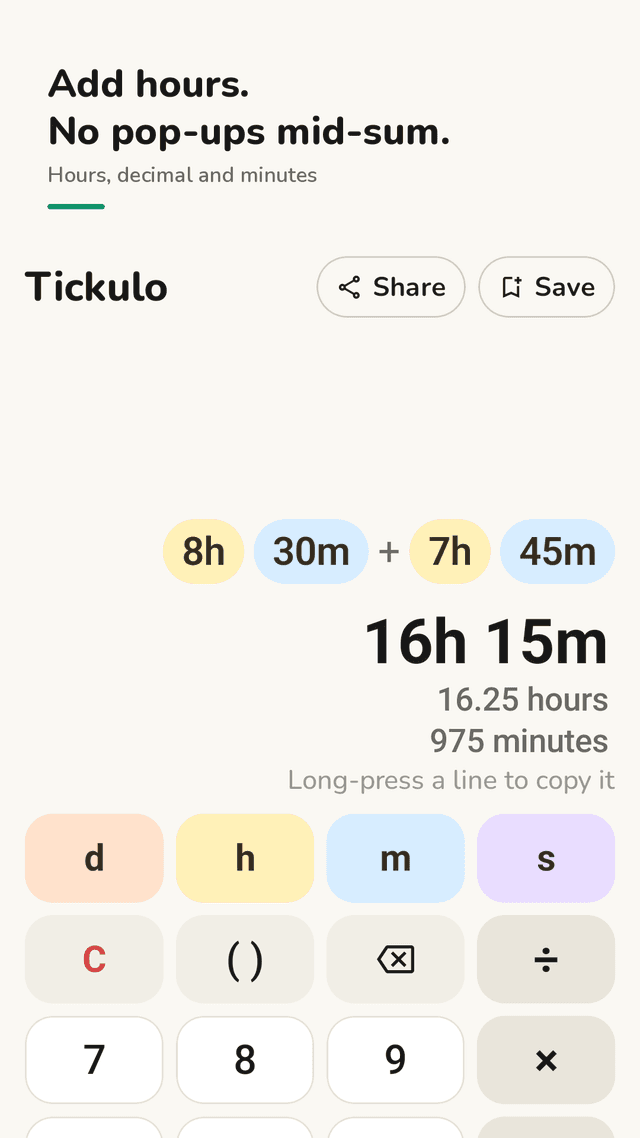
A time calculator that reads like a timesheet
Every value is a colored chip: days, hours, minutes, seconds. Long sums stay readable instead of wrapping into a wall of digits.
Three answers at once
16h 15m, 16.25 hours and 975 minutes side by side. Decimal hours go straight onto a pay slip; long-press any line to copy it.
Multiply, divide, time ÷ time
40h ÷ 5 days, 8h 30m × 4, or how many 7.5-hour shifts fit into 24 hours. Parentheses and keep-going from the last result.
Night shifts that cross midnight
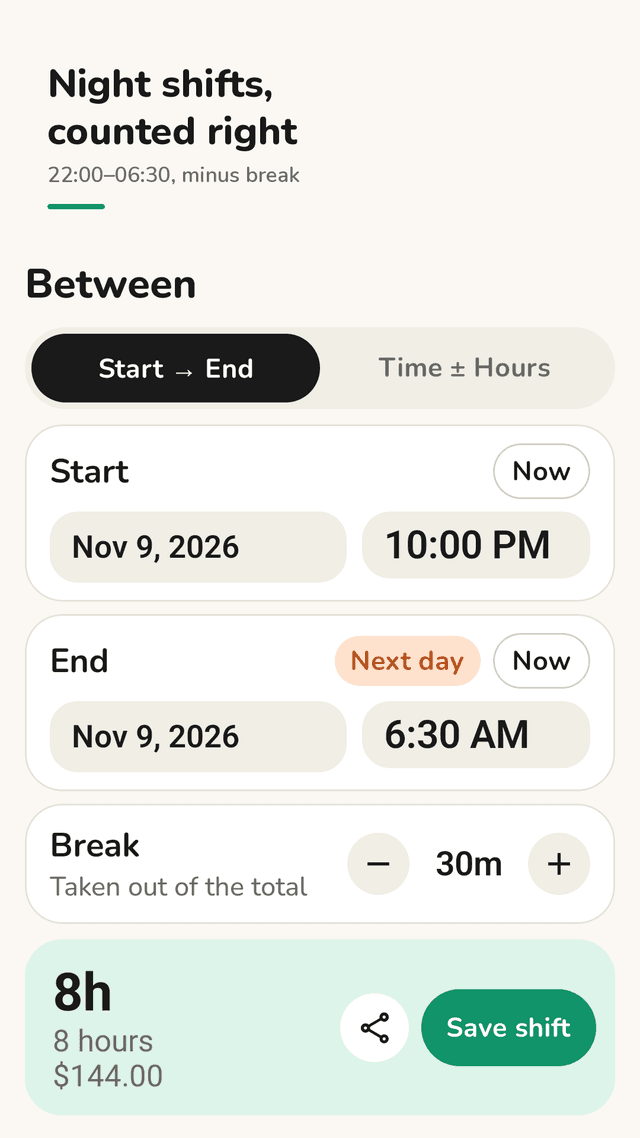
22:00 to 06:30 is 8h 30m, marked "Next day" — not minus 15 hours. Take out the break with + and − buttons.
What time will it be?
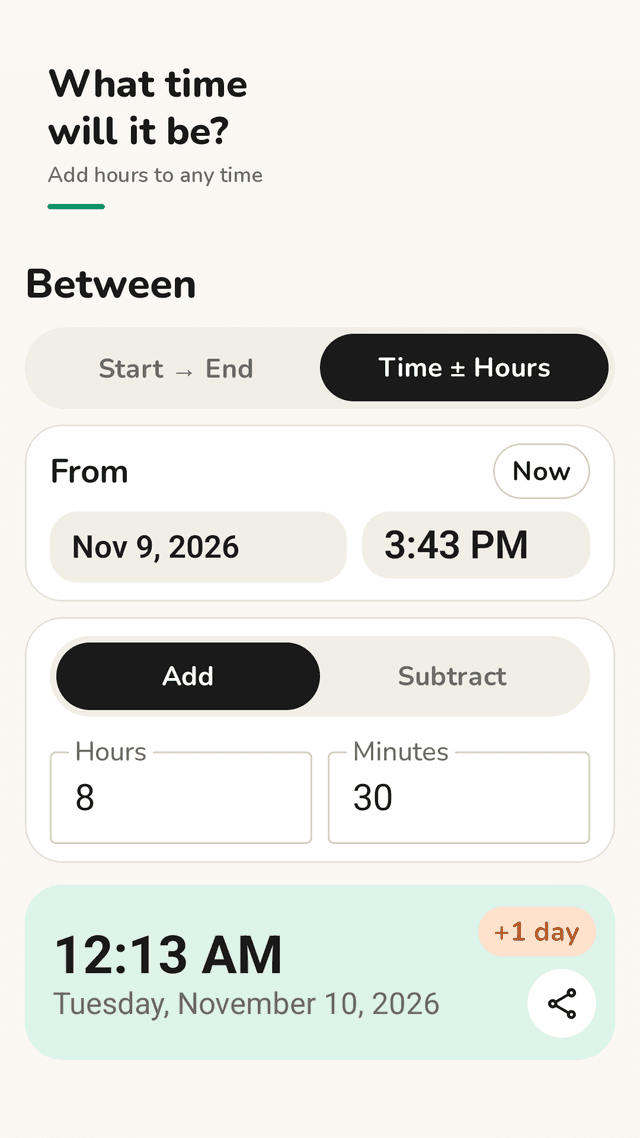
Pick a time, add or subtract hours and minutes, and see the clock time with the date and a +1 day badge when it rolls over.
This week's total and pay
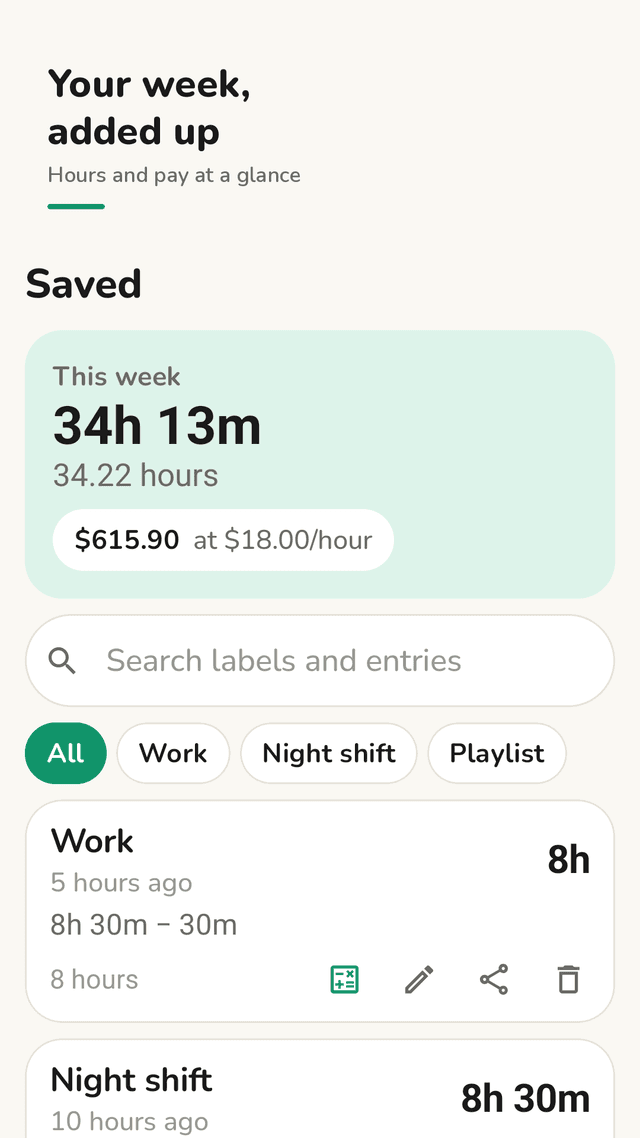
Save shifts and calculations with a label. The Saved tab adds up this week, filters by label and multiplies by your hourly rate.
Widget
This week's hours on your home screen, one tap to the calculator.
No pop-ups while you type
No account, no sign-up, saved hours stay on your phone. Ads never appear while you are typing a calculation.
FAQ
- How do I add hours and minutes together?
- Add the minutes, carry every 60 minutes into one hour, then add the hours: 8h 30m + 7h 45m = 15h 75m = 16h 15m. In Tickulo you type 8 h 30 m + 7 h 45 m and the carry is done for you.
- How do I calculate hours worked across midnight?
- If the end time is earlier than the start time, the shift ended the next day: add 24 hours to the end time before subtracting. 22:00 to 06:30 is (6:30 + 24:00) − 22:00 = 8h 30m. Tickulo's Between tab does this automatically and marks the end as "Next day".
- How do I convert hours and minutes to decimal hours?
- Divide the minutes by 60 and add them to the hours: 7h 45m = 7 + 45/60 = 7.75 hours. Tickulo shows the decimal hours under every result.
- How do I subtract my lunch break?
- Work out the time between start and end first, then subtract the break: 09:00 to 17:30 is 8h 30m, minus a 30-minute break is 8h. In Tickulo, set the break with the + and − buttons.
- Can I see my weekly total and pay?
- Yes. Save each shift with a label such as Work. The Saved tab adds up this week's hours, and if you enter an hourly rate it shows the pay in your phone's currency.
- What is 21:56 plus 15 hours 52 minutes?
- 13:48 the next day. In Tickulo's Time ± Hours mode, enter the start time and the hours to add; the result shows the clock time, the date and a +1 day badge.
- Does Tickulo need an account or internet?
- No account and no sign-up. All calculations run on your phone and saved hours stay on your phone. The app uses the internet only to show ads.
- Is it free?
- Tickulo is free and supported by ads. Full-screen ads only appear after you finish saving, never while you type.