Sell in one tap. Stock counts itself. Profit with nothing locked.
Tillbox replaces the shop notebook: tap what you sold, and stock, today's sales and profit update on the spot. Last month, last year and every export stay open at no cost.
Get it on Google Play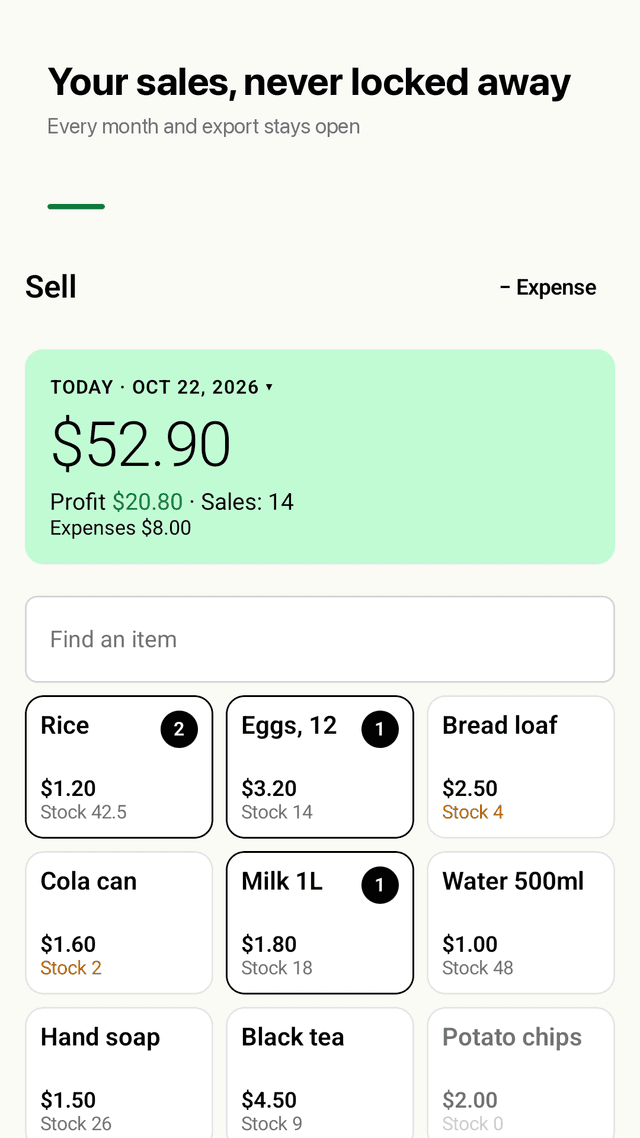
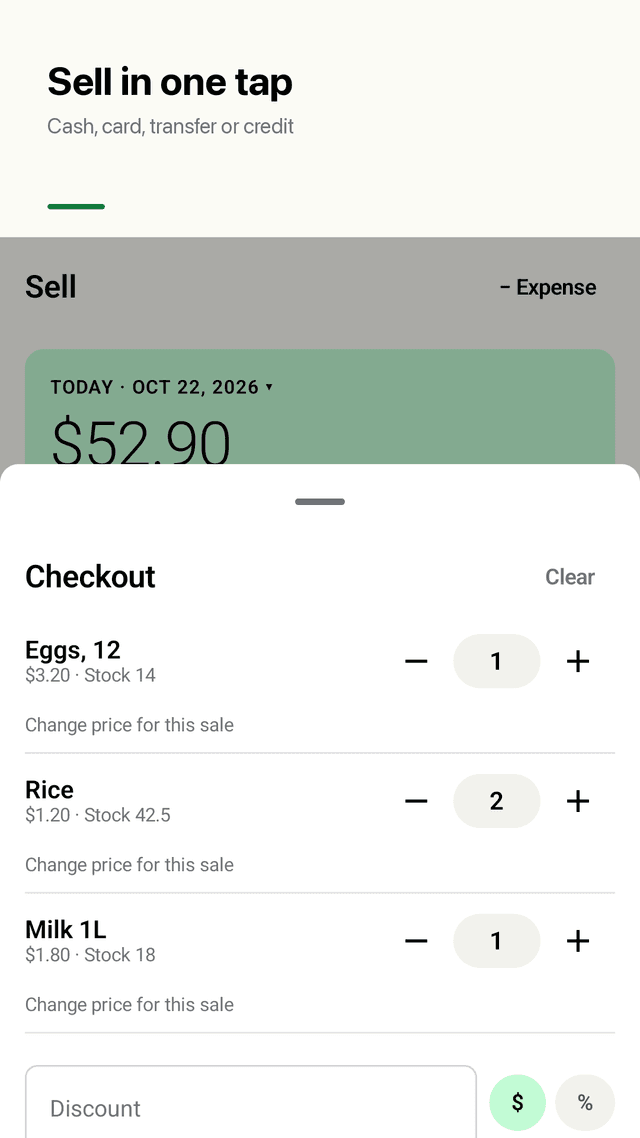
Sell in one tap
Your items show as tiles, most-sold first. Tap to add to the cart, change quantity (decimals for kg or litres), give a discount by amount or %, and pick cash, card, transfer or credit.
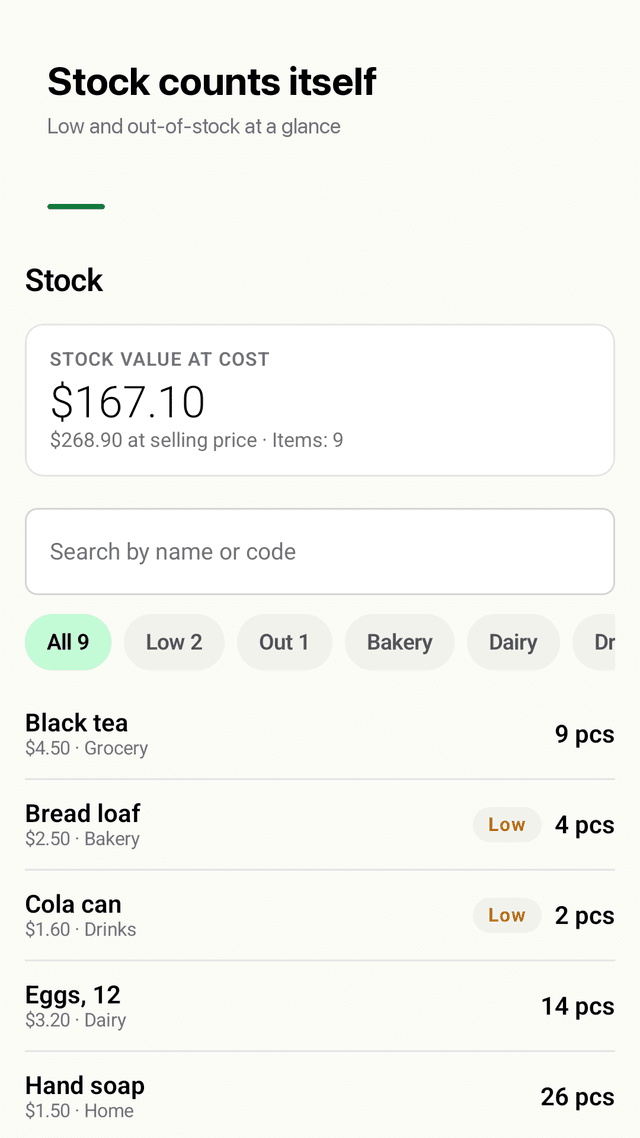
Stock goes down by itself
Every sale takes the items off stock and tells you how many are left. Filter low and out-of-stock items and set your own low-stock level per item.
Restock with the price you paid
Enter quantity and cost paid. Tillbox keeps a weighted average cost, so profit stays right when supplier prices change. Counted the shelf? Fix the count in one step.
Profit you can trust
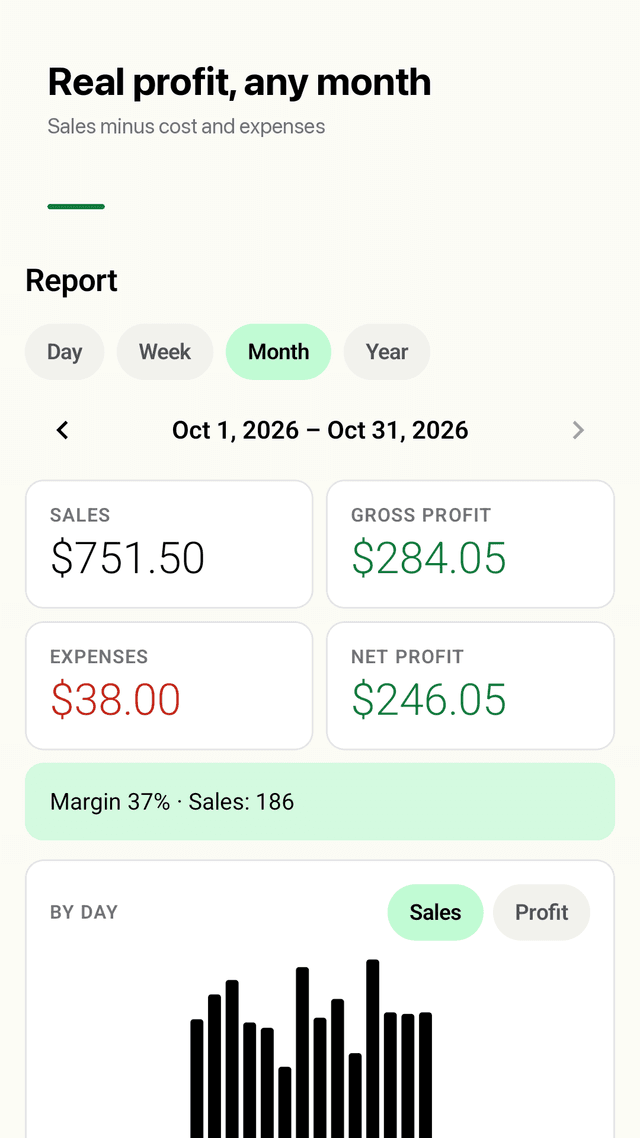
Day, week, month and year reports: sales, cost of goods, gross profit, expenses, net profit and margin, plus best sellers, totals by payment method and a bar chart.
Credit (udhar / khata) sales
Sell on credit with the customer's name. Unpaid sales stay in one list until you mark them paid.
Expenses in net profit
Record rent, electricity, salaries, transport and other costs so net profit shows what you really kept.
Nothing locked
Any past period, CSV (opens in Excel) and PDF export, and a report image card to share in any chat app. No paywall on your own records.
Your data on your phone
No account, works offline. Back up to one file and restore on a new phone. Home screen widget with today's sales, profit and a Sell button, plus a morning low-stock reminder and an evening summary.
FAQ
- Can I see last month's sales without paying?
- Yes. Every report period stays open: any day, week, month or year, including last month and last year. Nothing in Tillbox is behind a payment. The app is supported by ads.
- How do I record credit (udhar) sales?
- At checkout pick Credit and type the customer's name. The sale counts in your sales and takes items off stock, and it waits in the Unpaid list in Report until you tap mark paid.
- Does profit include expenses?
- Gross profit is sales minus the cost of the goods sold. Net profit also subtracts the expenses you record, such as rent, electricity, salary and transport. Both are shown with the margin.
- Can I use decimals like 0.5 kg?
- Yes. Quantities and prices take decimals, so you can sell 0.5 kg of sugar or 1.25 L of oil, and stock goes down by exactly that amount.
- Does it work offline? Can I use it on two phones?
- It works fully offline with no account. Data lives on one phone and does not sync between phones. To move to a new phone, make a backup file in Settings and restore it there. To keep an owner or partner updated, share the report card.
- How do I export to Excel?
- Open Report, choose the period, tap Export and pick CSV. The file opens in Excel or Google Sheets. PDF is there too for printing or sending.
- What if supplier prices change?
- Enter the new price when you restock. Tillbox averages it with the stock you already have, and each sale keeps the cost price at the moment it was sold, so old reports do not change.
- I forgot to record yesterday's sales. Can I add them?
- Yes. Tap the date on the Sell screen, pick yesterday or any earlier day, and record the sale. It lands on that date in your reports.