Write down your cash. Always know your balance.
Cashleaf is a cash book that works like a paper ledger: one row for each cash in or cash out, and the balance after every row. No ad pops up after every entry, there is no Google sign-in, and your books stay on your phone.
Get it on Google Play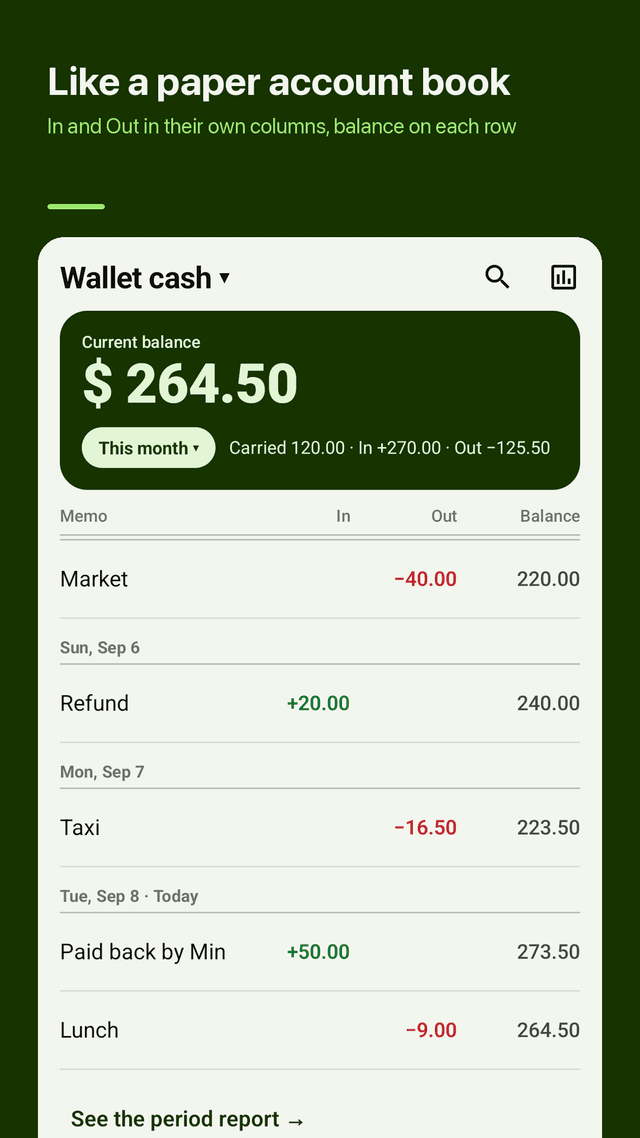
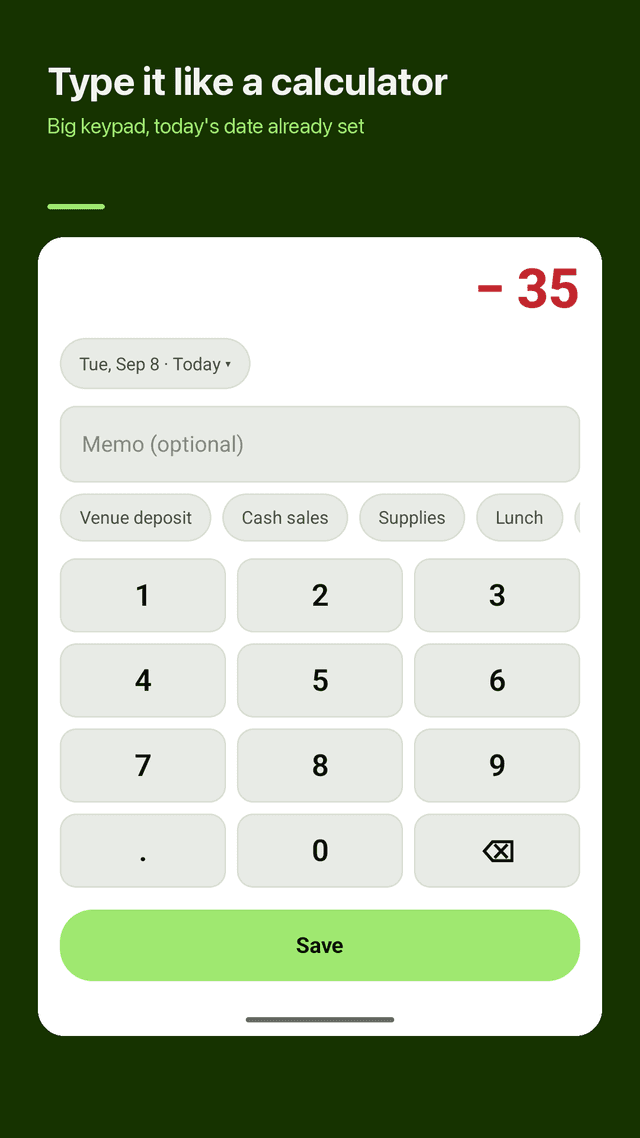
Fast entry, no ads while you type
Two big buttons, + Cash in and − Cash out. A big keypad, today's date already filled in, and recent notes as one-tap chips. The entry screen never shows ads.
Running balance on every row
Each row shows the balance after it, like a paper ledger. Back-dated entries slot into place and every balance after them updates. A negative balance is shown clearly.
Automatic carry-over
Last month's closing balance becomes this month's opening balance automatically. No need to type it in again at the start of each month.
More than one cash book
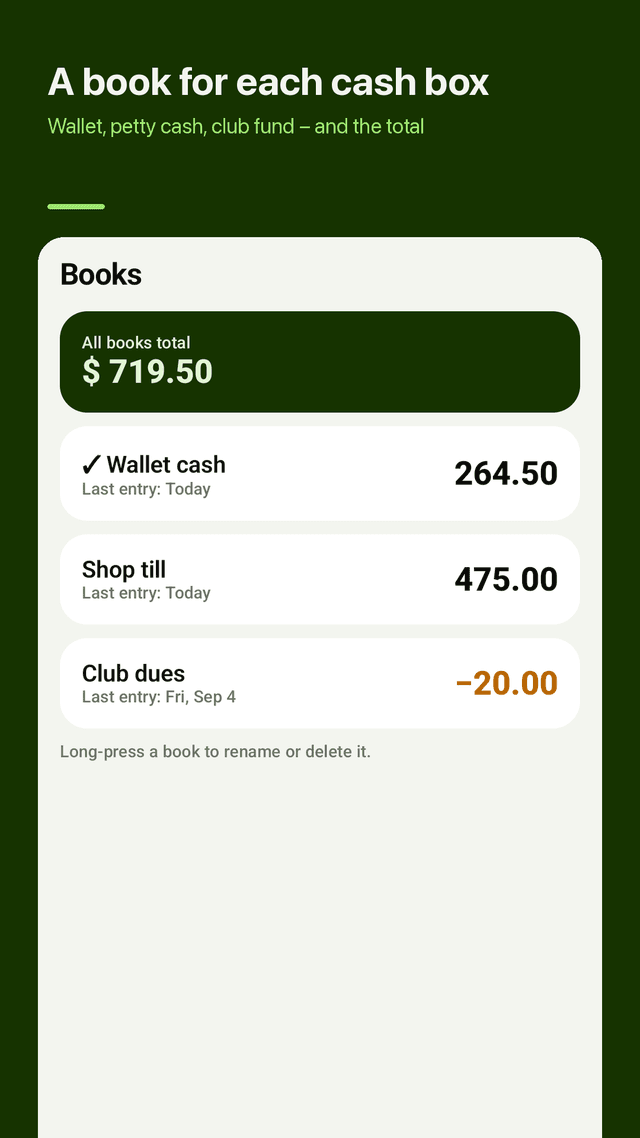
Wallet cash, shop petty cash, club fees, kids' pocket money: keep each book separate and see every balance plus the total on one screen.
Reports you can send
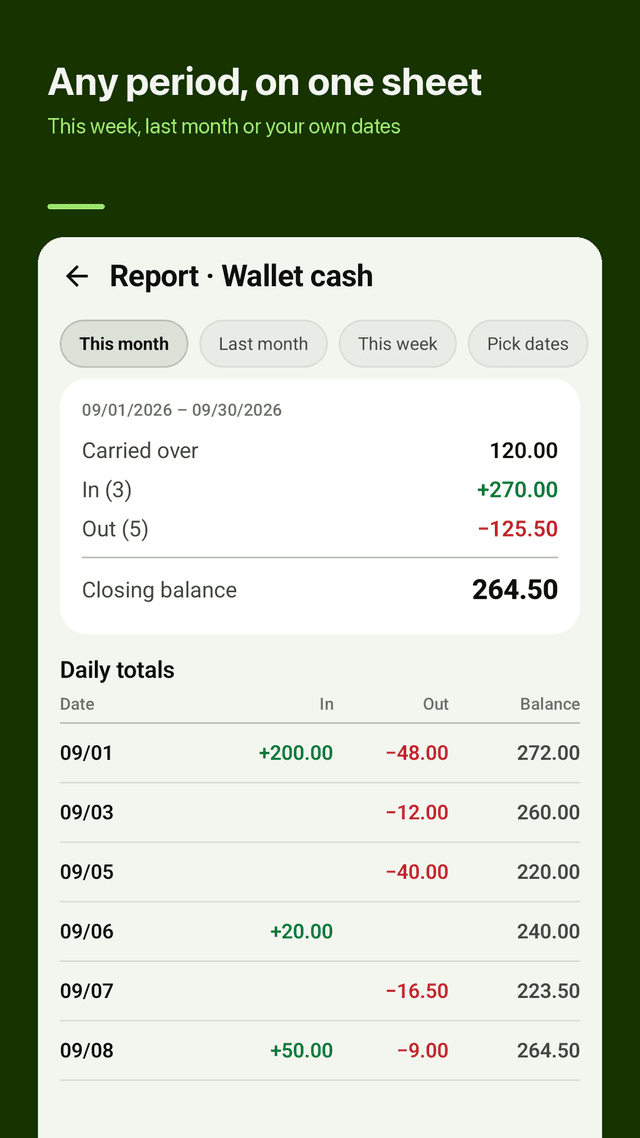
This month, last month, this week or any date range. Opening balance, total in, total out and closing balance on one sheet, shared as PDF, CSV (opens in Excel or Google Sheets) or an image card.
Search old entries
Search by note or amount, in one book or all books, with the total of the results.
Backup file and restore
Make a backup file whenever you want and keep it where you choose. Moving to a new phone? Restore from that one file. Deleted entries wait 30 days in the trash.
App lock, widget and reminder
Optional app lock with your phone's screen lock or fingerprint, a home screen widget with your balance and Cash in / Cash out buttons, and an optional evening reminder.
FAQ
- Does Cashleaf show an ad after every entry?
- No. Cashleaf shows ads, but never on the entry screen where you type. You enter an amount, tap Save and you are back to your book.
- Do I need a Google account or sign-in?
- No. There is no Google sign-in, no account and no cloud. Your cash books are saved on your phone.
- How do I move my cash book to a new phone?
- Make a backup file in Cashleaf, keep it somewhere you can reach from the new phone, then restore from that one file on the new phone. You can make a backup whenever you want.
- Does last month's balance carry over to this month?
- Yes. The closing balance of last month becomes the opening balance of this month automatically, so you never have to type it in as income.
- Can I export my cash book to Excel?
- Yes. Share a report as CSV, which opens in Excel or Google Sheets. You can also share it as a PDF or an image card.
- Can I keep more than one cash book?
- Yes. Make separate books for your wallet, a shop's petty cash, club fees or pocket money, and see each balance and the total of all books on one screen.
- Can I search for an old entry?
- Yes. Search by note or amount in one book or across all books. Cashleaf also shows the total of the results.
- What if I delete an entry by mistake?
- Long-press deletes with an Undo option, and deleted entries wait 30 days in the trash before they are gone.