A battery app that doesn't drain your battery
Cellsense shows your real battery health and the real watts your charger delivers. It reads your battery only while you look at it, with no service running in the background.
Get it on Google Play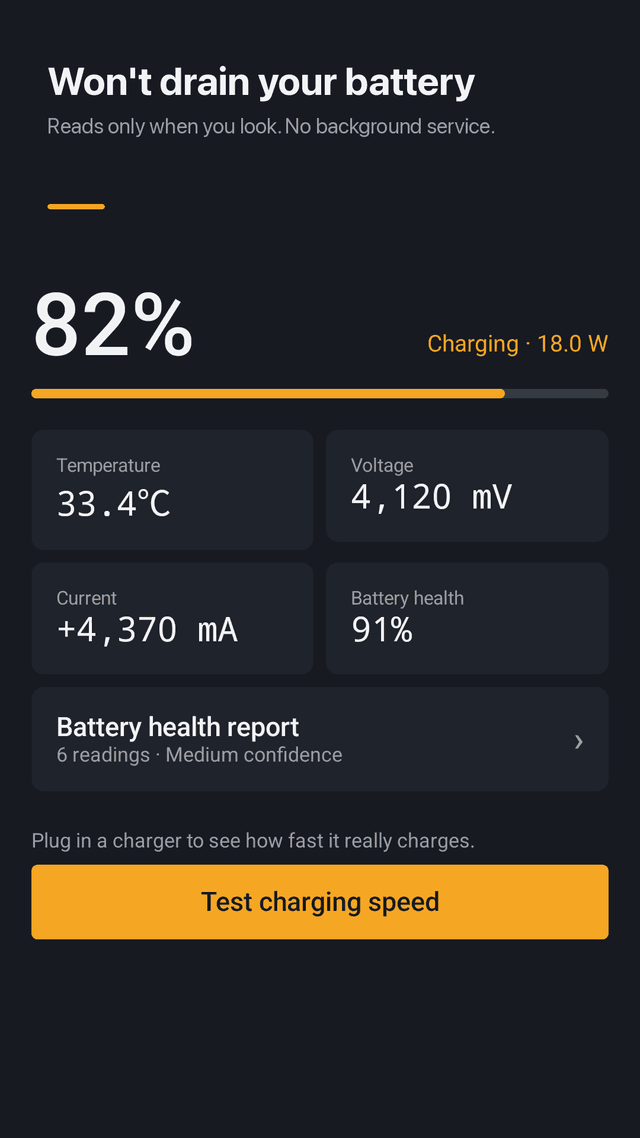
30-second charging speed test
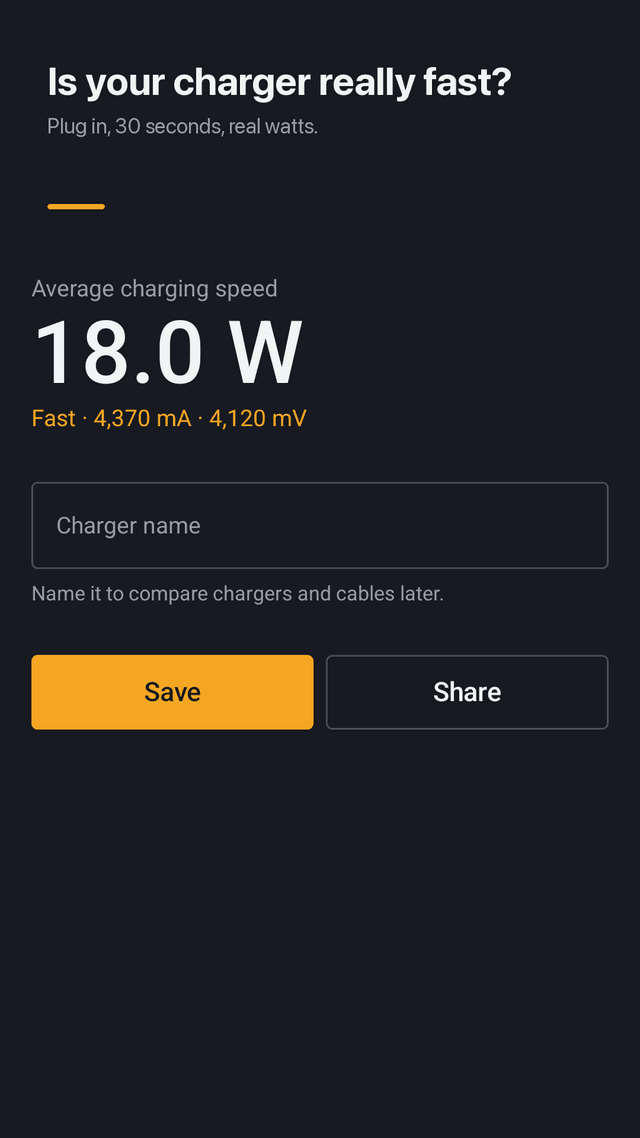
Plug in and Cellsense takes 30 live readings of current and voltage, then shows the average watts with a Slow, Normal or Fast rating.
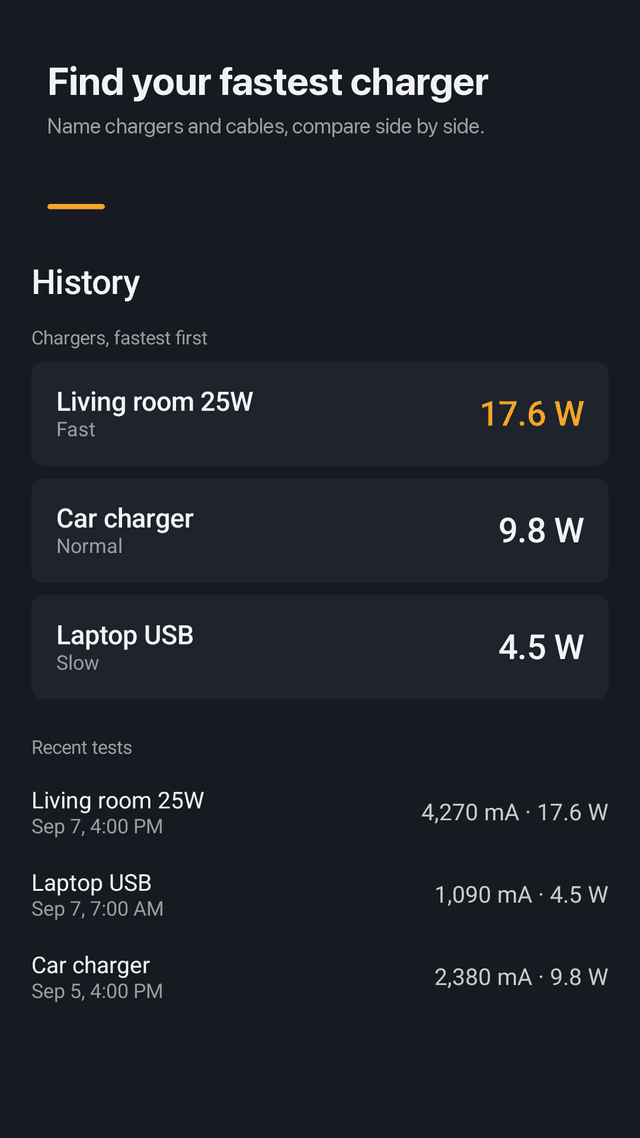
Compare chargers and cables
Name each charger or cable after a test. History lists them fastest first so you know which one to keep by the bed.
Battery health in mAh
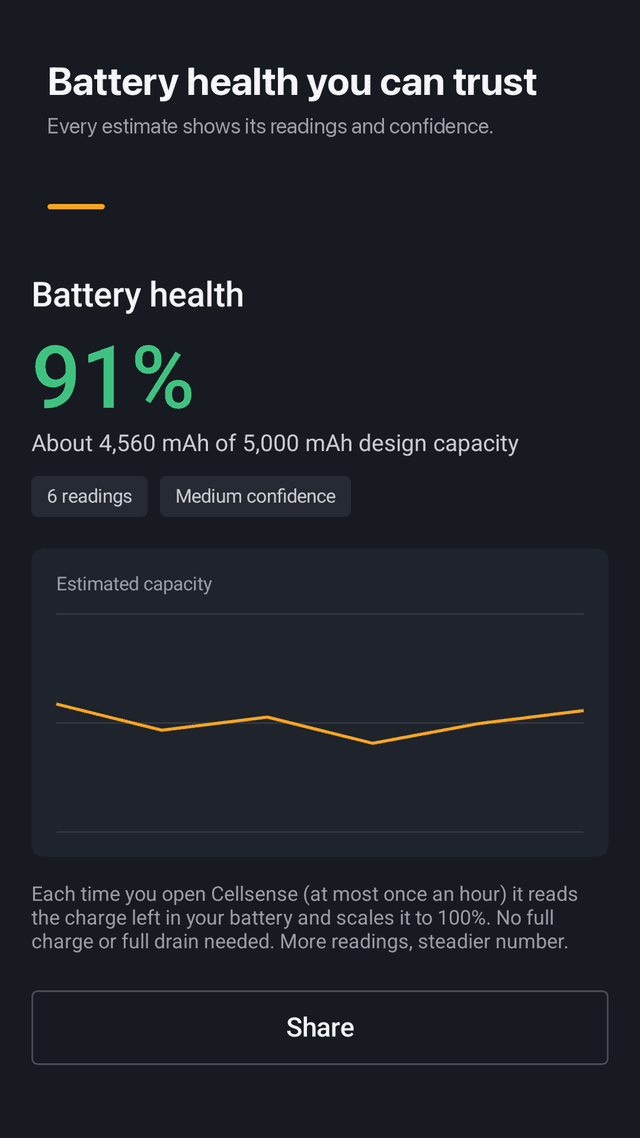
Estimated capacity compared with the design capacity, shown as a health percentage.
Confidence you can see
Every estimate shows how many readings it is based on and a Low, Medium or High confidence label. No number is shown from a single reading.
No full charge cycle needed
Each time you open the app it adds a reading at any level above 20%. No need to drain to 0% or charge to 100%.
Live stats at a glance
Battery level, temperature, voltage and charging current. Temperature turns yellow at 40°C and red at 45°C.
Home screen widget
Level, temperature and charging watts. Tap it to start a speed test right away.
No background drain
No always-on service, no account, and test results stay on your phone.
FAQ
- My battery app itself drains the battery. Does Cellsense run in the background?
- No. Cellsense has no background service. It reads battery values while the app or its widget is on screen.
- How do I check battery health on Android?
- Open Cellsense a few times above 20% battery. After three readings it shows estimated capacity in mAh, a health percentage and how confident the estimate is.
- Do I need to fully charge and fully drain for battery health?
- No. Any reading above 20% counts. More readings make the number steadier.
- Why does my phone charge slowly?
- The charger, the cable, heat and using the phone while charging all matter. Run the 30-second test with different chargers and cables and compare the watts.
- Is the charging speed in watts accurate?
- Cellsense averages 30 readings of the current and voltage Android reports. Values vary by phone model, so compare chargers on the same phone.
- What temperature is too hot for a battery?
- Heat is the main cause of battery wear. Cellsense marks 40°C in yellow and 45°C in red.
- Does Cellsense extend battery life or speed up charging?
- No. It measures and shows values. It does not change how your battery or charger works.
- Do I need an account?
- No. There is no sign-up, and your results never leave your phone.