Clipdeck
Save what you copy. Paste it in one tap.
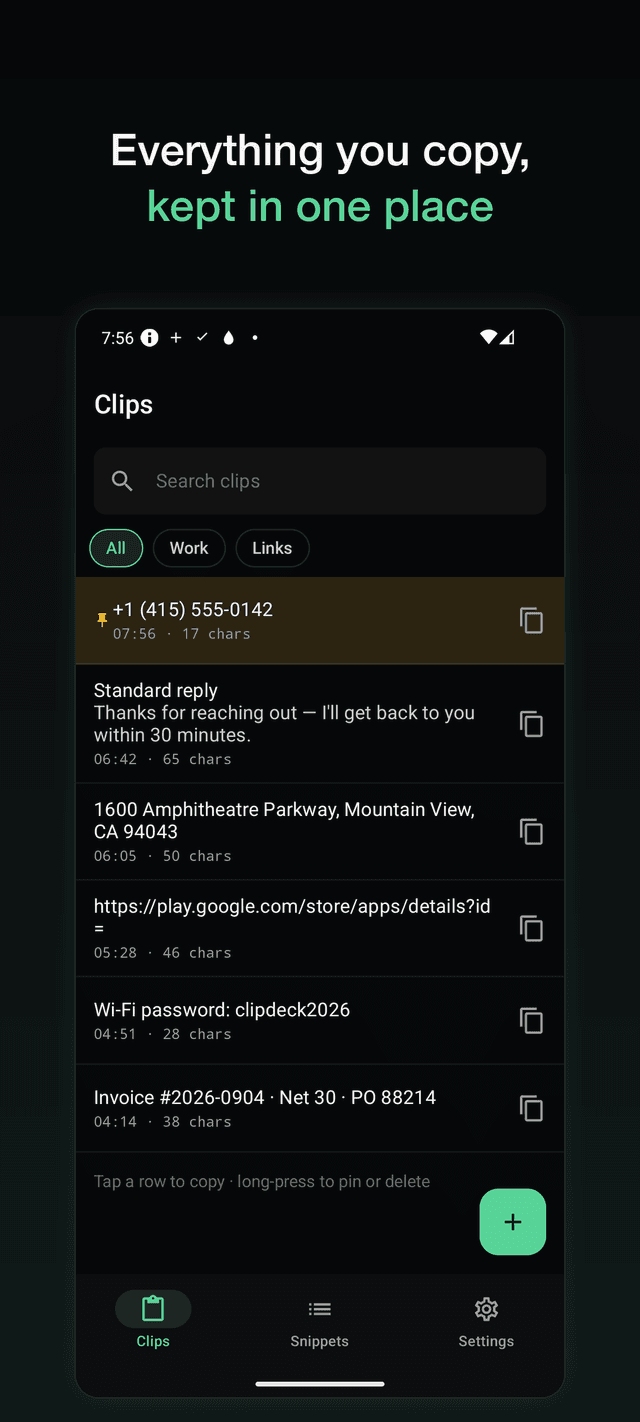
Phone numbers, addresses, account details, the replies you send every day. Clipdeck keeps them in one place and puts them back on your clipboard from a widget — without opening the app. Free, no account, no clip limit.
Get it on Google PlayScreens
No account, no subscription
There is no sign-up, no login and no server. Your clips stay on your phone and the whole app works in airplane mode.
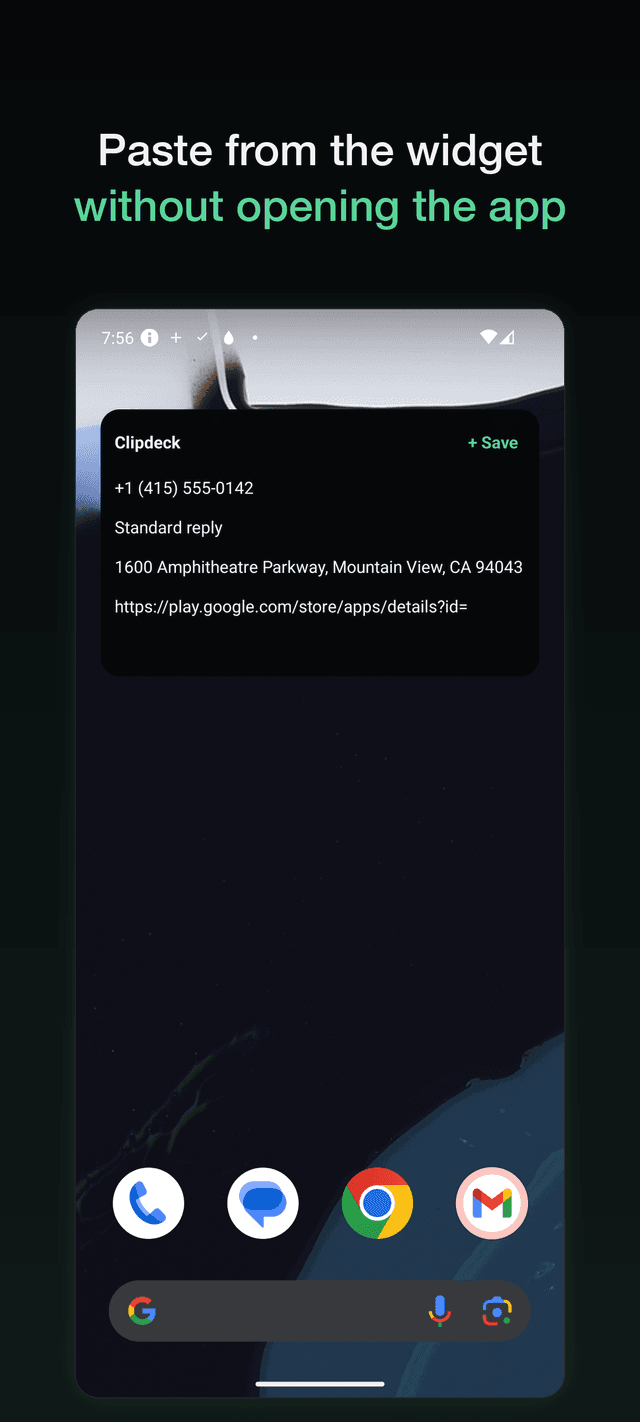
The widget is the point
Recent and pinned clips sit on your home screen. Tap a row and it is on your clipboard. Tap Save and whatever you just copied is stored.
No accessibility service
Other clipboard apps ask for the accessibility permission to watch your screen. Clipdeck never does — it reads the clipboard only at the moment you tap.
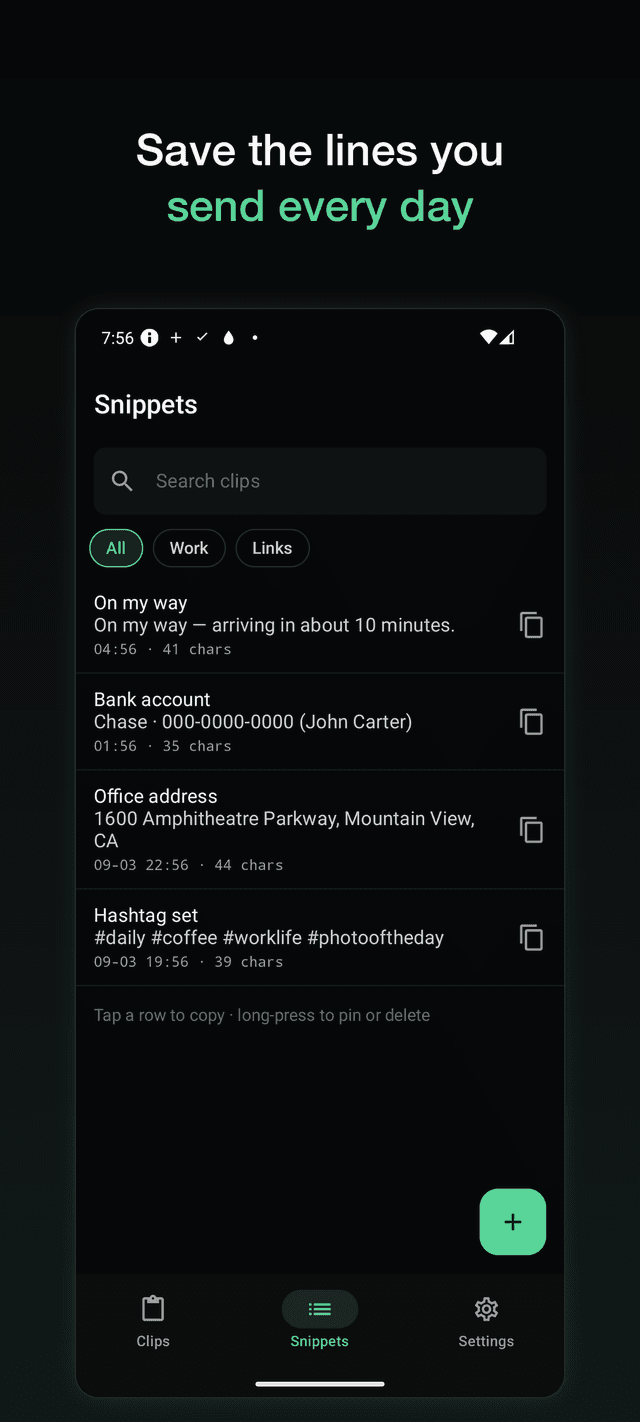
Snippets for what you send daily
"On my way", your account number, your address. Save the line once and paste it in a second, every day.
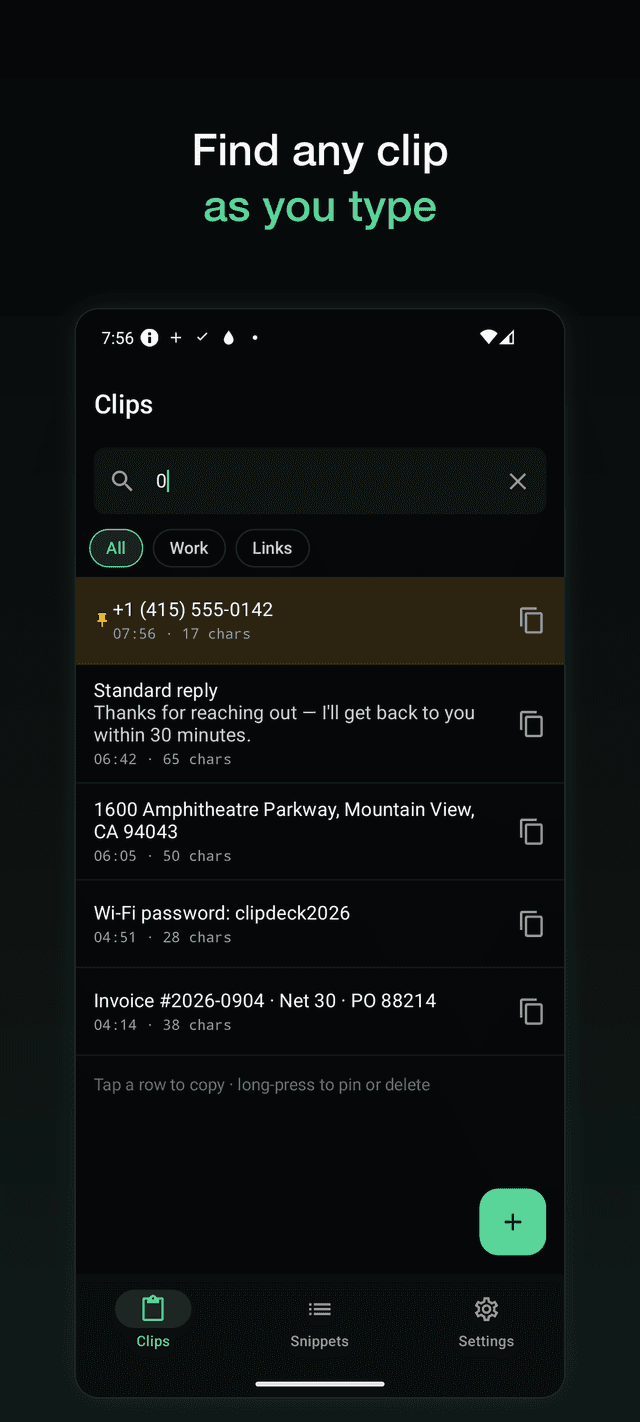
Search as you type
Start typing and the list filters. Partial matches count, so "010" finds the phone number and "invo" finds the invoice.
Deleted is not gone
Clips go to Trash for 30 days. The most common complaint about clipboard apps is losing pinned clips — that cannot happen here.
Backup and restore, free
Export a file, import it on your next phone. No paywall on your own data.
Light and dark
Follows your system theme by default, or pick one in Settings.
FAQ
- Does Clipdeck save automatically in the background?
- No app can. Since Android 10, an app may only read the clipboard while it is in the foreground. Clipdeck saves when you open it, when you tap Save on the widget, tile or notification, when you pick Clipdeck from the text selection menu, and when you share text to it.
- Why do other clipboard apps claim automatic saving?
- Most of them use the accessibility service to work around the restriction. That permission can read screen content, runs constantly, and shows up in reviews as battery drain. Clipdeck does not use it.
- Is it really free?
- Yes. Ads keep it free. There is no subscription and no clip limit, and backup and restore are not behind a paywall.
- Do ads get in the way?
- Ads never appear in the widget, the quick settings tile or the notification, and they never cover the text of a clip. They sit at the bottom of the list screens and on the exit dialog.
- Do my clips leave my phone?
- Never. There is no server, no account and no sync. Uninstalling the app deletes everything.
- Can I paste without opening the app?
- Yes — that is what the widget, the quick settings tile and the optional notification are for.
- What happens when the history fills up?
- Old clips drop off at the limit you set (200 by default). Pinned clips and snippets are never dropped.
- Does it store images?
- Not in this version. Clipdeck is text only, which keeps it small and fast.