Select it, save it, paste it later.
Clipjar is a clipboard history app for Android built around the ways Android 10 and newer still let you save text. Select words in any app and tap "Save to Clipjar", share a link to it, or just open the app after copying. Then tidy the text, file it in a group, and tap to copy it again.
Get it on Google Play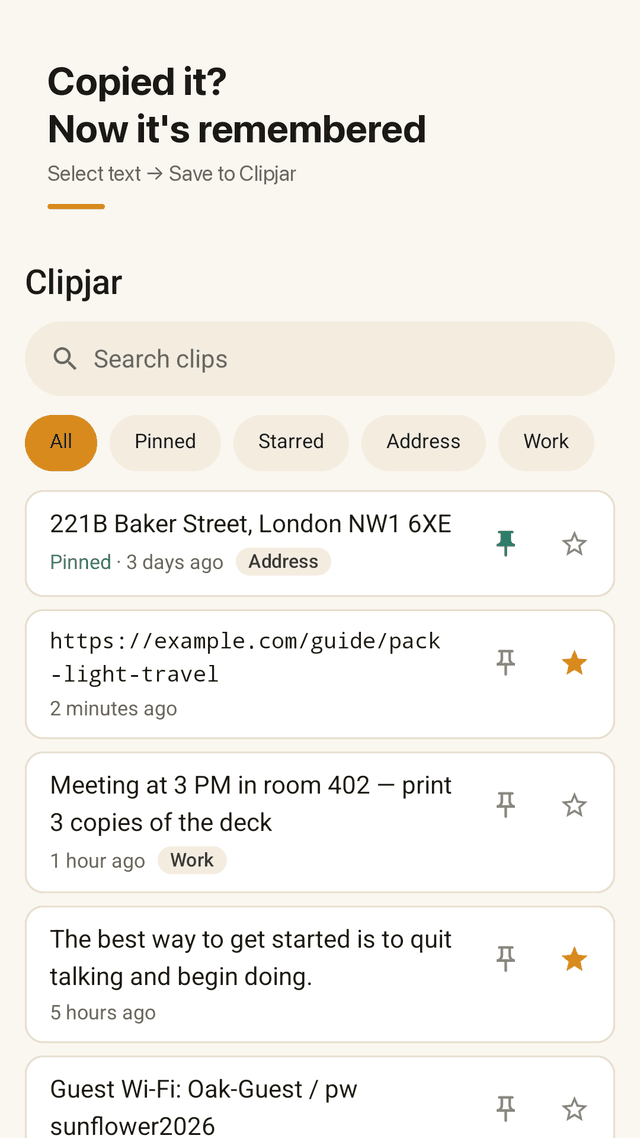
"Save to Clipjar" in the text menu
Long-press any text in a browser, chat or PDF, pick Save to Clipjar from the menu that pops up, and keep reading. You never switch apps.
Save from the Share sheet
Links, notes and messages you share to Clipjar land in your list with a short "Saved" message. No confirm pop-up.
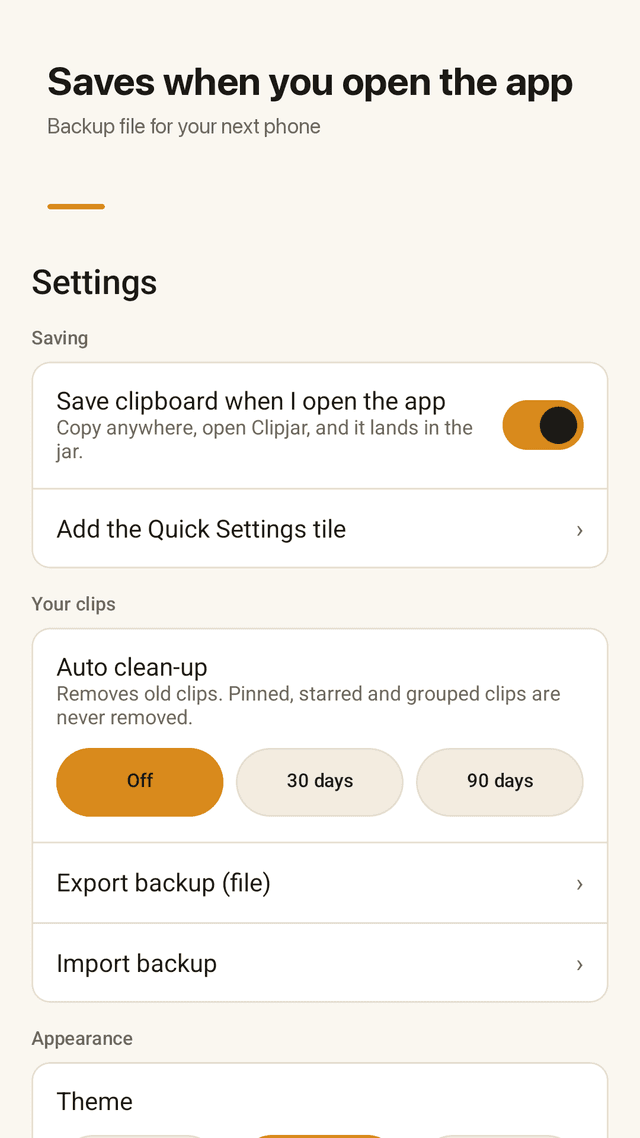
Open to save
Copied something the usual way? Open Clipjar and the current clipboard is already in the jar.
Text tools before you paste
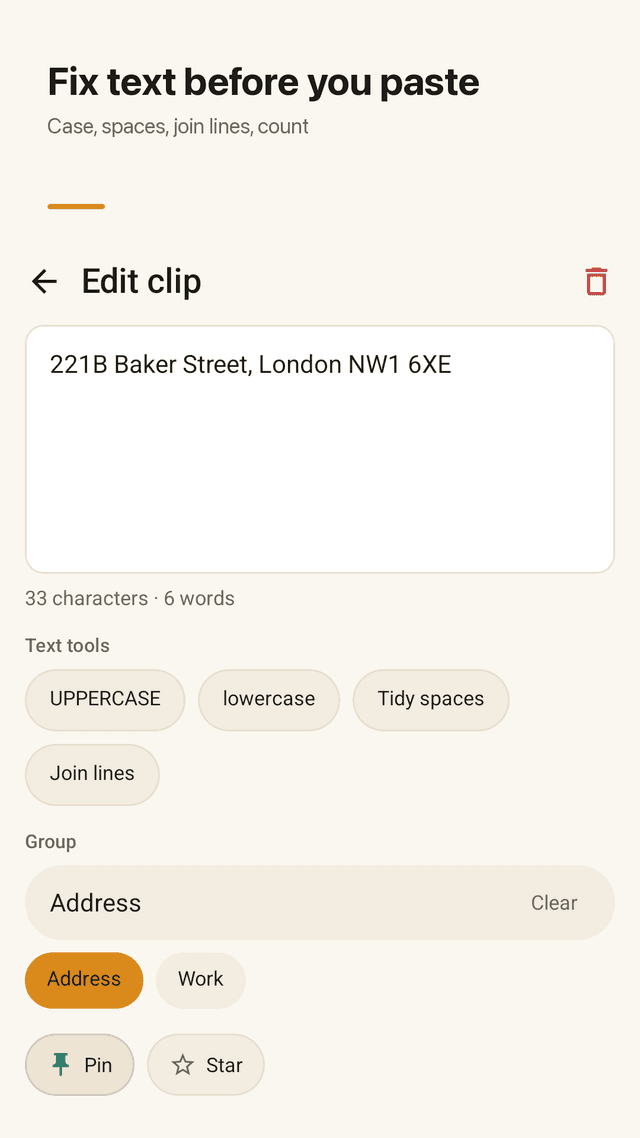
UPPERCASE or lowercase, tidy double spaces and tabs, join lines broken by a PDF copy, and see live character and word counts.
Groups as filter chips
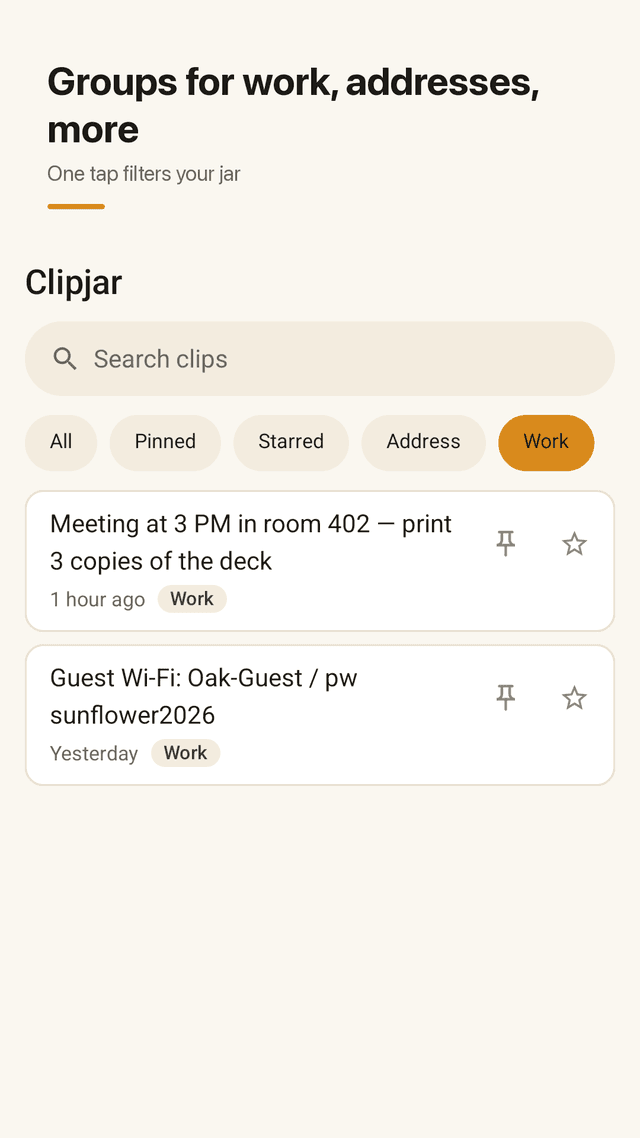
Make groups like Work, Address or Shopping. Each one becomes a chip above your list, and search finds a clip by any word inside it.
Tap to copy again
Tap a clip and it is back on the clipboard. Pin daily ones to the top, star the ones worth keeping.
Clean-up that spares what matters
Optional auto clean-up removes clips older than 30 or 90 days. Pinned, starred and grouped clips are never touched.
One backup file for a new phone
Export every clip and group to a single file, then import it on your next phone. Clips stay on your device otherwise.
FAQ
- Why doesn't my clipboard app save text in the background anymore?
- Since Android 10, apps can't read the clipboard while they're in the background. Clipjar uses the paths Android still allows: the text selection menu, the Share sheet, and saving the moment you open the app.
- How do I save selected text without leaving the app I'm in?
- Select the text, open the menu that appears (tap the three dots if needed) and choose Save to Clipjar. A short message confirms it and you stay where you were.
- Can I import my data from the old phone to a new one?
- Yes. Use Export to create one backup file, move it to the new phone (cloud drive, cable or messenger), and choose Import in Clipjar.
- Will auto clean-up delete clips I care about?
- No. Clean-up only removes old clips you haven't pinned, starred or put in a group.
- Can I fix text copied from a PDF with broken lines?
- Open the clip and tap Join lines. Tidy spaces removes double spaces and tabs, and you can switch case too.
- How do I find an old clip quickly?
- Tap a group chip to filter, or type any word from the clip into search.
- Does Clipjar send my clips anywhere?
- No. Clips are stored on your phone and the text tools run on the phone. They only leave it if you export a backup yourself.
- Does it work with any keyboard?
- Yes. Clipjar doesn't replace your keyboard. Tap a clip to copy it, then paste as usual.