Your whole day, in one strip.
Add a task, type the start time, pick a duration, and it drops into place on a vertical timeline. Gaps show your real free time, and a live now line moves down the day with you.
Get it on Google Play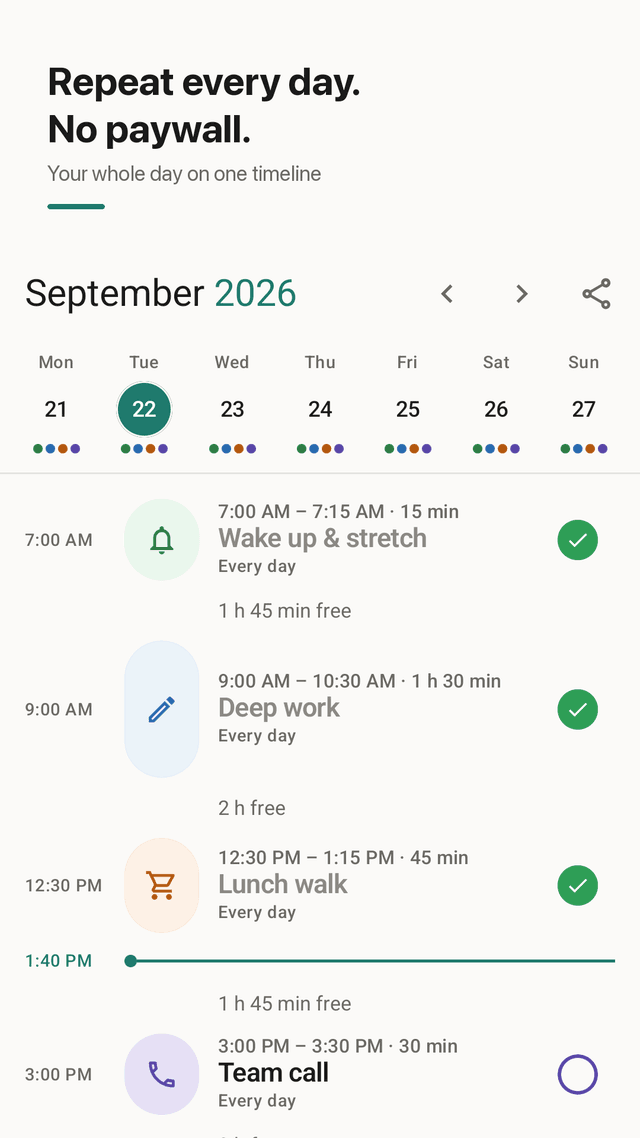
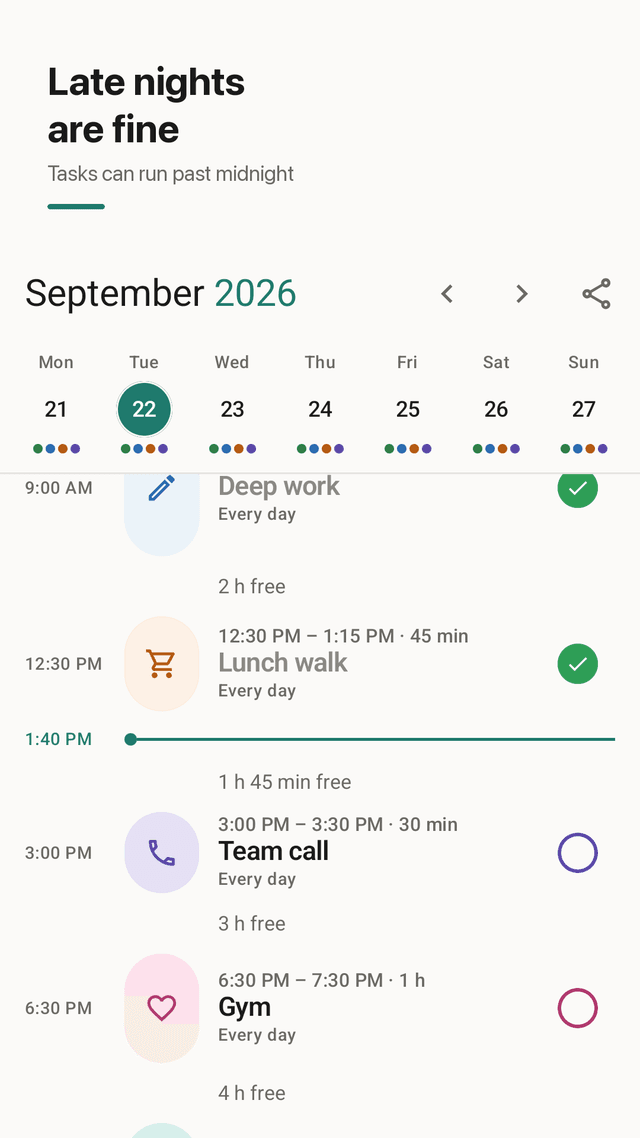
A timeline, not a list
Tasks sit on a vertical timeline by start time. Empty stretches show up as free time, so you can see at a glance whether the day actually fits.
Repeats without a paywall
Every day, weekdays, weekends or the days you pick. Wake-up, workouts, meds and school runs are set once. Each day keeps its own check-offs.
Alerts that arrive on time
Start and end alerts are scheduled as exact alarms. Edit or delete a task and the old alert is cancelled; alerts are restored after your phone restarts.
Type the time, don't spin it
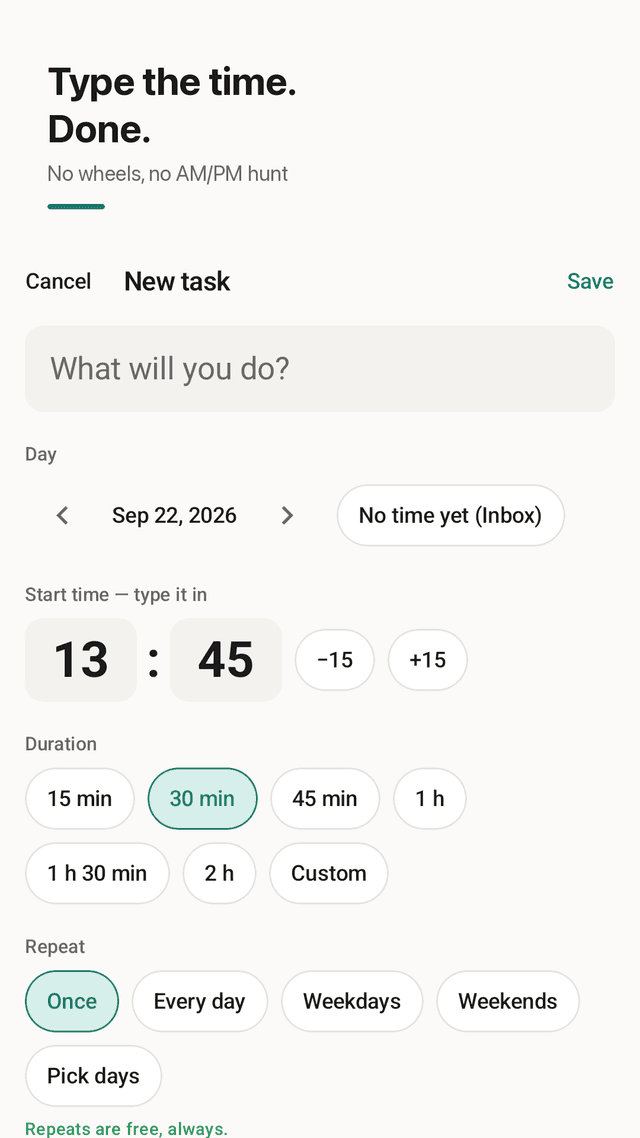
Enter 09:30 on the number pad. No wheels and no AM/PM hunt. Use -15 / +15 to nudge, and duration chips from 15 minutes to 2 hours.
Late nights just work
A task can run past midnight. A 23:00 to 01:00 block stays one block instead of breaking or being rejected.
Inbox for untimed tasks
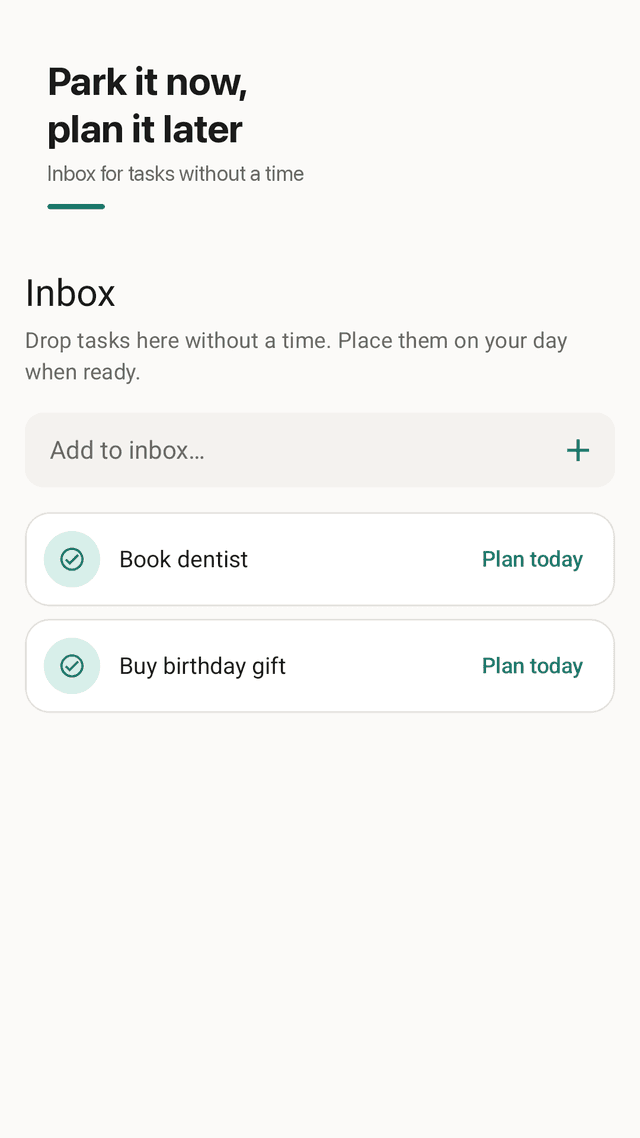
Park tasks without a time in the Inbox, then use Plan today to drop them into your timeline. Copy yesterday's tasks to today in one tap.
A widget that does something
The home screen widget shows your current and next task. Tap Done to check it off without opening the app.
Private by default
No account and no sign-up. Plans stay on your phone. Share your day as a clean image card when you want to. Light and dark themes.
FAQ
- Why do my planner reminders not go off?
- On Android, most missed reminders come from battery optimization putting the app to sleep, the Alarms & reminders permission being off, or the notification channel being muted. Daystrip schedules exact alarms, cancels old ones when you edit a task and restores them after a reboot. If alerts still don't arrive, set Daystrip's battery usage to Unrestricted and check the permission in Settings.
- Can I repeat tasks every day without paying?
- Yes. Every day, weekdays, weekends or any custom set of days is free. There is no premium tier for repeats.
- Can a task go past midnight?
- Yes. A task from 23:00 to 01:00 is saved as one task that crosses into the next day, which suits bedtime routines, night shifts and late study sessions.
- Does it sync with Google Calendar?
- No. Daystrip keeps your plans only on your phone and does not read or write Google Calendar. That keeps it simple and private, but it also means there is no cloud backup or sync across devices.
- Is there a widget?
- Yes. The home screen widget shows the task happening now and the next one, with a Done button that checks the current task off without opening the app.
- Do I need an account?
- No. There is no sign-up, no login and no server of ours storing your plans.
- How do I enter times quickly?
- Type the time on the number pad, like 0930 for 09:30. Use -15 / +15 to adjust and the duration chips (15 minutes to 2 hours) to set the length.
- Is it free?
- Yes. Daystrip is free and supported by ads. Your ad privacy choices are in Settings.