
Put names on your group photos
Type the names left to right, pick a style, save. The names live on the photo itself, so the picture remembers who's who — in your gallery, in a message, on a print, years later. Free, no account, on-device.
Get it on Google Play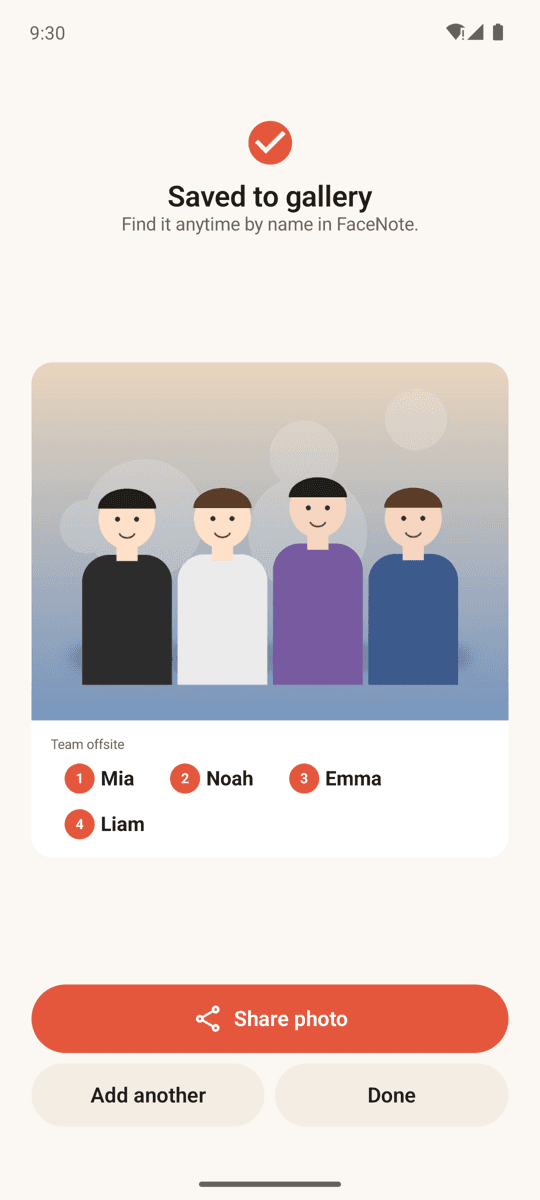
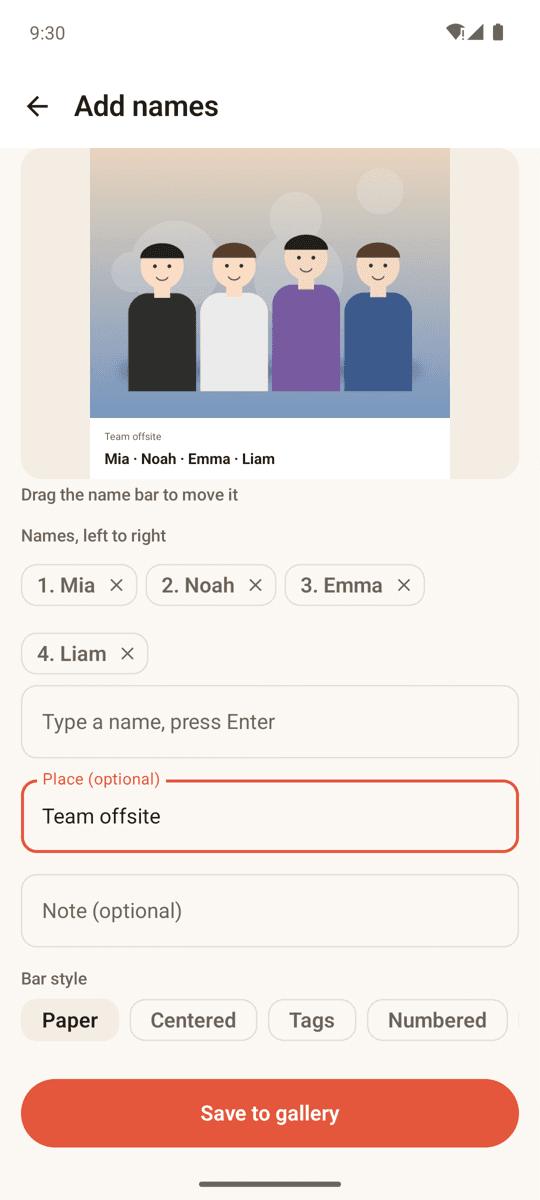
Names under the photo, not over faces
Band styles add a clean strip below the picture — Paper, Centered, Tags, Numbered (1·2·3 left to right), Ink, Coral, Polaroid. Overlay styles (Fade, Glass, Minimal) can be dragged anywhere.
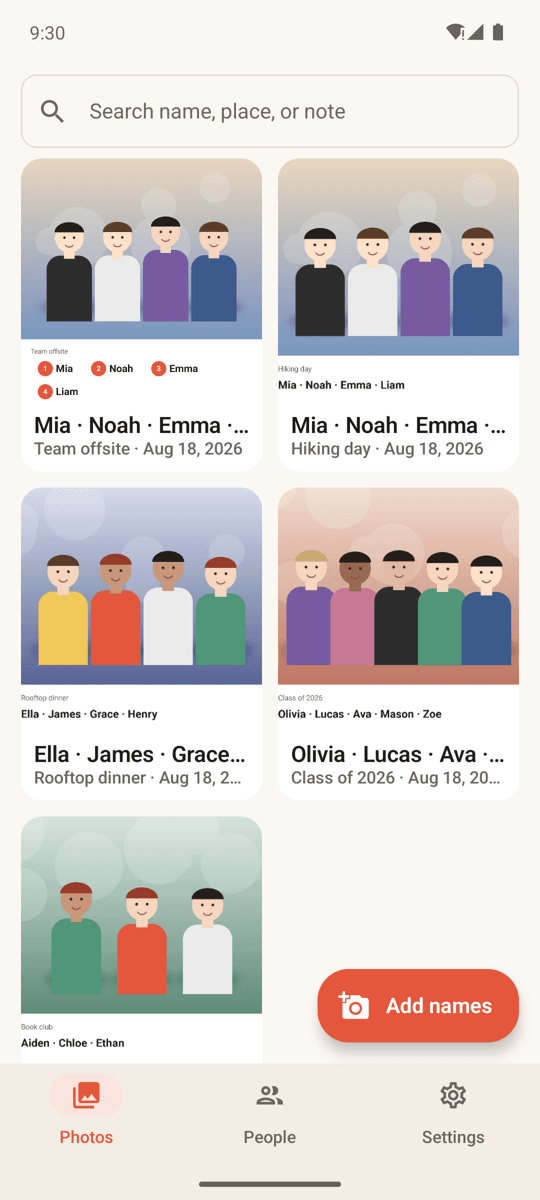
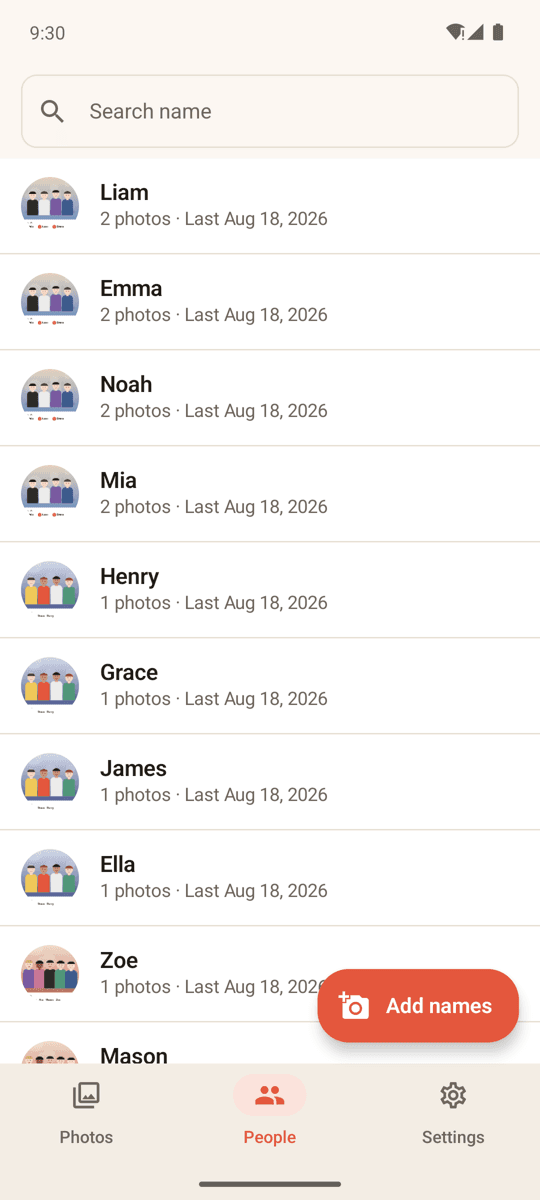
Find anyone by name
Search by name, place or note. The People tab shows every photo of one person in one place. Rename or remove people any time.
Unlimited, and works on old photos
Add as many names as the photo needs. Pick from your gallery or shoot in the app. Edit later and re-save — the original is kept privately for that.
Home screen widget
See the people you met recently and jump straight into adding names from your home screen.
Two gentle reminders a day
A morning recap ("you met 4 people this week") and an evening nudge to name today's photos. Optional, with quiet hours.
Private by design
No account, no login, no server. Photos and names stay on your phone. Free, supported by ads.
FAQ
- Does FaceNote upload my photos?
- No. Photos are processed and stored on your device only. There is no account and no server.
- Is there a limit on names or styles?
- No. Unlimited names per photo, all 10 name bar styles, editing and re-saving — everything is free.
- Where are the photos saved?
- In your gallery under Pictures/FaceNote as regular JPEG files. You can share, print or back them up like any other photo.
- Can I add names to photos I already took?
- Yes. Choose any photo from your gallery via the Android photo picker; the app only reads the photo you pick.
- Does the name bar cover people's faces?
- Band styles sit under the photo, so nothing is covered. Overlay styles are placed by you — drag them wherever you like.
- Which languages does it support?
- The interface is available in 16 languages, and the name bar uses your device's fonts, so any script works.