Put the phone down.
Hushome replaces your home screen with plain text: the clock, the date and the few apps you truly need. Every other app waits behind a small square you have to hold for 20 seconds. Let go, and that impulse is counted as skipped.
Get it on Google Play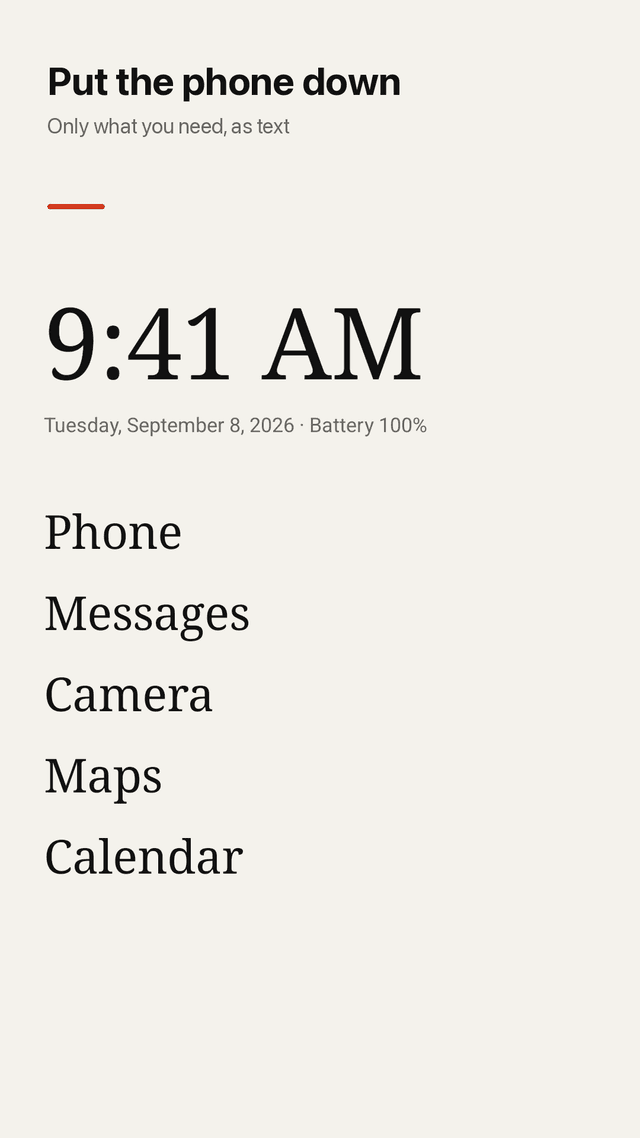
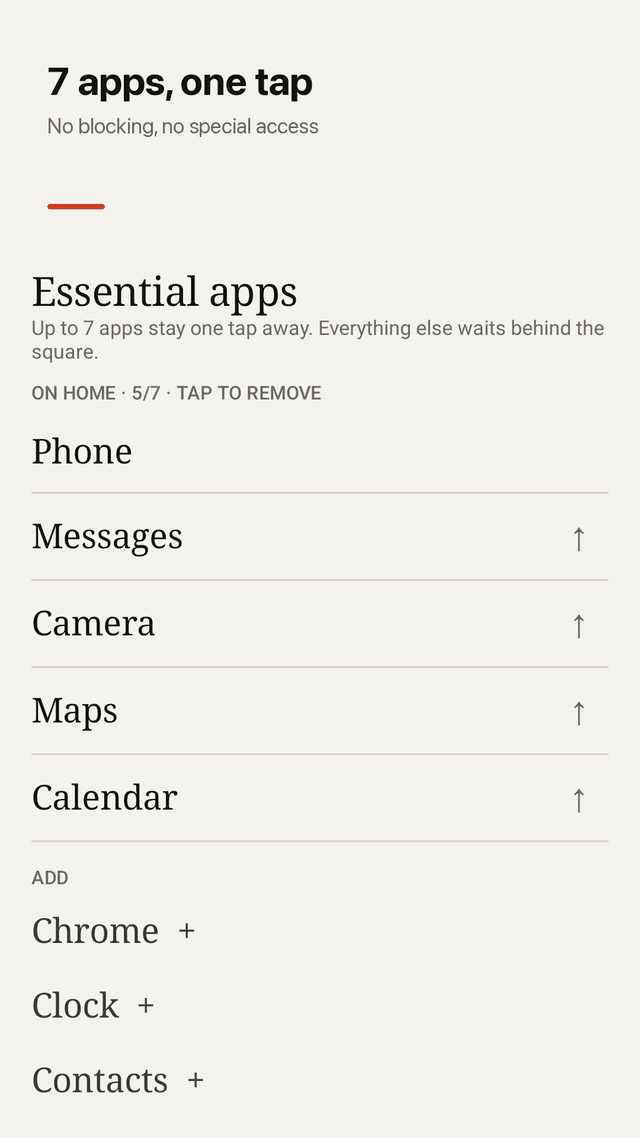
A text-only home screen
Clock, date, battery and up to 7 essential apps written as words. No icons, no red badges and no colors pulling at your eyes.
Hold to open the rest
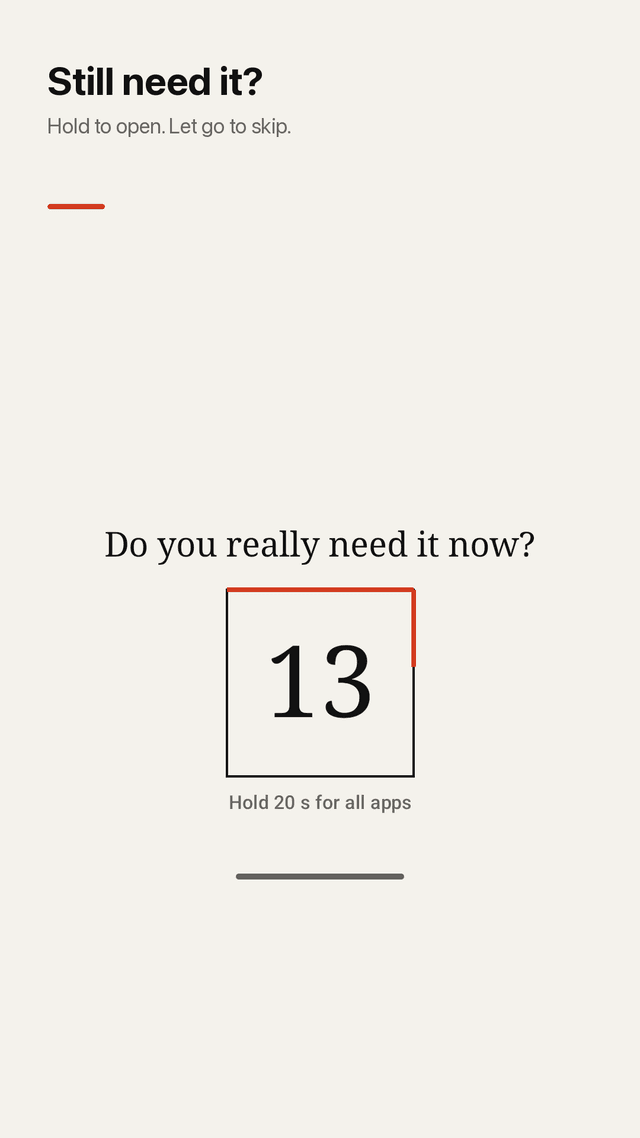
Every other app sits behind a square. Hold it for 5, 10, 20 or 30 seconds while a line fills around it and a countdown asks: do you really need it now?
Count the impulses you skip
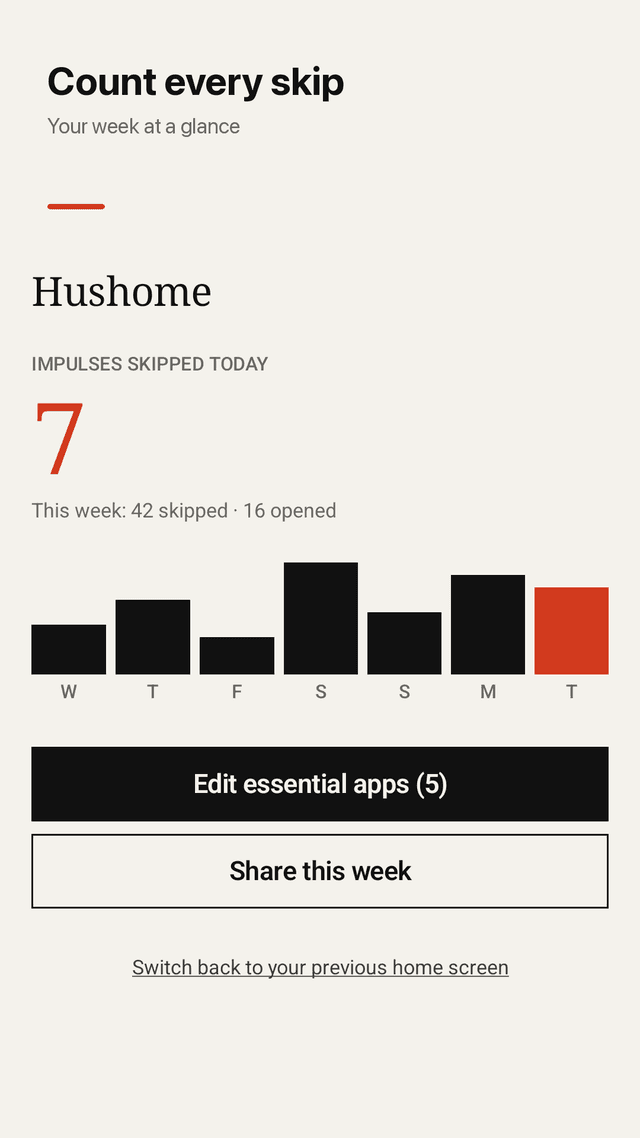
Let go before the timer ends and Hushome counts one impulse skipped. See today and the last 7 days on a simple bar chart.
No blocking, nothing breaks
Hushome never blocks apps and does not use an Accessibility service. Your keyboard, camera, banking and work apps always open normally.
Leave in one tap
Switch back to your previous home screen from the dashboard at any time. Uninstalling works like any other app.
Works with work profiles and clones
Apps from a work profile and dual (clone) apps appear in your app list, so nothing essential goes missing.
A widget and a weekly card
Put today's count on a second launcher page, or share your week as a clean paper-style image.
Private and free
No account, no usage-access permission, no data leaving your phone. Every feature is free, supported by ads that appear only in the dashboard, never on your home screen.
FAQ
- Can I make my Android phone a dumb phone without buying a new one?
- Yes. A minimalist launcher like Hushome replaces the home screen so only the basics (phone, messages, maps, camera) are one tap away, while everything else takes a deliberate 20-second hold. You keep the useful parts of a smartphone and lose the constant pull.
- Does Hushome block apps?
- No. Nothing is blocked. The hold-to-open square only adds a short pause so you can decide on purpose. If you keep holding, every app opens as usual.
- Why doesn't it need Accessibility permission?
- App blockers use Accessibility to watch and stop other apps, which often breaks keyboards, cameras and allowed apps. Hushome works only as your home screen, so it needs no Accessibility, usage-access or notification-access permission.
- How do I switch back to my old launcher?
- Open Hushome from its app icon and tap Switch back to your previous home screen, or go to Settings > Apps > Default apps > Home app. It takes one tap and uninstalling works normally.
- Can I change the 20-second hold?
- Yes. Choose 5, 10, 20 or 30 seconds in Settings. A countdown is always shown, so you know how long is left.
- Will I still see my notifications?
- Yes. Hushome does not touch notifications. If you want fewer, turn them off per app in Android settings.
- Do dual apps and work profile apps show up?
- Yes. Apps from every profile on the device, including clones such as a second messaging app, appear in the list.
- Is it free?
- Yes. Every feature is free. Hushome is supported by ads shown only on its own dashboard and settings screens, never on your home screen.