Inflowly
Know what you earned today.
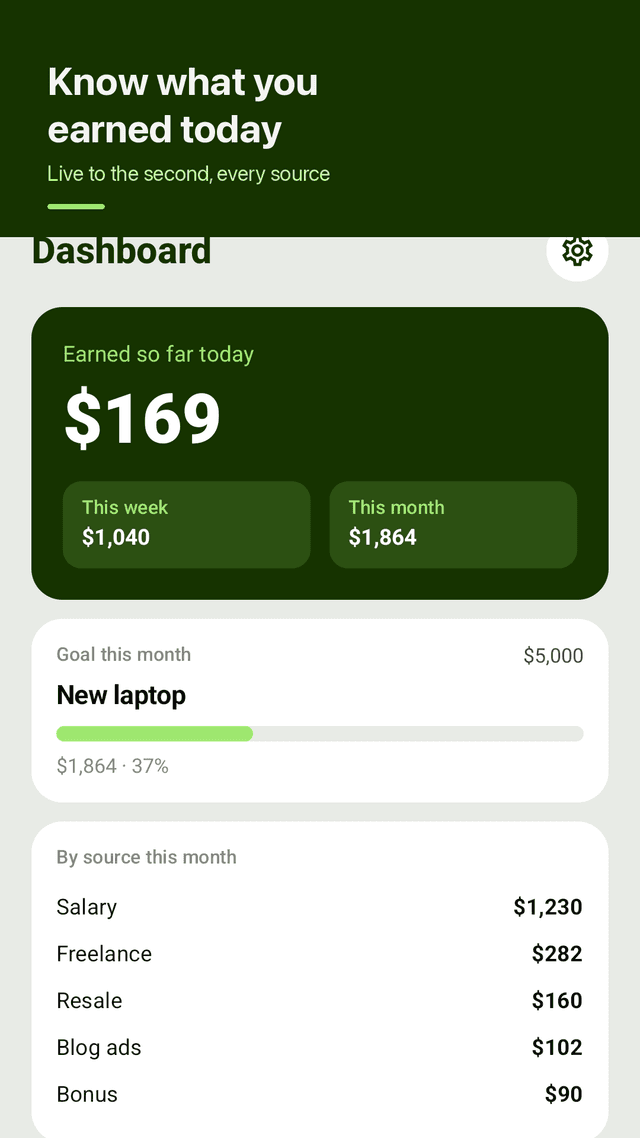
Add a salary, a freelance client, a blog that pays ads. Inflowly converts each one into a per-second rate and shows today's total climbing — in the app and on your home screen widget.
Get it on Google PlayScreenshots
One rate per income source
A salary paid monthly, a client paid weekly, ad revenue that trickles in around the clock — each source keeps its own amount and schedule, and Inflowly derives a per-second rate from that. Most trackers assume you have exactly one paycheck.
Work hours or around the clock
Set a source to accrue only on weekdays from 9:00 for as many hours as you actually work, or continuously for rent, dividends and ad revenue. The number you watch matches how the money actually arrives.
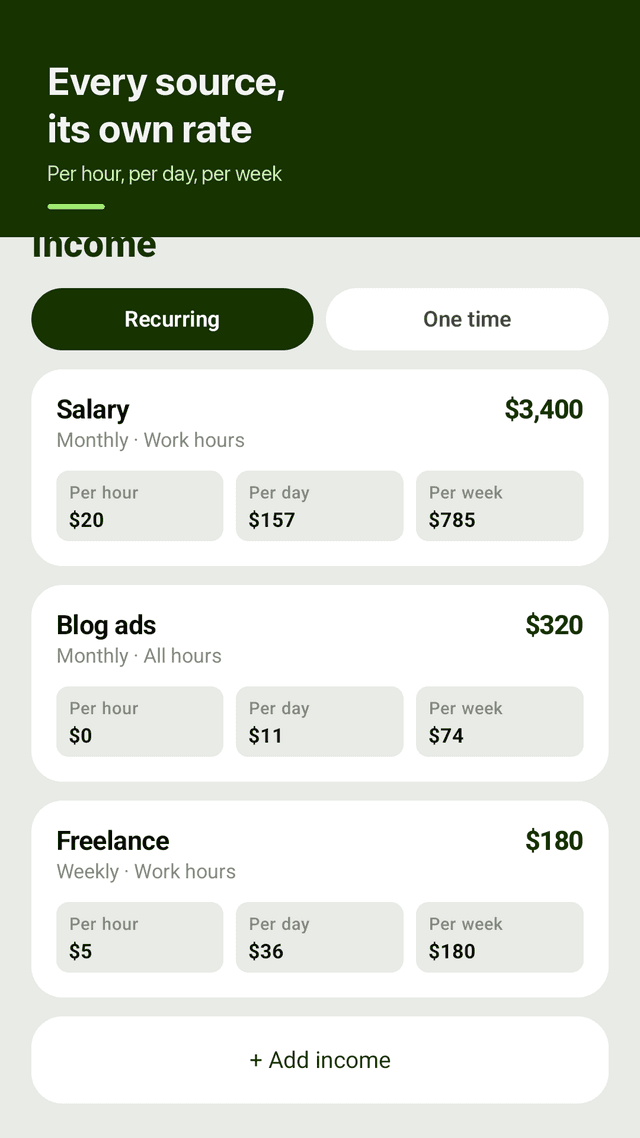
Per hour, per day, per week
Every source card shows what it works out to hourly, daily and weekly. It is the fastest way to see which side hustle is worth your time — a 320,000 a month blog is 438 an hour if it never sleeps.
Home screen widget
Today's total, your monthly goal progress and this month's sum, without opening the app. The plus button on the widget goes straight to the add-income screen. This was the single most requested feature in reviews of every app in this category.
A goal that means something
One monthly target with a progress bar on the dashboard. Not ten goals you stop looking at — one, measured against what you actually earn this month.
Charts and share by source
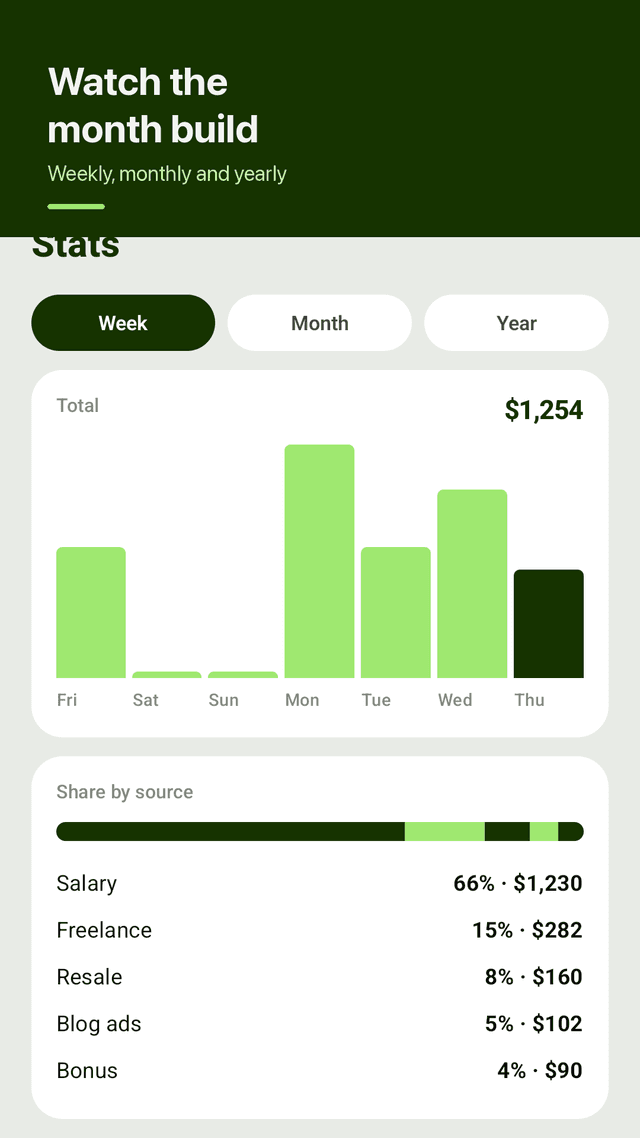
Weekly, monthly and yearly bars, plus the share each source contributed this month. Enough to answer 'where does my money come from' without a spreadsheet.
Backup that survives a new phone
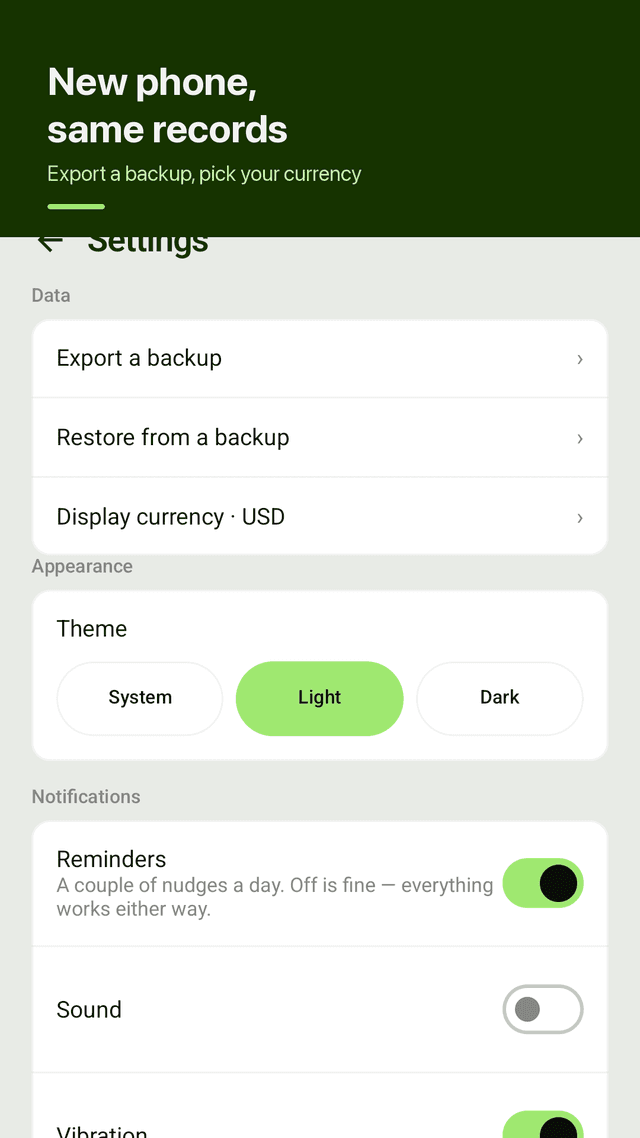
Export everything to a file you keep, restore it on the next device. Losing years of records to a phone upgrade is the most common one-star complaint in this category, and it is entirely avoidable.
Your numbers stay on your phone
No account, no bank login, no server. Inflowly cannot read your messages or your bank. You type what you earn; the app does the arithmetic.
FAQ
- How is a per-second rate calculated?
- From the amount and the schedule you set. A monthly salary of 3,400,000 with a 40-hour week works out to about 19,615 per hour, because Inflowly spreads the month over roughly 173 working hours. A source set to 'all hours' spreads the same amount over every second of the month instead — that is why rent or ad revenue shows a much smaller hourly figure but keeps counting overnight.
- Does it connect to my bank?
- No. There is no bank connection, no card import, no notification or SMS reading. Every number in Inflowly is one you entered. That is a deliberate design choice: it keeps the app's permission list to notifications only, and it means nothing about your finances leaves the device.
- What happens to my data when I change phones?
- Use Export a backup in Settings before you switch, then Restore from a backup on the new phone. The file is written through Android's file picker, so it lands wherever you choose — your own drive folder, a cable transfer, anywhere. Nothing goes through us.
- Can I track one-time income?
- Yes. The Income tab has a One time section for money that does not repeat: a resale, a bonus, a single gig. One-time entries count toward the day, week and month totals on the date you record them, but they do not add to the per-second rate.
- Which currency does it show?
- Whatever you pick in Settings — the display currency is independent of your phone's locale, which matters if you earn in one currency and live in another. Inflowly does not convert between currencies; it shows your figures in the symbol you chose.
- Why does today's number reset at midnight?
- Because 'earned so far today' is a daily figure. The week and month totals keep accumulating, and the charts keep every day. Nothing is lost at midnight — only the top number starts again.
- Are there ads?
- Yes, and that is what keeps it free. They are kept off the screens where you type income in, and the home screen widget never shows one. You can reset your ad consent choice from Settings at any time.
- Does it work offline?
- Yes. There is no account, no login and no sync. Everything is computed on the device, so a flight or a dead zone changes nothing.
Guides
Inflowly is an income tracker for people with more than one source of income. No account, no bank connection, no subscription — every feature is in the free app, supported by ads.