Lockmint
A password generator that tells you what it is doing
Most generators hand you a row of checkboxes labelled "unique characters" and "seed" and leave you guessing. Lockmint writes a plain sentence under every option, so you never turn something on hoping it is the right one.
Get it on Google PlayScreenshots
Every option explains itself
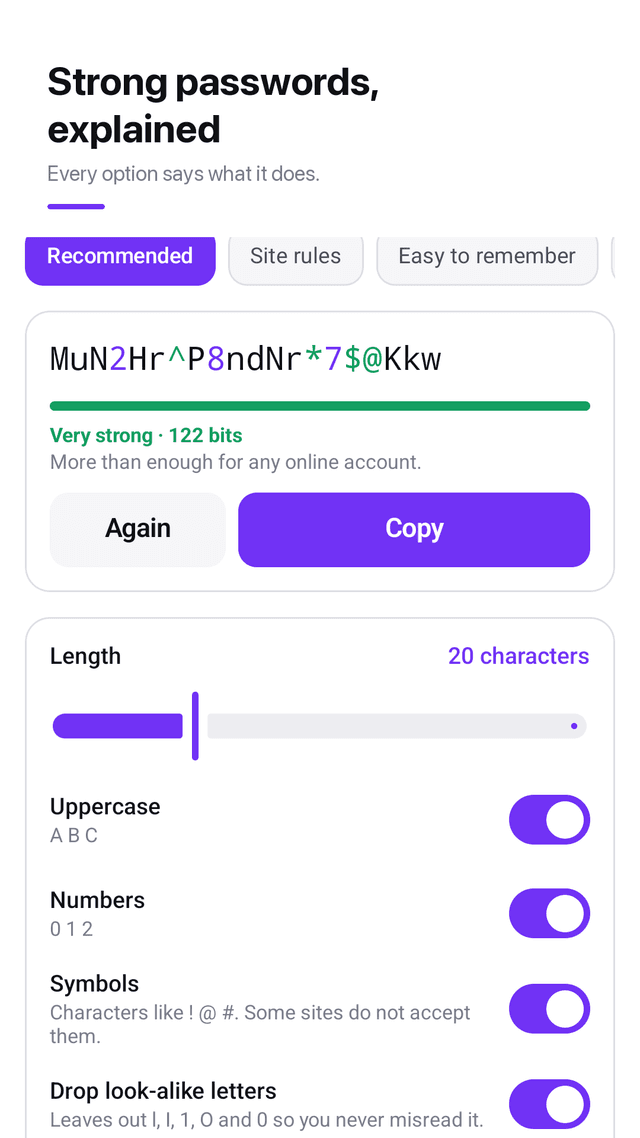
Under "drop look-alike letters" it says: leaves out l, I, 1, O and 0 so you never misread it. Under "guarantee every type": at least one of each kind you turned on, every time. The explanation is on the screen, not buried in a help menu.
Four presets, one tap
Recommended, site rules, easy to remember, numeric PIN. Tap one and the password is already made. The detailed controls are underneath for the times you need them.
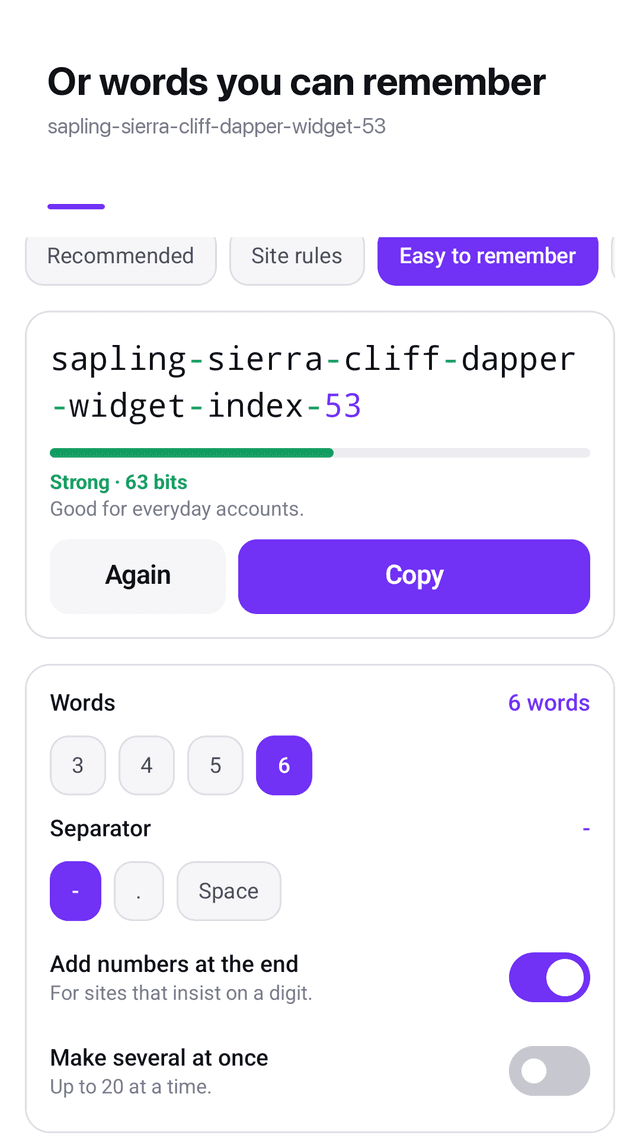
Words you can actually remember
sapling-sierra-cliff-dapper-widget-53. Six words from an offline list, your choice of separator, and a digit on the end for sites that insist. Sixty-three bits, which the screen labels as strong rather than making you work it out.
Look-alike letters removed
l, I, 1, O and 0 look nearly identical in most fonts, and a password you cannot read back is a password you will type wrong. One switch takes all of them out.
It keeps the promise it makes
If you turn numbers on, a number is in the result — every single time, not usually. The same for uppercase and symbols. That sounds obvious until you meet a generator that skips them.
Save the awkward sites as presets
Some sites reject half the symbols and demand exactly sixteen characters. Set that up once, name it, and it is one tap from then on.
Strength in a sentence, not just a number
Every password shows its entropy in bits and, next to it, what that actually means: more than enough for any online account, or good for everyday accounts, or add length.
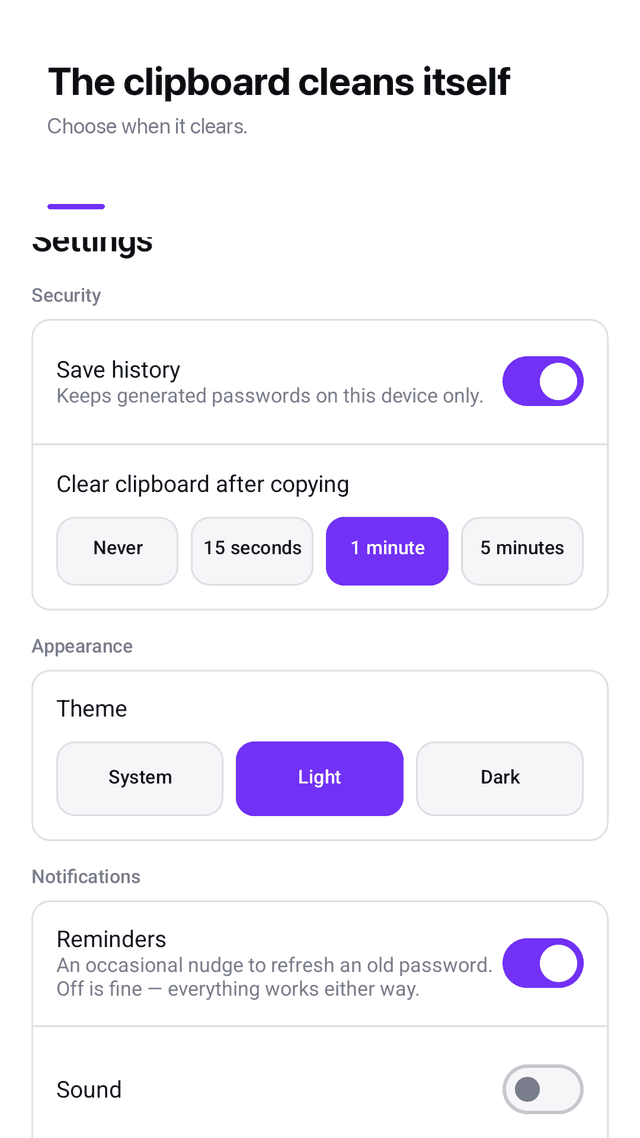
The clipboard cleans up after itself
Copy a password and the clipboard clears a minute later. Fifteen seconds is too short and forever is too long, so you pick: never, 15 seconds, 1 minute or 5 minutes.
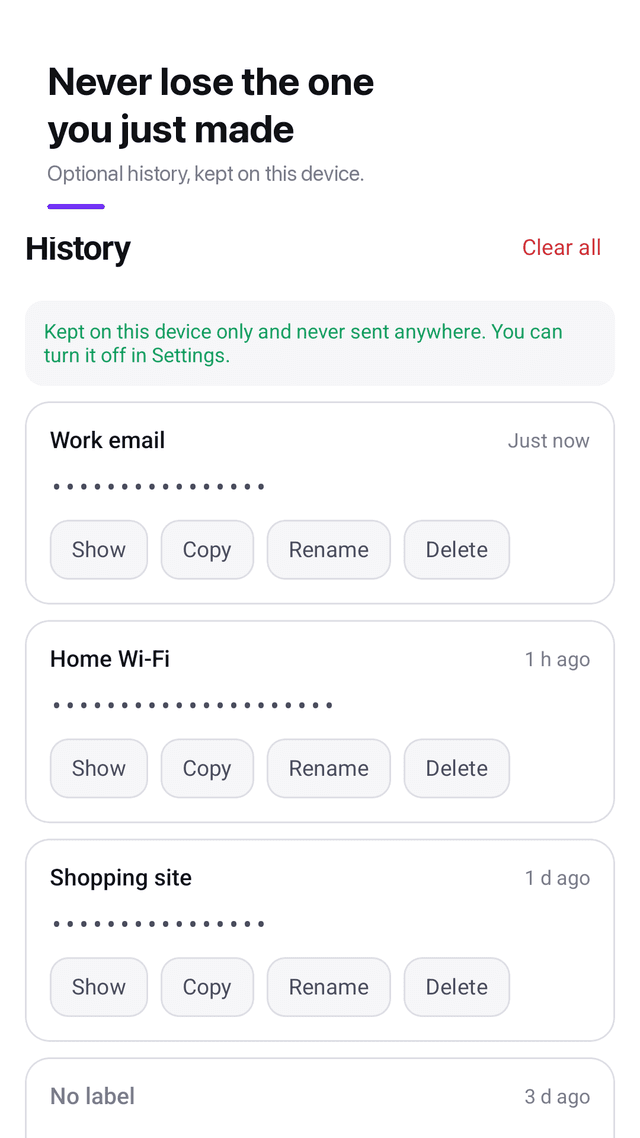
Optional history, off by default
Turn it on and you can label what you made — work email, home Wi-Fi — and find it again. Turn it off and everything stored is deleted in the same moment.
One tap from the home screen
The widget generates a password and copies it without opening the app.
FAQ
- Can it find a password I already use?
- No, and no honest app can. Lockmint creates new passwords. It has no way to read a password stored in your browser, your other apps or a website, and it never asks for one. If an app claims it can recover an existing password for you, treat that as a warning sign.
- Is it a password manager?
- No. It makes passwords; it does not store all of them for you or fill them in on websites. There is an optional local history so you do not lose the one you just created, but it is off by default and it is not a vault. Keep your passwords in a manager you trust.
- Does it work without internet?
- Yes. Generating, presets, history, the clipboard clear and the widget all run on the device with no network call. The only component that touches the internet is the advertising SDK.
- How long should a password be?
- For an online account, sixteen to twenty random characters is comfortably beyond what anyone can guess or grind through, and that is what the recommended preset gives you. Length matters more than exotic symbols — a longer password with only letters and numbers usually beats a short one stuffed with punctuation.
- What are the bits next to the password?
- That is entropy: how many possibilities an attacker would have to work through. Each extra bit doubles the work. Under about 40 bits is weak, around 60 is fine for everyday accounts, and above 90 there is nothing practical left to worry about. The app says which band you are in, in words, so you do not have to remember these numbers.
- Are passphrases weaker than random characters?
- They are shorter in bits but far easier to remember, which matters because an unmemorable password often ends up written down or reused. Six words plus a number is about sixty-three bits, strong enough for everyday accounts. For email or banking, the recommended random preset is the better choice.
- Why would I drop look-alike letters?
- Because you will eventually read a password off the screen and type it somewhere else — into a TV, a router setup page, another person's laptop. l, I and 1 are nearly the same shape in most fonts, and so are O and 0. Removing them costs a tiny amount of strength and removes a whole class of mistakes.
- Is the randomness actually secure?
- It uses the platform's cryptographically secure random number generator, the same class of source used for encryption keys, not the ordinary shuffle function. There is no seed you can accidentally reuse and nothing derived from the time of day.
- Is anything behind a paywall?
- No. There is no subscription, no premium tier and no in-app purchase. It is supported by ads, and no ad interrupts the path from generating a password to copying it.
- Does it collect anything?
- The app itself collects nothing — no account, no sign-in, no server of ours. Your passwords, presets and history never leave the phone. The advertising SDK uses your device's advertising ID, which is described in full in the privacy policy.
Guides
Lockmint is a password generator: random characters, passphrases and PINs, with a plain-language explanation under every option. No account, no subscription, nothing leaves the phone. Supported by ads.