A planner calendar where every edit is free.
Month calendar on top, the selected day's events and to-dos below. Repeat lunar birthdays every year, reuse templates, get reminders and see today on your home screen. No membership, no account, no server.
Get it on Google Play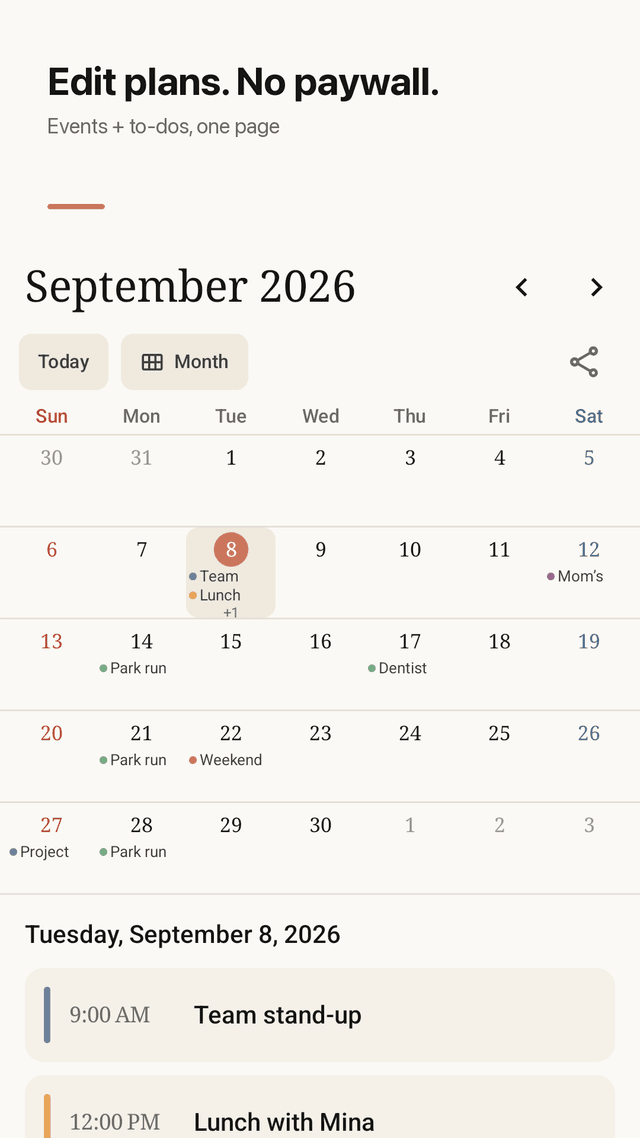
Every edit is free
Create, edit, repeat and delete events without a membership. Nothing is locked behind a paywall or a 7-day limit.
Month view + daily agenda
Tap a day to see its events and to-dos together on one planner page, so you never write the same plan twice.
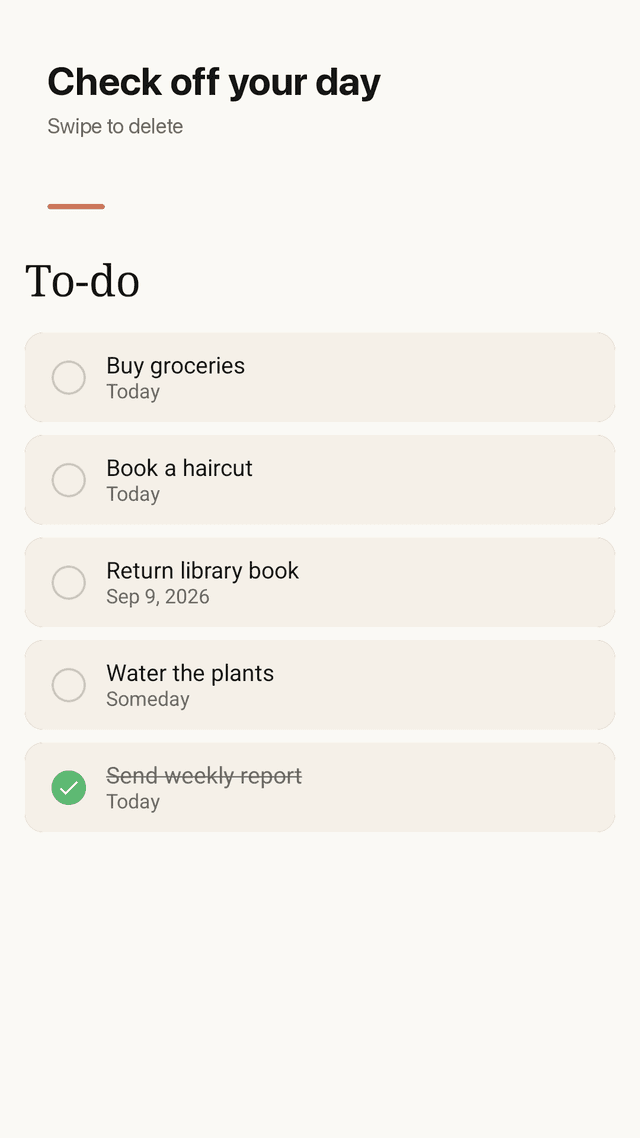
To-do tab with check-off
Keep tasks with or without a date and tick them off. Done items stay visible so you can see your progress.
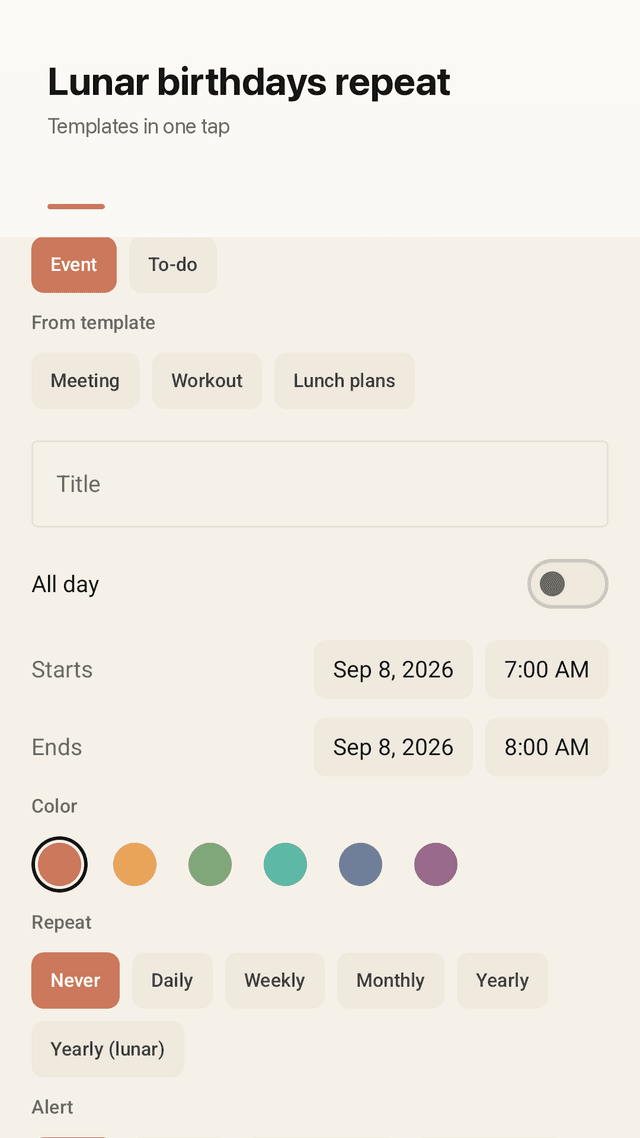
Lunar yearly repeat
Set a birthday or memorial day on the lunar calendar and Planquill finds the right solar date every year.
Event templates
Save events you add often, such as a weekly class or a shift, and add them again in one tap.
Event reminders
Get a notification before an event starts, at the time you choose.
Today's agenda widget
See today's events and to-dos on your home screen without opening the app.
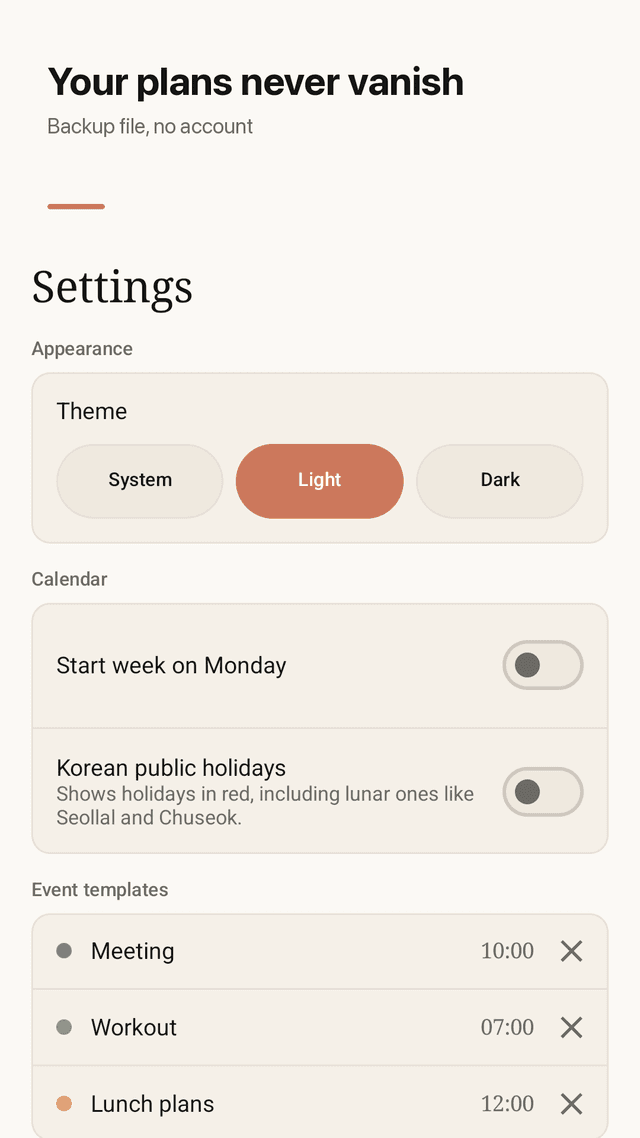
Light/dark, backup, no account
Pick a light or dark theme. Export everything to a JSON file and import it on a new phone. Data stays on your device.
FAQ
- Is there a calendar app where I can edit events without a membership?
- Yes. In Planquill every edit, repeat and delete is free. The app is supported by ads, not by a subscription.
- Can I keep events and to-dos in one app?
- Yes. The selected day shows its events and its to-dos together, and the To-do tab lists every task with a check box.
- How do I repeat a lunar birthday every year?
- When adding an event, switch the date to lunar and choose yearly repeat. Planquill converts it to the correct solar date each year.
- Everything I wrote disappeared. How do I prevent that?
- Planquill stores data on your phone. Export a JSON backup from Settings regularly and keep it in Drive or email, then import it if you change phones.
- Does it sync with Google Calendar?
- No. Planquill is a local planner with no server or account, so nothing is uploaded. Use JSON backup to move data.
- Is there a home screen widget?
- Yes. The today agenda widget shows today's events and to-dos.
- Can I use a white background instead of dark?
- Yes. Choose light, dark or follow the system theme.
- Does it collect my information?
- No account and no server. Your events stay on your device.