Tap the days you worked. Get a total that matches payday.
A work-day calendar for day-rate workers. One tap logs a day with your usual site and rate, and the pay-period total follows your real payday cycle. No account, no server, records stay on your phone.
Coming soon to Google Play
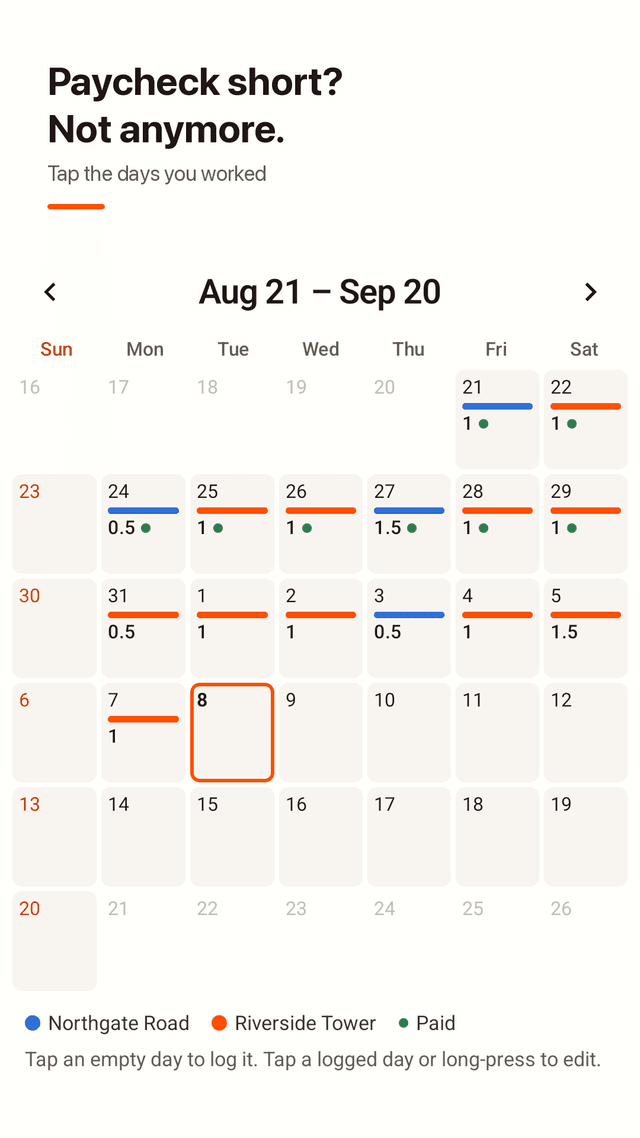
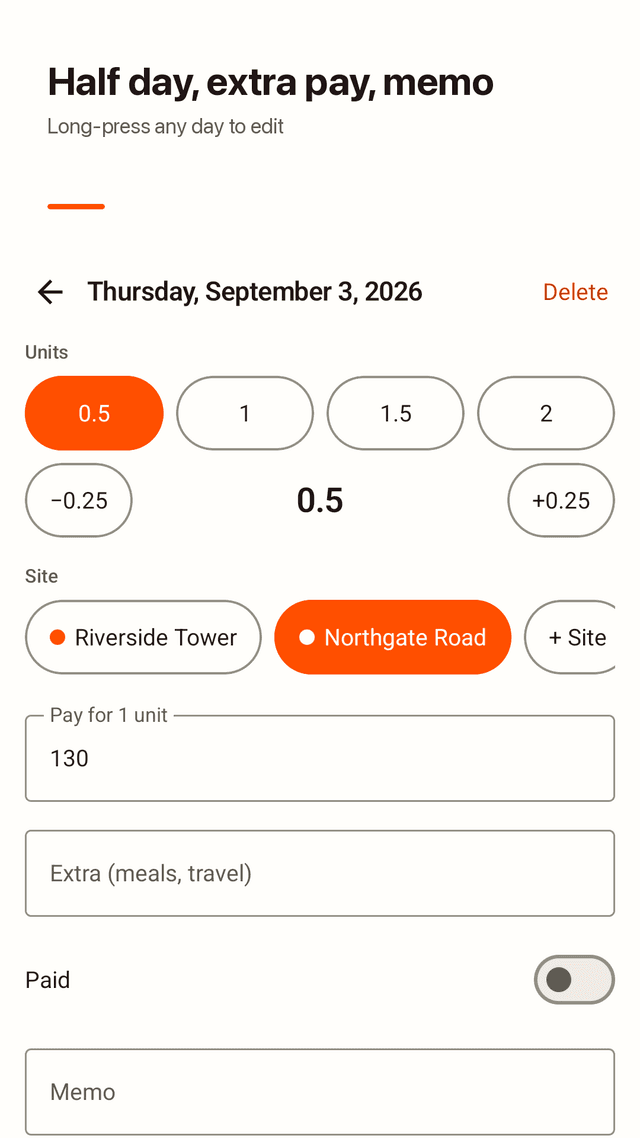
One tap to log a day
Tap an empty day and it is logged with your default site and units. Tap or long-press a logged day to change it: 0.5, 1, 1.5 or 2 units, fine-tune by ±0.25, add extra pay like meals or travel, write a memo.
Pay periods that match your payday
Set the day your period starts, anywhere from the 1st to the 31st. If you are paid for the 21st to the 20th, totals are counted from the 21st to the 20th. Flip back to check past periods.
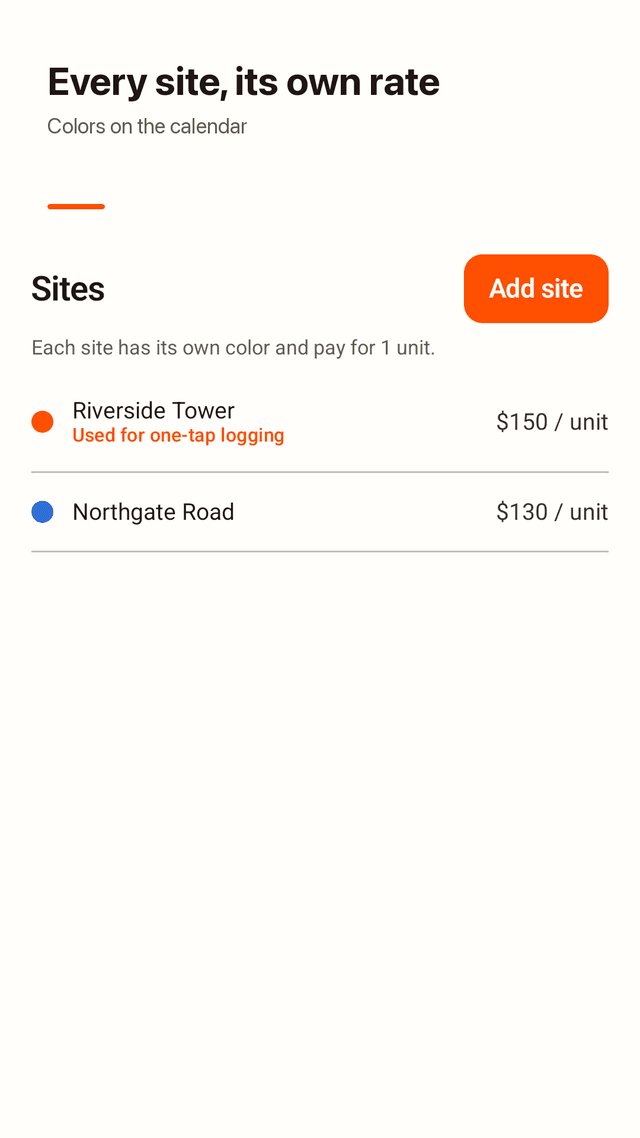
Every site, its own color and rate
Save each work site or client with one of 8 colors and its pay for 1 unit. The calendar shows where you worked, and one day can hold more than one site.
Paid or unpaid at a glance
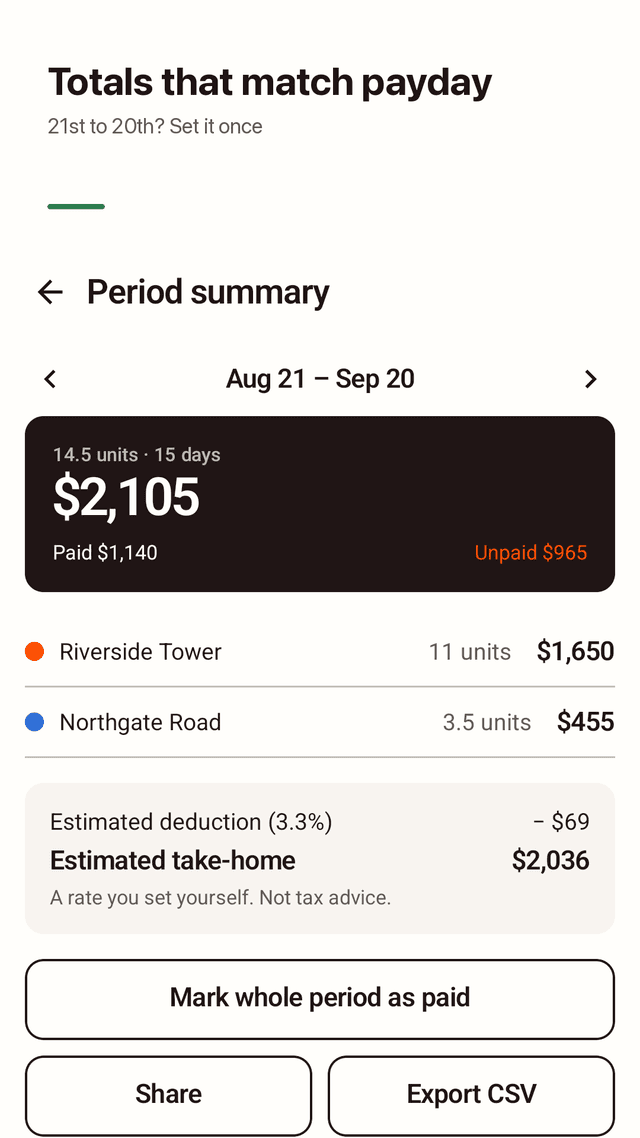
Mark a single day paid, or the whole period at once. The summary splits paid and unpaid money and shows totals per site.
Estimated take-home
Enter a deduction rate you choose yourself to see an estimated take-home amount. It is a simple calculation from your numbers, not tax advice.
Home screen widget
See this period's total without opening the app, and log today with one tap. An optional evening reminder helps you not miss a worked day.
Backup, restore and CSV
Save a JSON backup file before switching phones and restore it on the new one. Export a period to CSV for a spreadsheet.
Private by design
No sign-up, no login, no server. Hide amounts on screen when someone is looking over your shoulder.
FAQ
- I get paid for the 21st to the 20th. Can Wagedays count that?
- Yes. Set the period start day to 21 and every total runs from the 21st to the 20th of the next month. Any start day from 1 to 31 works.
- What if I work at two sites on the same day?
- Log both. A single day can hold several sites, each with its own units and rate, and the period summary shows a total for each site.
- Can I log a half day or 1.5 days?
- Yes. Choose 0.5, 1, 1.5 or 2 units, or adjust in steps of 0.25. Pay is units multiplied by that site's rate for 1 unit, plus any extra pay you add.
- Will my records disappear if I change phones?
- Not if you save a backup first. Wagedays has no account or cloud sync, so export a backup file, move it to the new phone, and restore it there.
- Can it show how much I get after tax?
- It shows an estimated take-home using a deduction rate you enter yourself, for example 3.3%. It does not file taxes or give tax advice.
- Does it track hours or overtime?
- No. Wagedays counts work days in units (like 1 or 1.5 days), not clock hours.
- Does Wagedays have ads?
- Yes. It is free and shows ads. There is no account and no subscription.
- Is my data sent anywhere?
- Your work records are stored only on your phone. There is no login and no server. Ads are provided by Google AdMob; see the privacy policy for details.