Know what class is next.
Bellgrid shows the class you are in, how many minutes are left and where the next one is. It reminds you a few minutes before each class, keeps homework and exam deadlines in one list, and lets you share your timetable as an image as often as you like.
Get it on Google Play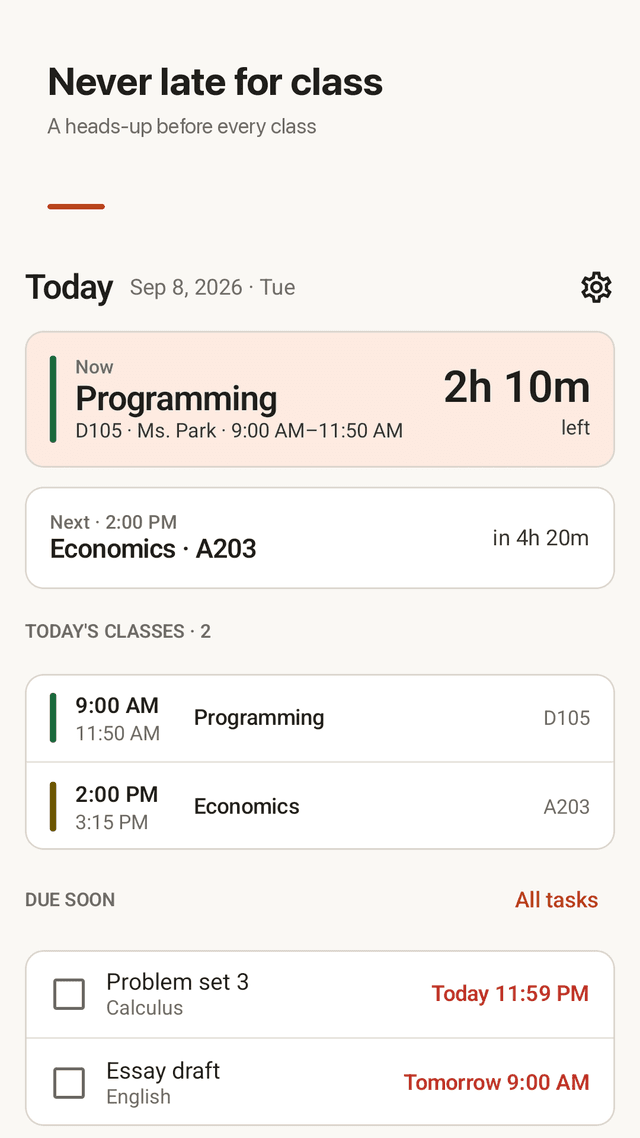
A reminder before every class
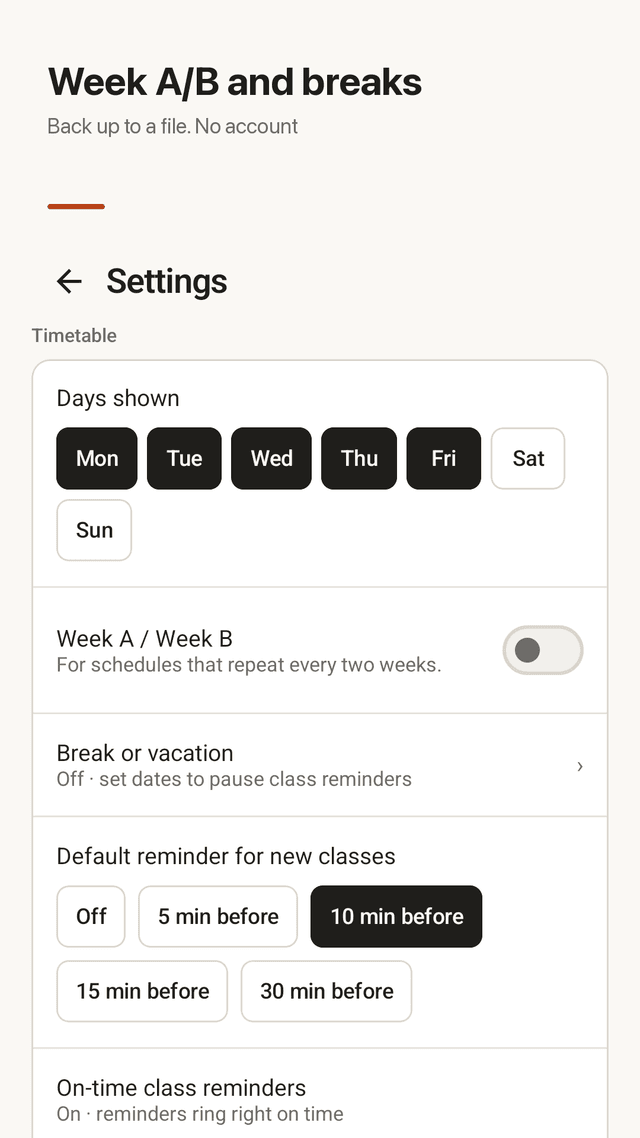
Pick 5, 10, 15 or 30 minutes before. Allow "Alarms & reminders" and it rings right on time. A short morning summary of today's classes and an evening list of tomorrow's deadlines.
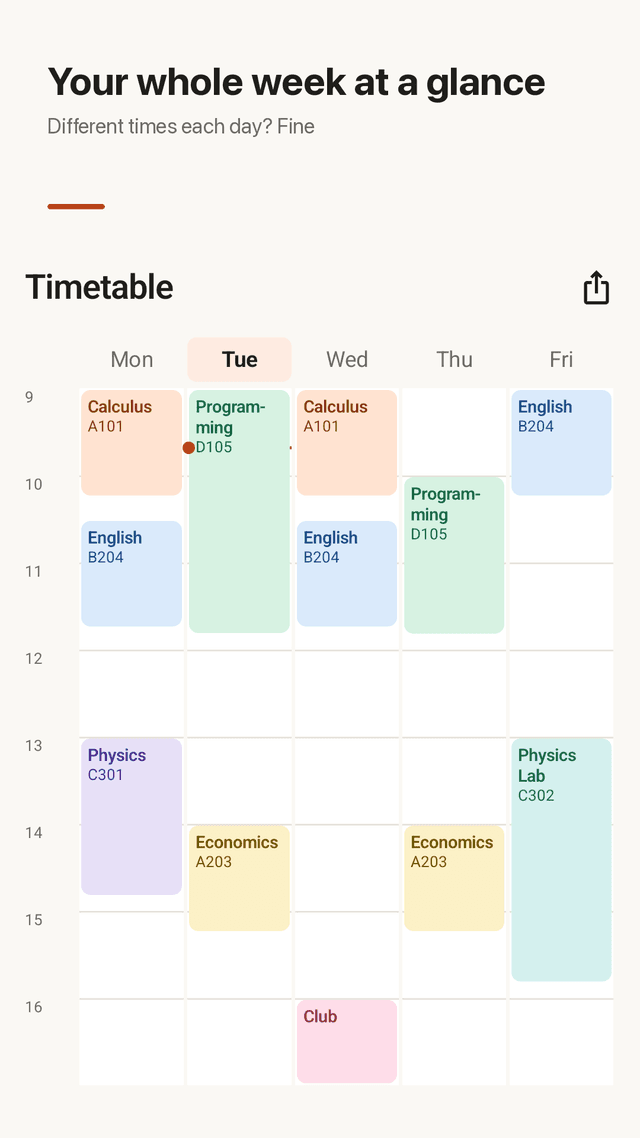
Different times on different days
Monday 9:00 and Thursday 10:00 for the same class is fine. Three-hour labs and overlapping classes sit side by side in the weekly grid.
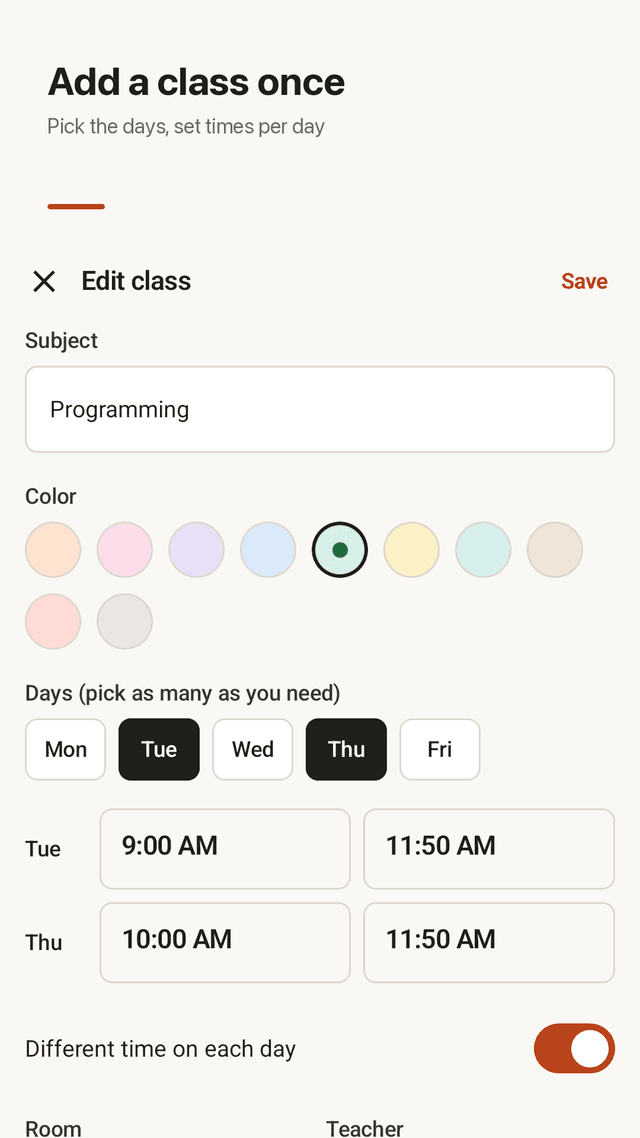
Add a class once
Pick its days, set the time, room and teacher, choose one of ten pastel colors. The whole week fills in.
Today at a glance
The class that is on now with the minutes left, the next class with its room, and the homework due in the next two days.
Homework and exams
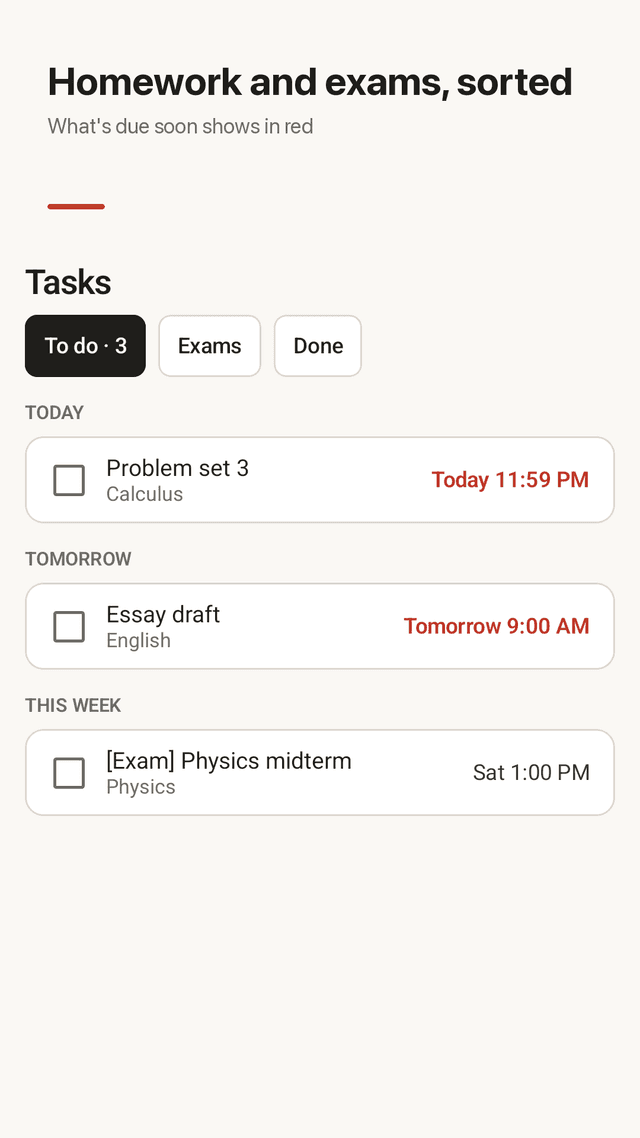
Link a task to a class and set the due date in two taps: next class, tomorrow or in a week. Anything due within a day is shown in red.
Week A / Week B and breaks
For timetables that repeat every two weeks, mark classes as Week A or Week B. Set your vacation dates and class reminders pause.
Widget and image sharing
A home screen widget shows your next class and the most urgent task, and you can tick it off there. Share the timetable as an image with no limit.
Private, no account
Your timetable stays on your phone. Back it up to a file and restore it on a new phone. No sign-up, no server.
FAQ
- Can a class be at a different time on different days?
- Yes. Turn on "Different time on each day" when you add the class and set a start and end time for each day.
- Does Bellgrid remind me before class?
- Yes. Each class can remind you 5, 10, 15 or 30 minutes before it starts, or not at all. Allow "Alarms & reminders" in Settings for on-time reminders.
- Is there a widget, and is it locked behind a paywall?
- There is a home screen widget with your next class and the most urgent task, and it is not locked. Bellgrid shows ads but has no paid unlock.
- How many times can I share my timetable as an image?
- As many times as you want. The image is drawn from your latest changes every time.
- My school has a two-week timetable. Does that work?
- Yes. Turn on Week A / Week B in Settings, choose which week this is, and mark classes as every week, Week A only or Week B only.
- Will reminders ring during the holidays?
- Not if you set a break. Enter the start and end dates in Settings and class reminders pause for that period.
- What happens to my timetable if I change phones?
- Back it up to a file from Settings and restore that file on the new phone. There is no account, so the file is the backup.
- Do I need an internet connection?
- No. The timetable, reminders and widget work offline. Only the ads use the network.