Slipkeep
Scan receipts without an account, a subscription or a scan limit
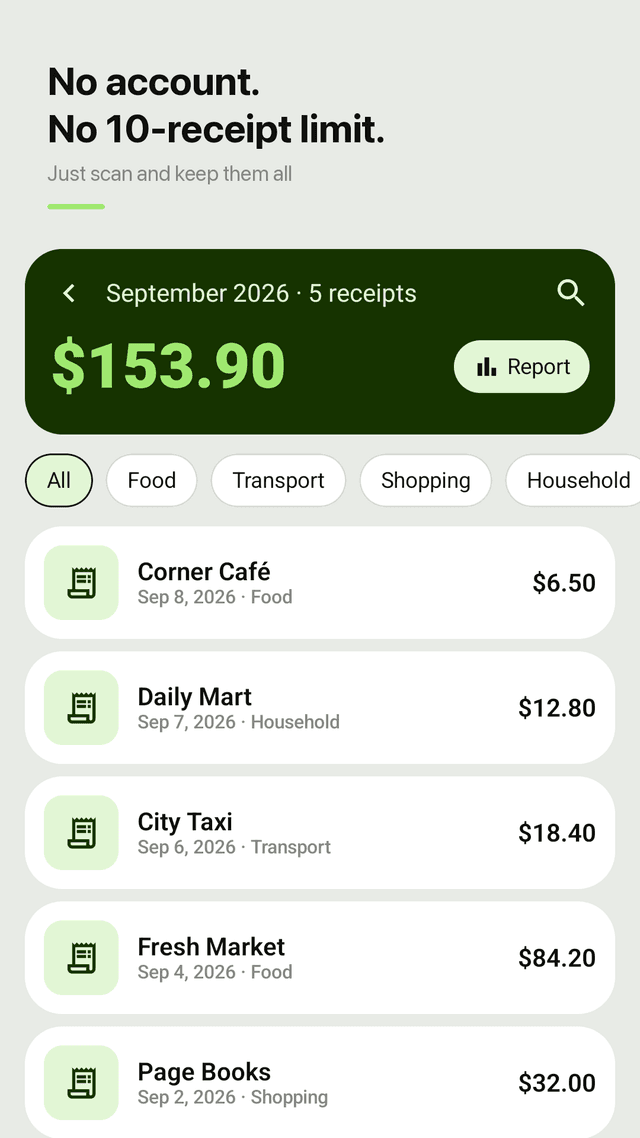
"Only 10 free receipts, then must sign up" is the complaint that keeps coming up about receipt scanner apps. Slipkeep opens straight to the camera, reads the receipt on your phone, and lets you keep as many receipts as you get.
Coming soon to Google Play
Screenshots
No login wall
There is no account to create and no sign-in step between scanning and seeing the result. Open the app and scan.
No receipt limit
Keep every receipt you get. Nothing stops working after 10 scans, and no credit card is ever asked for.
Wrong total? Tap the right one
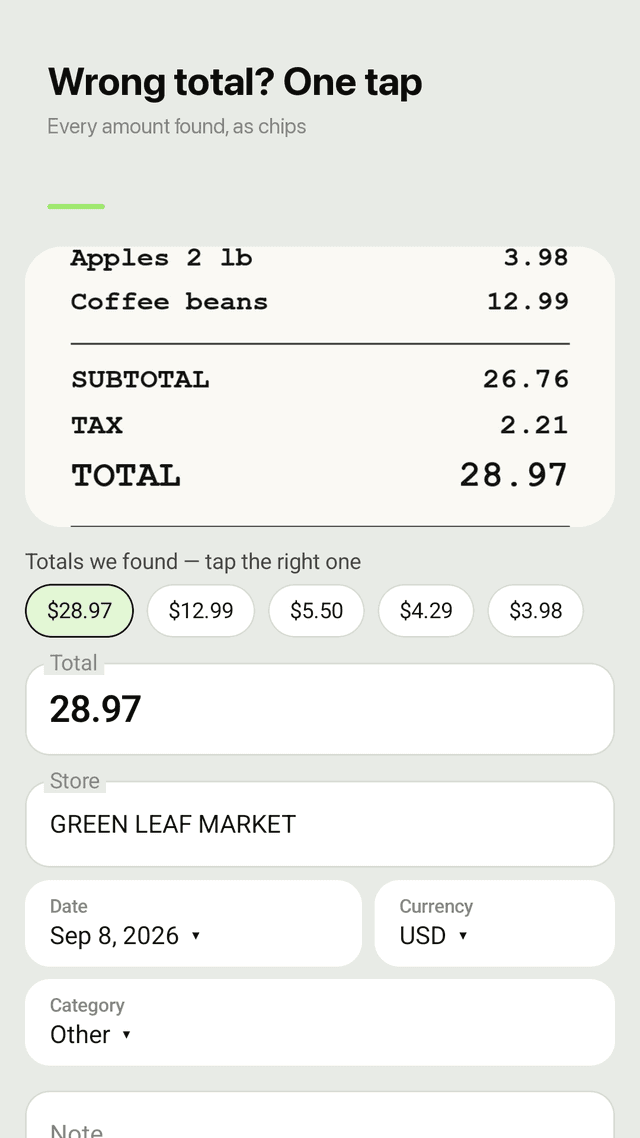
Slipkeep shows every amount it found on the receipt as chips. One tap picks the real total, and you can edit the number right away.
Reads receipts on the phone
Text recognition runs on the device, so store, date and total fill in without uploading the photo anywhere.
Categories and monthly totals
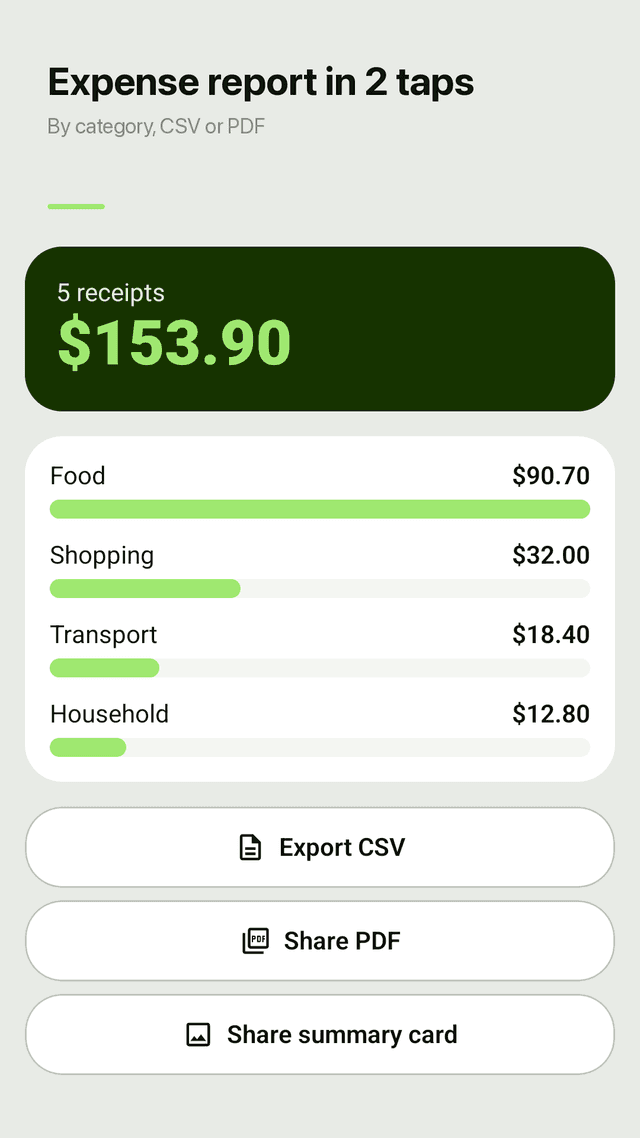
Food, transport, shopping, household or your own categories. The home screen shows this month's total, and the monthly report splits it by category.
CSV and PDF export
Export a CSV for a spreadsheet or share a PDF expense report in two taps, ready for an accountant or a work expense claim.
Any currency, search and widget
Set the currency per receipt, search old receipts by store or note, and scan from a home screen widget that also shows this month's total.
Private by design
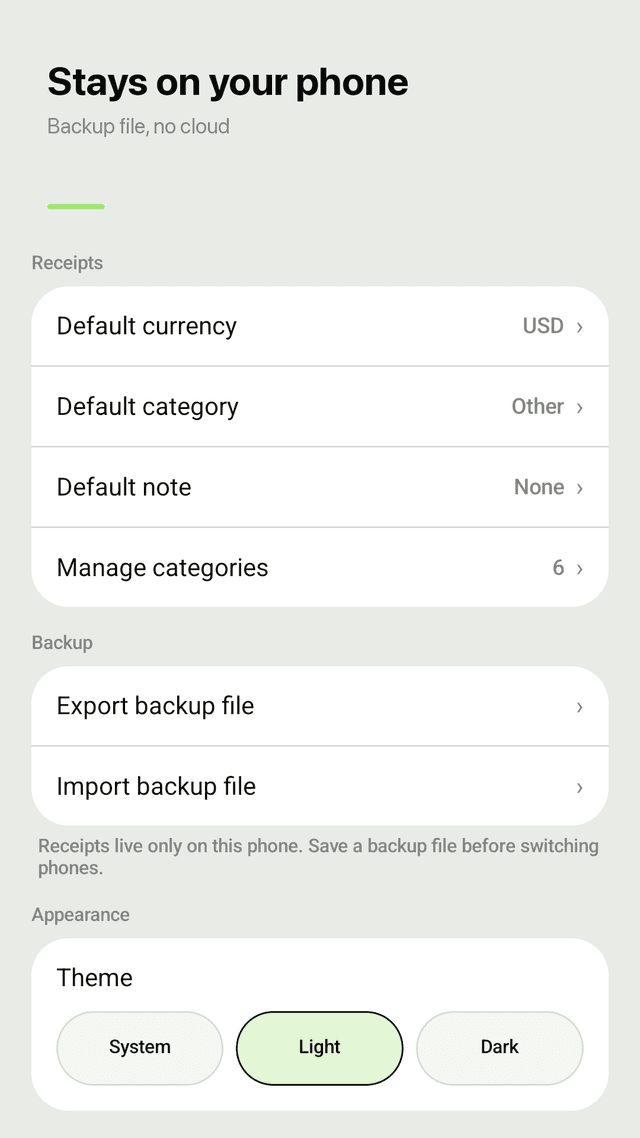
Receipts and photos stay on your phone. No cloud upload and no camera permission; Slipkeep uses your phone's own camera app. A backup file moves everything to a new phone.
FAQ
- Is there a receipt scanner app without an account?
- Yes. Slipkeep has no account and no login at all. Receipts are saved on your phone, so there is nothing to sign in to.
- Is Slipkeep really free, or only 10 receipts free?
- Every feature is free with no receipt limit and no trial that turns into a subscription. The app is supported by ads.
- Why does a receipt scanner read the total wrong?
- Receipts list many amounts: subtotal, tax, tip, card payment and change. Scanners have to guess which one is the total, and faded or crumpled paper makes it harder. Slipkeep shows all the amounts it found so you can tap the right one instead of retyping it.
- Can I export receipts to Excel or CSV?
- Yes. Export a CSV file that opens in Excel or Google Sheets, or share a PDF expense report with totals by category.
- Are my receipts uploaded to a server?
- No. Text recognition runs on the phone and receipts are stored only on the device. Use the backup file if you change phones.
- Can I use it for tax receipts and expense reports?
- Yes. Freelancers and employees use category totals and the CSV or PDF export for tax records and expense claims. Keep the original receipts if your tax office requires them.
- Does it support currencies other than dollars?
- Yes. The default follows your phone's region, and you can set the currency for each receipt.
- Why doesn't Slipkeep ask for camera permission?
- It opens your phone's own camera app to take the photo, or lets you pick a photo from the gallery, so it never needs direct camera access.
Coming soon to Google Play
Guides
Slipkeep is a receipt scanner and expense tracker for Android. It reads receipts with on-device text recognition, lets you pick the correct total, sorts expenses by category and exports CSV or PDF reports. No account, no scan limit, receipts stored on the phone. Supported by ads.